
You're looking at two ad sets in Ads Manager. Same offer, same creative, same daily budget. One reports a cost per acquisition you'd happily scale, the other looks like a write-off, and your cursor is hovering over the budget slider. Before you move anything, ask the question the dashboard doesn't answer: did those two ad sets reach the same kind of person? Targeting social media advertising gets sold as a way to choose your audience. In practice you choose who's eligible, and the platform chooses who sees the ad. Treat that gap as a measurement problem rather than a settings problem, and your decisions get slower, cheaper and far easier to defend.
Table of Contents
- What Targeting Controls and What the Algorithm Decides
- Audience Types Compared at a Glance
- How Delivery Algorithms Redistribute Your Audience
- Conversion Signals Ranked by Learning Value
- Privacy, Consent and the Data You Can Defend
- Choosing a Targeting Setup by Goal and Volume
- Test and Confirm Before Budget Scales
What Targeting Controls and What the Algorithm Decides
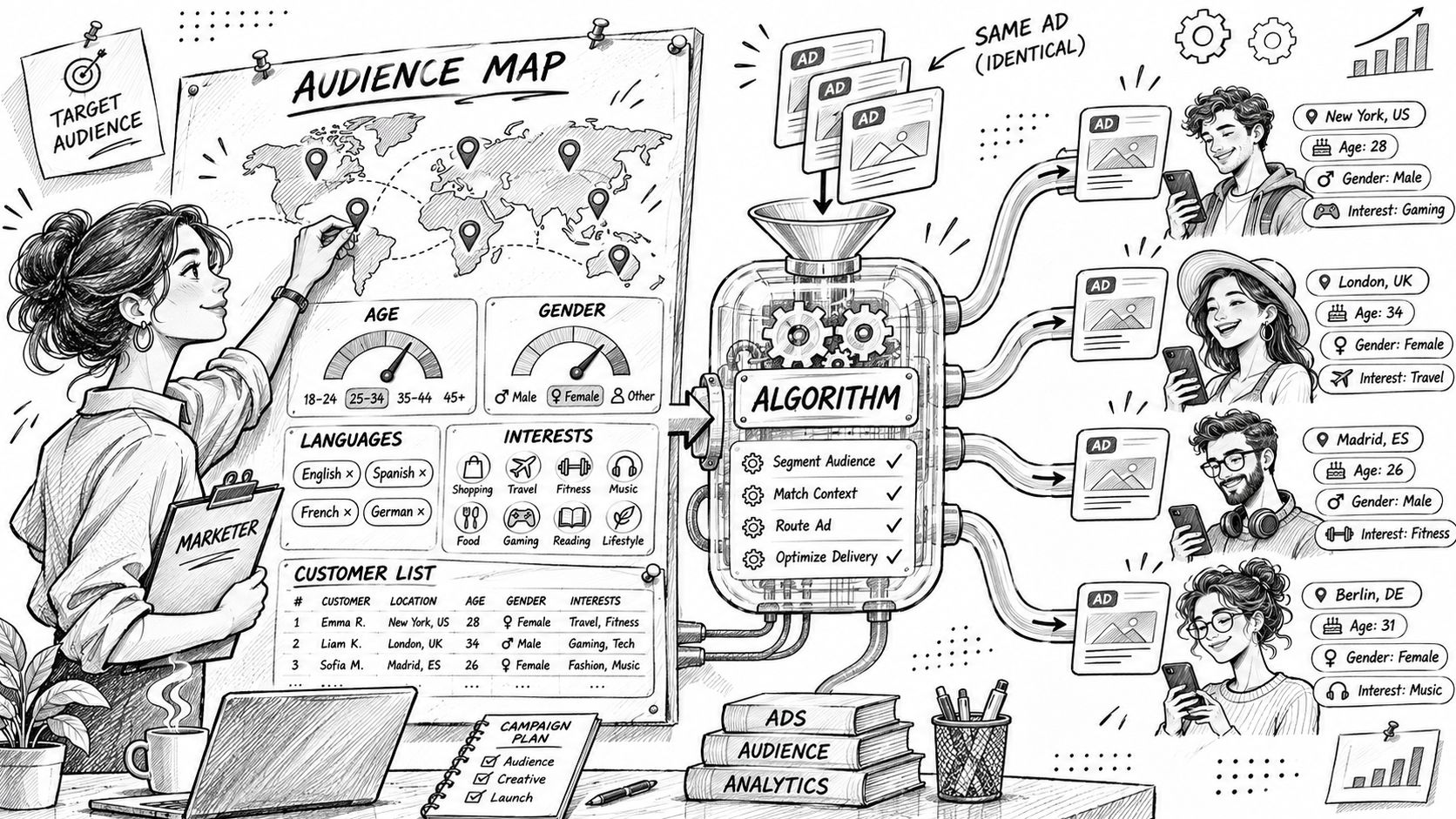
Think of your targeting as the guest list at the door and the delivery algorithm as the system deciding which people on that list walk into the room tonight. You write the list. You don't work the door. Every campaign has these two layers, and most reporting confusion comes from collapsing them into one.
The layer you write and the layer you don't
- The audience you define: location, age range, gender, language, interest and behaviour categories, plus any customer list you upload. These are eligibility rules, nothing more.
- The audience you get: the users the platform picks from that eligible pool, impression by impression, in a real-time auction against every other advertiser chasing the same person.
The second layer moves. Predictions shift as user behaviour changes and as competing bids rise and fall, so identical settings can return different results on Tuesday than they did on Monday. That isn't a bug you can fix with a tighter interest stack.
The money involved explains why this deserves discipline rather than guesswork. Worldwide social media advertising spending was projected to reach approximately US$276.7 billion in 2025, according to Statista's social media advertising outlook, which puts small efficiency gains against very large budgets. At that scale, a targeting change that looks cosmetic in the interface still moves real spend.
So you're left with two levers you control directly: who is eligible to see the ad, and which conversion goal the system optimizes toward. Creative and bids matter, but they operate inside those two choices. Everything worth testing in paid social is a test of one of those levers against what got delivered, and the rest of this guide is about running that comparison.
Audience Types Compared at a Glance
Six audience types cover almost every setup you'll build. Read them as trade-offs between control and data quality, not as a ladder of sophistication.
| Audience type | How it is built | Control you keep | Main risk |
|---|---|---|---|
| Core demographic and location | Age, gender, location and language filters | High over who is eligible | Overly narrow filters shrink reach and slow learning |
| Interest and behaviour | Platform categories for interests, purchases and activity | Medium, categories are platform-defined | Overlapping categories inflate audiences and repeat the same users |
| Custom audiences from first-party data | Uploaded customer lists, site visitors or app users | High, data is yours | Small lists limit scale and raise consent questions |
| Lookalike or modeled | Platform finds users similar to a seed audience | Low over the match, medium over the seed | Weak seeds copy the wrong customers |
| Contextual or placement | Ads shown next to content or in chosen placements | High over content and placement | Relevant context can still reach users who will not convert |
| Broad, algorithm-led | Minimal targeting, the platform chooses the audience | Low over who sees the ad, high over creative and goal | Results depend on strong conversion data and creative variety |
Constraints you can actually justify
Demographic and location filters earn their budget when the constraint is real: you deliver to one city, you sell an age-restricted product, or your service legally can't reach certain groups. They become a trap when you add them for comfort. Say a bakery runs a campaign for wedding cakes and stacks age, gender, three interests and a 10 kilometre radius. The audience gets small enough that the system sees only a trickle of conversions, and it never learns who a good buyer looks like.
Interest and behaviour categories are the most misused row in the table. They're platform-defined labels, not verified facts about a person, and stacking several of them usually adds overlapping users rather than new ones. Use one category as a hypothesis, test it against a broader version, and drop it if it doesn't pay.
Your data, and the platform's copy of it
Custom audiences give you the most control because the input is yours: buyers, site visitors, app users, newsletter subscribers. The limit is list size and consent, not cleverness. A few hundred matched users won't carry a prospecting budget, though it'll carry a suppression list beautifully.
Lookalikes hand the matching decision to the platform, so the seed is the only thing you really control. Seed from your best customers by margin or retention, not from everyone who ever filled in a form. When you audit these audiences, work at ad set level rather than the account summary, and check which audience and delivery fields you can pull, as listed in the Meta Ads documentation.
Handing the choice over
Contextual and placement targeting controls the surroundings rather than the person, which suits exposure goals and early creative tests. Broad targeting controls almost nothing about who sees the ad and almost everything about what they see, which is why it lives or dies on conversion signal quality and creative variety.
Practical rule: the right audience type is the broadest one that still matches your buyer and still produces enough conversions for the system to learn from.
None of these rows is a ranking. A clean purchase signal and steady volume make broad targeting look brilliant; thin data and a niche market make constraints look brilliant.
How Delivery Algorithms Redistribute Your Audience
Identical settings don't produce identical audiences. That's the assumption worth breaking, because it invalidates most ad set comparisons.
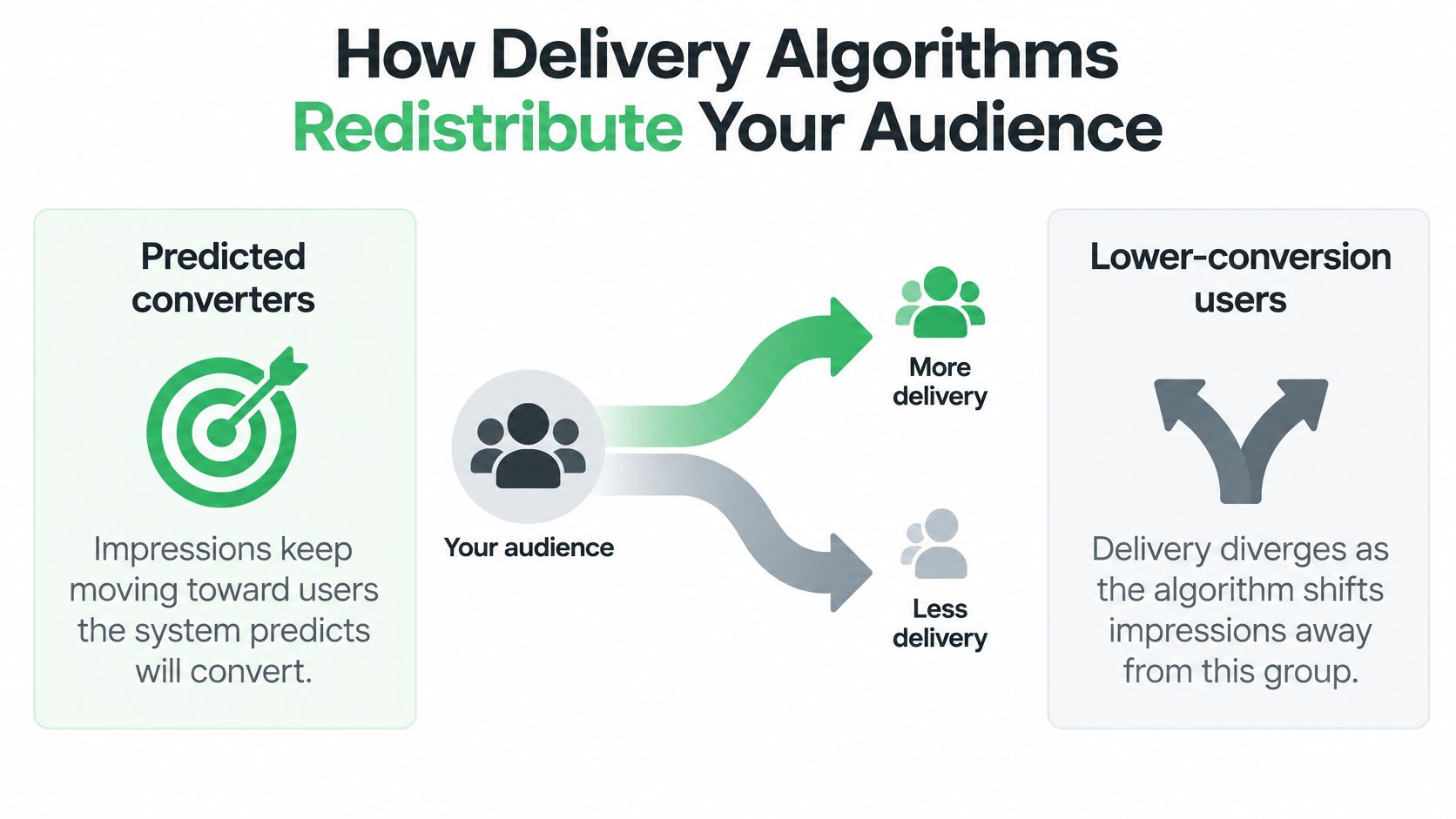
A conversion-optimized campaign keeps reallocating impressions toward users it predicts will complete your chosen event. Researchers call the result divergent delivery: two ad sets with the same targeting constraints can end up reaching people who differ in age, device, placement and purchase history. In an analysis of 3,204 advertising lift tests covering approximately 15.5 billion user-test observations, conversion-objective experiments showed greater treatment–control imbalance than awareness campaigns, with 32% of conversion-test p-values below 0.05 and 14.4% of standardized mean differences exceeding 0.20, according to the study of advertising lift experiments on arXiv.
What that does to your comparison
If one ad set received a friendlier mix of users, its reported conversions look better for reasons that have nothing to do with your targeting hypothesis. You'd be reading a delivery difference and calling it an audience insight. Then you'd move budget, and the winning ad set would regress because the mix changed again.
Run this checklist before any budget move between segments.
| Diagnostic | What to compare | Warning sign |
|---|---|---|
| Delivered reach | Unique users reached per segment | One segment reaches far more of the defined audience than the others |
| Placement mix | Share of impressions by placement | Large shifts toward a single placement |
| Frequency | Average impressions per user by segment | One segment receives much higher frequency |
| Conversion distribution | Conversions by age, device and purchase history | Conversions concentrated in a small group of users |
| Attributed ROAS | Platform-reported return by segment | A gap that shrinks or disappears once delivered mix is controlled |
Pull the breakdowns by age, gender, device and placement for each ad set over the same date range, then put them side by side in a spreadsheet. You're looking for shape differences, not decimals.
When two ad sets received different users, their attributed ROAS is a provisional number, not a verdict.
Flag any segment whose delivered mix diverges sharply, and treat its reported return as unconfirmed until a holdout or conversion-lift result agrees with it. That's an extra week of patience in exchange for not rebuilding your account around an artefact.
Conversion Signals Ranked by Learning Value
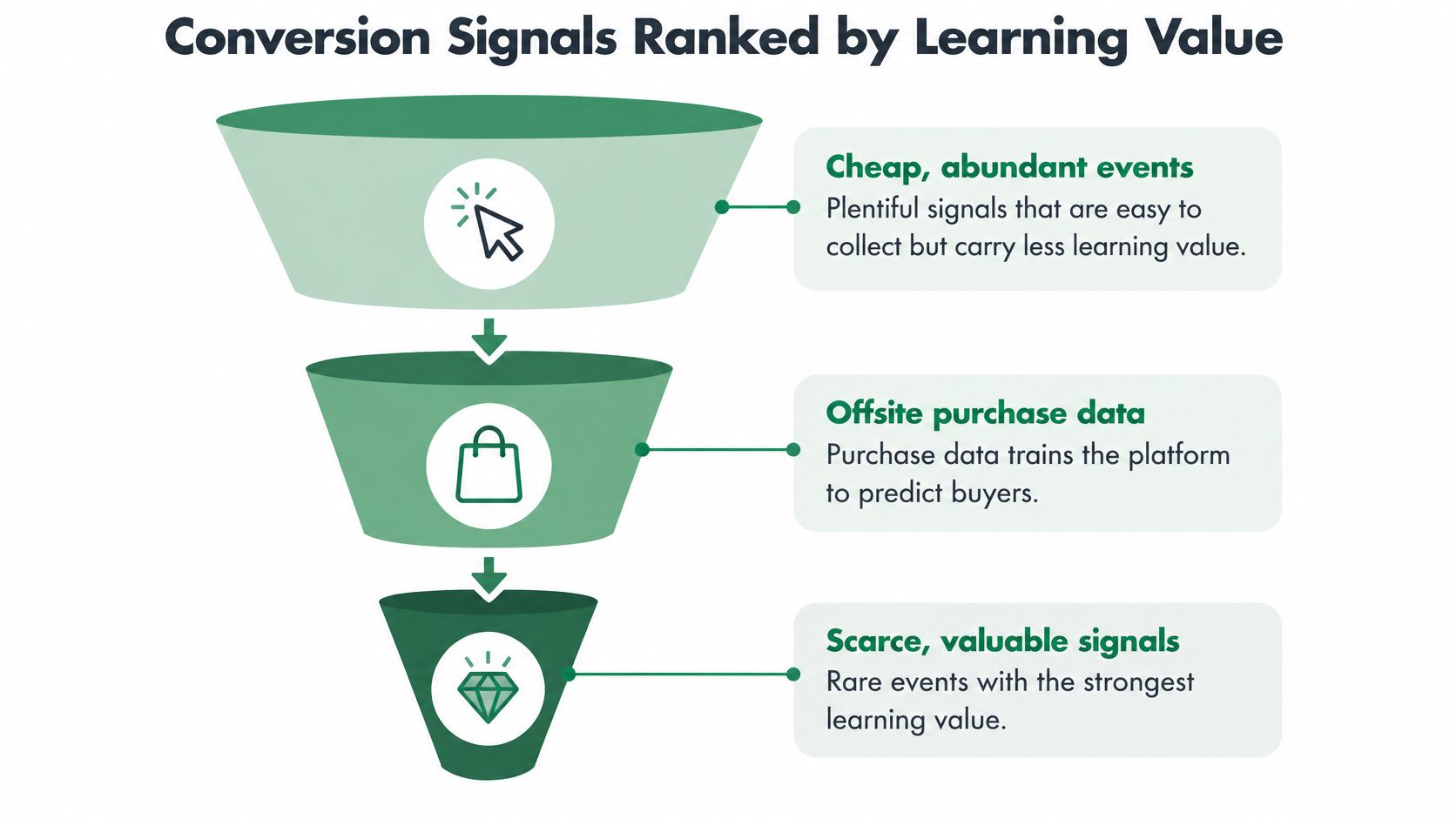
The second lever is the event you optimize toward, and it deserves more attention than the audience field. Signals sit on a ladder: cheap and abundant at the top, scarce and valuable at the bottom.
| Signal | Typical volume | Learning value | Best use |
|---|---|---|---|
| Link click | High | Low, many clicks come from curious or accidental users | Creative and awareness tests |
| Landing page view | High | Low to medium, shows interest rather than commitment | Traffic checks and early funnel tests |
| Add to cart or lead form start | Medium | Medium, closer to intent | Ecommerce and lead generation with enough volume |
| Completed purchase or lead | Lower | High, linked to revenue or sales outcome | Ecommerce and most performance campaigns |
| Qualified lead or booked meeting | Lowest | High when the CRM confirms quality | B2B and high-ticket services |
| Offline revenue or pipeline value | Low | Highest when matched back to ad clicks | Mature reporting setups with clean CRM data |
Why purchase feedback beats click feedback
Offsite purchase data trains the system to predict buyers rather than browsers. In the peer-reviewed Marketing Science study of Meta advertising, offsite conversion optimization uses real-time purchase information to predict which users are likely to buy, then adjusts the audience and bids toward users with higher predicted conversion probability. Purchase-optimized advertising generated substantially more long-term customers per dollar than click-optimized advertising, with the long-term effect similar in magnitude to the immediate purchasing effect.
That's the mechanism in one line: accurate purchase feedback lets the algorithm tell cheap engagement apart from economically valuable customers. Clicks can't do that, because a click from a curious teenager and a click from a ready buyer look identical in the event log.
The trade-off you can't avoid
Moving down the ladder costs you volume. A goal closer to revenue fires less often, so the system has fewer examples to learn from, and learning gets slower and noisier. Four checks keep that trade-off manageable:
- Transmission: confirm the event fires on the thank-you page and in the server-side path, using the platform's event testing tool before you trust it.
- Deduplication: send one purchase record per order, with a consistent order ID, so refreshes and retries don't inflate your signal.
- Volume: if the chosen event barely fires, optimize to a higher-volume step such as a lead form start and track the downstream result separately.
- Alignment: match the goal to revenue or qualified leads, not traffic, and verify the downstream truth in analytics rather than ads reporting. The Google Analytics connector reference covers the traffic and conversion fields you can read for that comparison.
Weak CRM integration hurts smaller advertisers hardest, because they've got less data to compensate with. Fixing the purchase pipeline is usually a better use of a week than rebuilding interest stacks.
Privacy, Consent and the Data You Can Defend
Signal loss isn't an abstract compliance topic. It shows up in your metrics.
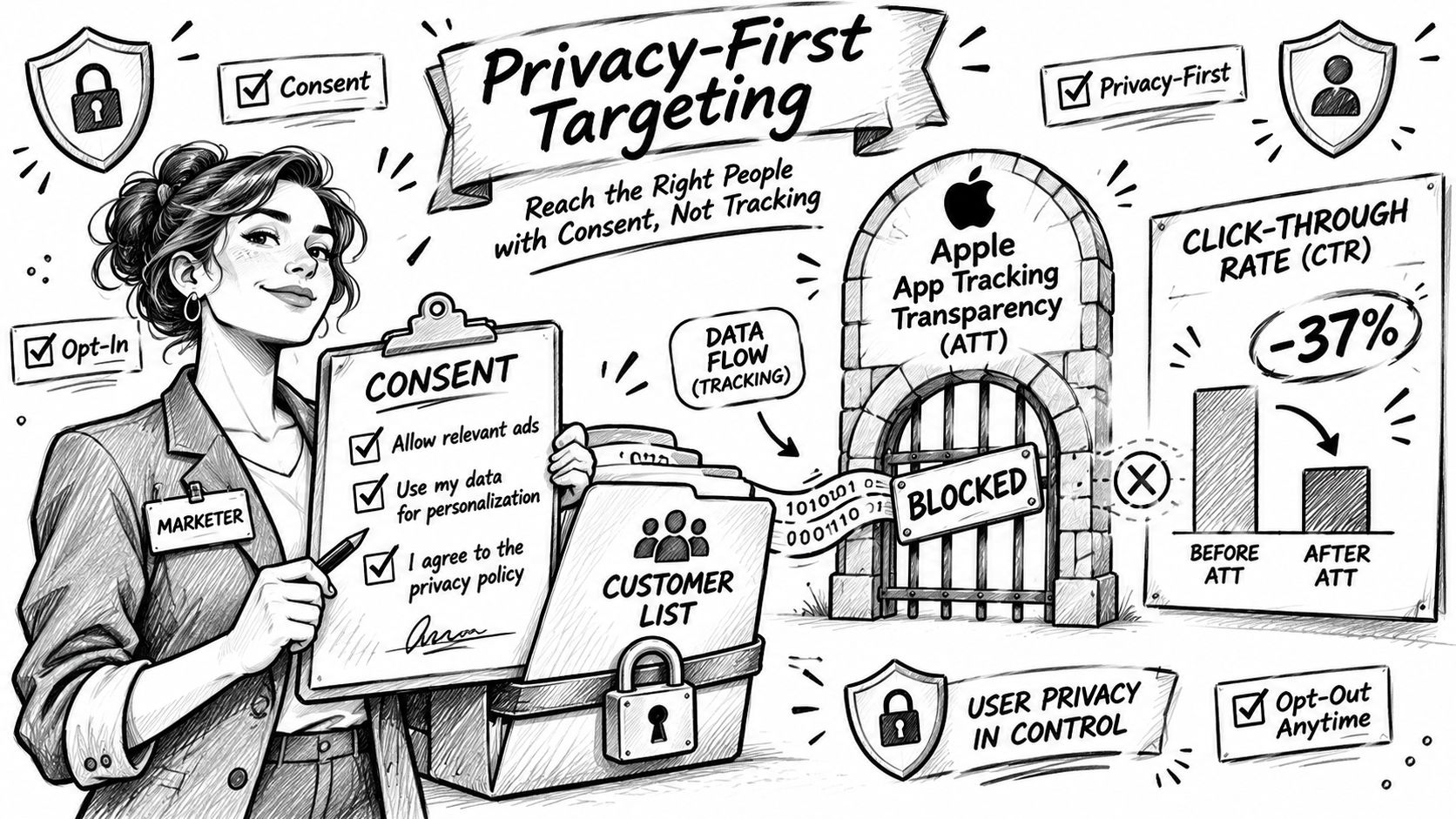
Research from UCLA Anderson links conversion-optimized Meta campaigns affected by Apple's App Tracking Transparency policy to a 37% decline in click-through rates, and describes platforms shifting toward probabilistic attribution when users opted out, in the UCLA Anderson paper on ATT and advertising privacy. When a chunk of your conversions becomes modeled rather than observed, a smaller audience can produce more confident-looking reporting while telling you less about real demand.
Provenance matters as much as precision. The FTC's 2019 opinion in the Cambridge Analytica case described an app that obtained information from approximately 50 million to 65 million Facebook friends of the users who interacted with it, data used for voter profiling and targeted advertising. Ordinary interest selection and targeting built from social connections are not the same activity, even when the interface makes them feel similar.
Three questions for every signal
Ask each audience source the same three things before you build on it:
- Consent basis. Where did this data come from, and did the person agree to this use? An uploaded list of buyers is defensible; a scraped list of followers isn't.
- Durability. Will this signal still exist next quarter? Contextual placement and first-party cohorts survive browser and OS changes better than third-party identifiers.
- Bias. Who does this source systematically miss? Opted-out users, iOS-heavy audiences and offline buyers all disappear from certain datasets, which skews who the algorithm learns to chase.
Broad algorithmic delivery and contextual placement need little personal data but give you little audience certainty. First-party cohorts and CRM-confirmed outcomes need real consent work and give you the most defensible picture of value. Modeled audiences sit in between, and they inherit the bias of their seed.
Keep every change reversible
Audit suppression as carefully as inclusion: check that people who asked not to be tracked are excluded from every list, including lookalike seeds. Then log the mechanics. Every audience expansion, exclusion and budget change needs a written diff, an approval, an audit trail and a rollback path, so a privacy-sensitive experiment doesn't harden into permanent automation.
A targeting change you can't undo isn't an experiment. It's a commitment you made by accident.
Choosing a Targeting Setup by Goal and Volume
Start from the outcome and the event volume, then pick the audience type. Doing it in the other order is how accounts end up with fourteen ad sets and no readable results.
Work through four decisions in sequence:
- Confirm the conversion signal. Decide what a real outcome is (purchase, qualified lead, booked meeting) and verify that it reaches the platform cleanly.
- Check whether volume supports learning. Look at how often that event fired over the last month across the account, not per ad set. Thin volume means fewer, larger ad sets.
- Choose the broadest audience that still matches the buyer. Add location and legal constraints, then stop.
- Add a constraint only when a test shows it pays. An interest filter is a hypothesis with a cost, not a default.
From there, the matching is fairly mechanical. Steady conversion volume and a clean purchase or lead signal usually favour broad, algorithm-led targeting, because the system has room to learn and detailed interest stacks add little. A small, well-defined market favours core demographic or interest constraints, provided the audience still yields enough conversions to learn from. First-party custom audiences are strongest for retention and suppression, where list size is the binding limit rather than reach.
Lookalike and modeled audiences suit prospecting once a high-quality seed exists, and the seed should be tested at modest spend before you scale it. Contextual placements suit awareness and early funnel work, where exposure is the point and immediate purchases aren't. If you're weighing whether paid social is worth the operational effort at all for a smaller business, Olivetree Marketing's breakdown of what social media ads deliver is a useful plain-language companion to this decision.
When volume is thin, optimize to a higher-volume step such as a landing page view or a lead form start, and track the downstream outcome separately in analytics or your CRM. You keep learning speed without pretending the shallow event is the goal.
Revisit the setup after every test rather than every quarter. Volume changes, signal quality changes, and the audience that was right at low spend often becomes the constraint at higher spend.
Test and Confirm Before Budget Scales
Platform-reported return can't settle a targeting question when the same platform controls both delivery and measurement. Academic work describes Google, Meta and other platforms using automated systems to determine both who gets reached and which conversions are likely, leaving advertisers with less visibility into the mechanism, as discussed in the Convergence analysis of automated advertising systems. An incrementality test breaks that loop by comparing outcomes against a group that didn't see the ads.
The test sequence
- Change one targeting variable. Narrow interest stack against broad targeting, nothing else.
- Hold budget, creative and optimization goal constant. Otherwise you're testing three things and reporting one.
- Set the holdout before launch. Choose a geo holdout, an audience holdout or a platform conversion-lift test, and define it in writing so nobody adjusts it mid-flight.
- Run until there are enough conversions to read. Short tests mostly measure noise, and a holdout needs conversions on both sides.
- Compare incremental conversions between test and holdout, not only platform-reported ROAS.
- When platform ROAS and CRM revenue disagree, trust the revenue you can match to customers, and check each source's reporting window before calling either one wrong.
Say a SaaS team tests a narrow interest stack against broad targeting with a geo holdout. The narrow audience reports a lower cost per acquisition, but total sign-ups are fewer, and the holdout comparison shows the broad version produced more incremental pipeline. The narrow ad set won the dashboard and lost the business question. That pattern is common enough that you should expect it, not treat it as an anomaly.
Pre-launch checks
- Overlap: confirm audience overlap between ad sets is low so you aren't bidding against yourself for the same users.
- Signal: confirm the conversion event and optimization goal are the ones you verified, with deduplication in place.
- Rollback: log every audience change with a path back, so a losing variant can be reversed in one step.
Advertising platform connections expose reporting and supported campaign changes, and nothing goes live and no ad budget changes until the client approves it. On the Free plan you can preview bid, budget, keyword, audience and ad edits before approving them, which makes the diff-and-rollback discipline practical rather than theoretical. If you suspect your current structure is already leaking money, the walkthrough of finding wasted spend in Meta ads shows where those leaks usually sit.
Rank your planned tests by spend at risk, then run the highest-risk holdout this week.
NotFair connects your ad, analytics and CRM accounts so you can compare the audience you defined with the audience the platform delivered, in one session, from live data rather than stale exports. Every proposed audience, budget or bid edit arrives as an explicit diff you approve, with logged history and one-call undo, so your incrementality tests stay reversible. Connect your accounts and start diagnosing at NotFair.