

Co-founders
NotFair vs Surfer: A Content Workflow Checklist
Compare NotFair vs Surfer for content optimization, AI visibility, WordPress publishing, and SEO measurement. Build a test around one real article.
Choose Surfer when you need to evaluate a dedicated content-optimization and search-visibility workspace. Choose NotFair when you want an AI client to investigate connected search data, prepare a specific website change, and verify the result. A content score and a published, useful answer are different outputs; the right comparison follows one article from evidence to reader experience.
Published by NotFair, one of the products compared. We checked public vendor documentation and NotFair’s implementation on September 11, 2026. This is a documented capability comparison, not a head-to-head performance test. Worked examples are illustrative; prices and plan terms can change.
What Surfer’s current plans actually include
Surfer’s public pricing currently lists Standard at $99 per month billed yearly, with an annual allowance of 360 documents to create or optimize and 25 AI prompts refreshed weekly. Pro is $182 per month billed yearly and lists 50 prompts refreshed daily, along with additional features including MCP. Confirm the billing period and document allowance terms at checkout; an annual-equivalent rate is not a month-to-month offer.Surfer Standard and Pro plan details (https://surferseo.com/pricing/).Surfer allowance periods (https://docs.surferseo.com/en/articles/7913068-which-plan-to-choose).
Those features can be useful when an editorial team needs a shared environment for planning, optimizing, and monitoring content. Evaluate that actual workflow. Do not assume a tool is obsolete because it uses a content score, or assume a score itself establishes factual accuracy, original expertise, or reader satisfaction.
| Stage | Useful evaluation question |
|---|---|
| Research | What reader question and source evidence justify this page? |
| Optimization | Do suggestions improve the answer or merely add terms? |
| Publishing | Does the reviewed content reach the exact intended URL? |
| Measurement | Can we distinguish visibility, visits, and useful business outcomes? |
Surfer also documents a WordPress plugin that can import and export content, create drafts, and support editing inside WordPress. Publishing is therefore not exclusive to NotFair. Compare the editing environment, exact site permissions, and the other connected tasks you need alongside publication.Surfer WordPress plugin and publishing (https://docs.surferseo.com/en/articles/6328028-what-is-the-wordpress-plugin-and-how-to-install-it).
Where NotFair’s connected workflow fits
NotFair provides connected Search Console and GA4 tools plus supported WordPress operations through a verified site connection. That lets a compatible assistant inspect your own page performance, work with the website’s current content, and prepare a reviewed edit. The workflow stays grounded in the property and website you have actually connected.NotFair MCP setup and integrations.NotFair WordPress connection and publishing.
For a comparison article, the editor might ask which questions the page is already attracting, identify the unanswered pricing issue, check the source, and update the relevant paragraph and table. The result should be more useful even if no keyword-scoring system were present. That is the practical advantage of linking diagnosis to the exact publication task.
NotFair Growth’s MCP plan is $99 monthly or $950 annually. It is not a like-for-like content-editor allowance, and the operation limits do not establish unlimited SEO content production. Check any separate SEO service entitlements, the connected WordPress setup, and AI-client costs before comparing the complete working price.NotFair pricing and account limits.
Measure editorial yield, not generated volume
Illustrative production review: a team drafts 12 articles, but only nine pass factual and editorial checks. Its publishable yield is 9 ÷ 12 = 75%. If the team spends 36 editor-hours reviewing those drafts, the review effort is 36 ÷ 9 = four hours per publishable article. Counting 12 drafts as 12 finished articles hides the work that remains.
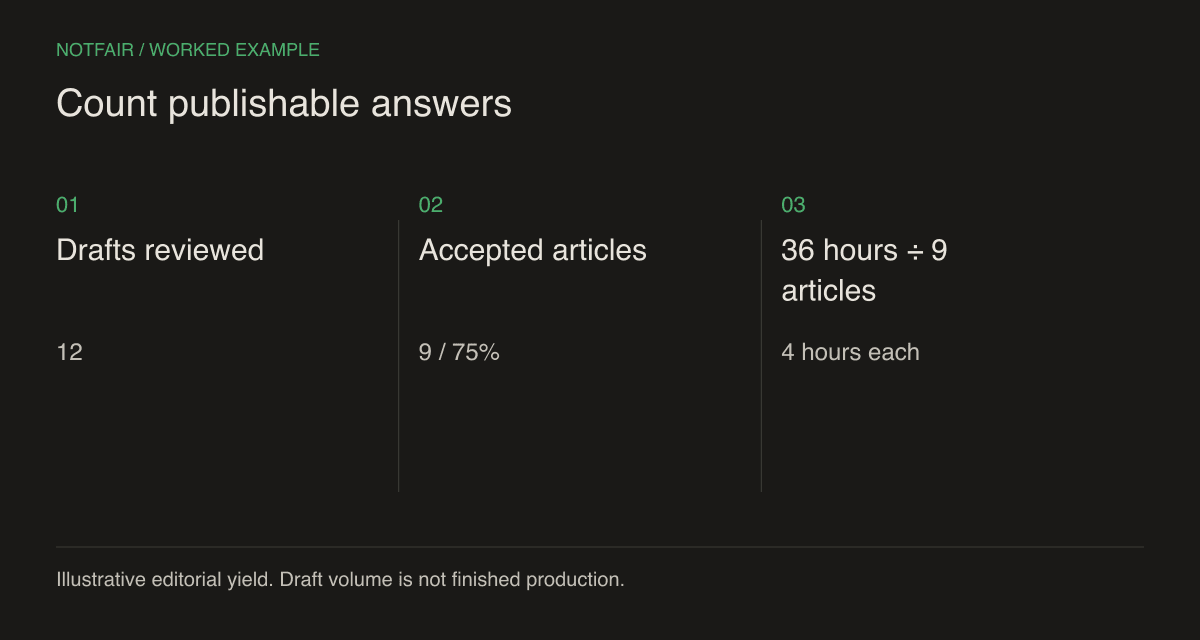
Use that worksheet when trialing a content tool. Record time spent verifying statistics, correcting product claims, removing filler, and improving structure. If an optimization suggestion adds a related term but forces an irrelevant paragraph, reject it. The useful denominator is a publishable answer to a distinct question, not the number of words generated.
Keep factual checks separate from stylistic preferences. An inaccurate price is a blocker. A disagreement about whether an introduction is two or three sentences is usually an editorial choice. That separation keeps the quality gate strict about consequential errors without turning review into endless polishing.
Apply Google’s guidance to the reader’s task
Google’s helpful-content guidance emphasizes original value, reliable sourcing, clear authorship, and satisfying the reader’s goal. It explicitly discourages writing to a supposed preferred word count. Use length to answer the question fully; do not pad a page because another article is longer.Google’s people-first content guidance.
For a software comparison, an effective opening tells the reader which product fits which job. The table should compare equivalent scopes, disclose billing terms, and cite sources near volatile claims. A worked example should show its inputs and arithmetic. If the example is hypothetical, label it where the reader encounters it rather than burying that qualification at the end.
Reading quality also includes navigation and layout. Use descriptive headings, short paragraphs, usable tables, and diagrams only when they explain a relationship. Important facts should remain in readable text, not only in an image. Check the page on a phone; a wide table that forces the entire page to scroll sideways makes a careful comparison harder to use.
Test one existing article through the full process
Add one maintenance test: ask the workflow to update a price while preserving the rest of the comparison, its original publication date, and its source links. Then inspect the rendered result. An editor will need to make this kind of bounded correction repeatedly as products change. A system that rewrites unrelated sections during every update creates additional review work. Keep a record of the changed claim and its verification date so a future editor can understand what was checked without repeating the entire research process.
- Choose the page — select an article with a clear audience and enough relevant evidence to improve, rather than inventing a new URL by default.
- Freeze the facts — record the current offer, product limits, source URLs, and verification date.
- Review suggestions — accept changes that clarify the answer; reject unsupported superlatives, invented experience, and irrelevant term coverage.
- Publish and inspect — verify the public URL, heading structure, source links, canonical, and mobile reading experience.
- Measure — compare later performance with the documented baseline while acknowledging other changes and reporting delays.
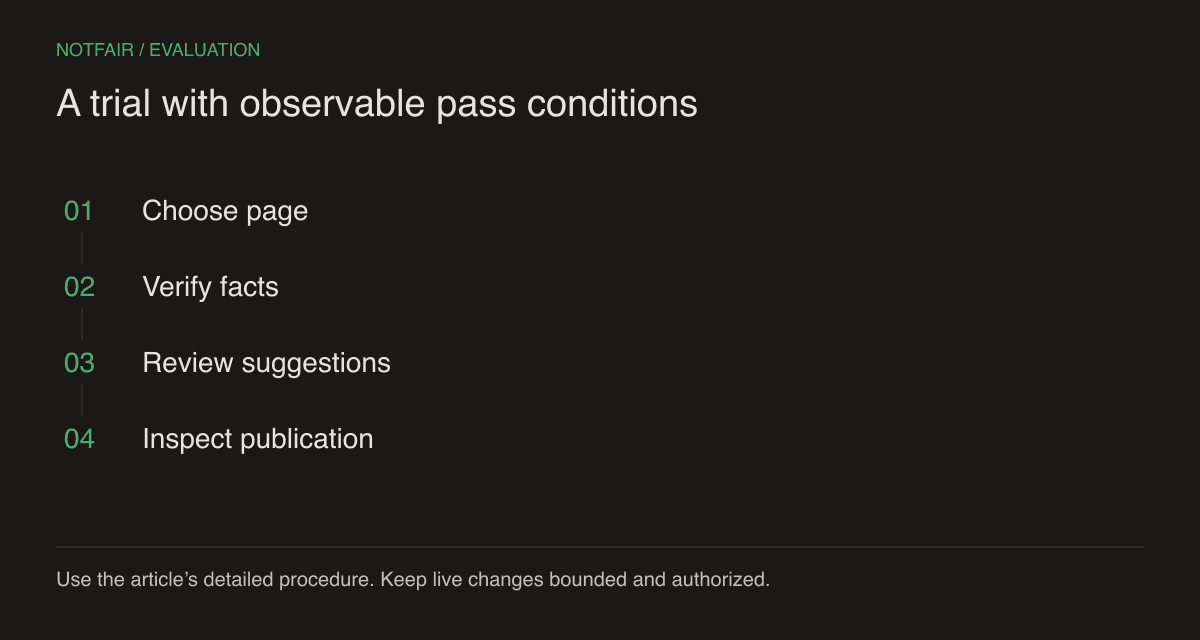
The trial should expose the work each product leaves to your team. A content editor may improve a draft but leave CMS publication to a separate process. A connector may publish precisely but leave editorial judgment to the assistant and reviewer. Neither is a failure if that division matches your team’s strengths and responsibilities.
Choose the system your editors can maintain
Surfer is worth evaluating when its shared optimization and visibility tools are central to the editorial workflow. NotFair is worth choosing when your team wants a flexible AI-client process that works with connected performance data and supported website actions. The combination can also make sense if you assign each a clear role.
Before deciding, have the editor who will maintain the content repeat the workflow on a second article. A one-off demonstration can hide manual steps or specialist knowledge. Prefer a process that reliably produces an accurate, useful, readable page and makes its verification history easy to understand when prices or product capabilities change.
Test the workflow on your own connected account
Start with a read-only question, inspect the evidence, then review one supported action. Check the current plan and connection requirements.