

Co-founders
NotFair vs Opteo: Compare 5 and 10 Accounts
Compare NotFair vs Opteo with account-level pricing math, reporting needs, and a Google Ads trial. Find the better fit for your actual portfolio.
NotFair is a strong fit when you want to work through an AI assistant and combine Google Ads tasks with other connected marketing systems. Opteo is a strong fit when you want a dedicated Google Ads improvement and reporting workflow. Compare account limits carefully: Opteo’s entry plan includes more accounts than NotFair Growth, so the lower base price does not settle the decision.
Published by NotFair, one of the products compared. We checked public vendor documentation and NotFair’s implementation on September 11, 2026. This is a documented capability comparison, not a head-to-head performance test. Worked examples are illustrative; prices and plan terms can change.
The current Opteo plan is more specific than ‘PPC software’
Opteo publishes Basic at $129 per month for ten accounts and $25,000 in monthly connected spend, with a 24-hour refresh cycle. Professional is $249 for twenty-five accounts and $100,000 in spend, with a 12-hour refresh cycle. These are vendor-listed plan limits, not guarantees about the freshness of every underlying conversion.Opteo prices, account limits, spend limits, and refresh cycles (https://opteo.com/pricing).
A refresh cycle and an attribution delay answer different questions. The former describes when a tool updates its view; the latter concerns when a conversion becomes available or attributable in the source. Re-reading a report more frequently cannot reveal a sale the source has not recorded yet. During a trial, check both the retrieval time and the report’s covered period.
| Monthly software comparison | NotFair Growth | Opteo Basic |
|---|---|---|
| Base price | $99 | $129 |
| Included ad accounts | 5 shared spots | 10 accounts |
| At 10 ad accounts | $149 before separate costs | $129 if within its $25,000 spend limit |
| Core interface | Compatible AI client | Google Ads improvement and reporting product |
The account-count crossover can reverse the answer
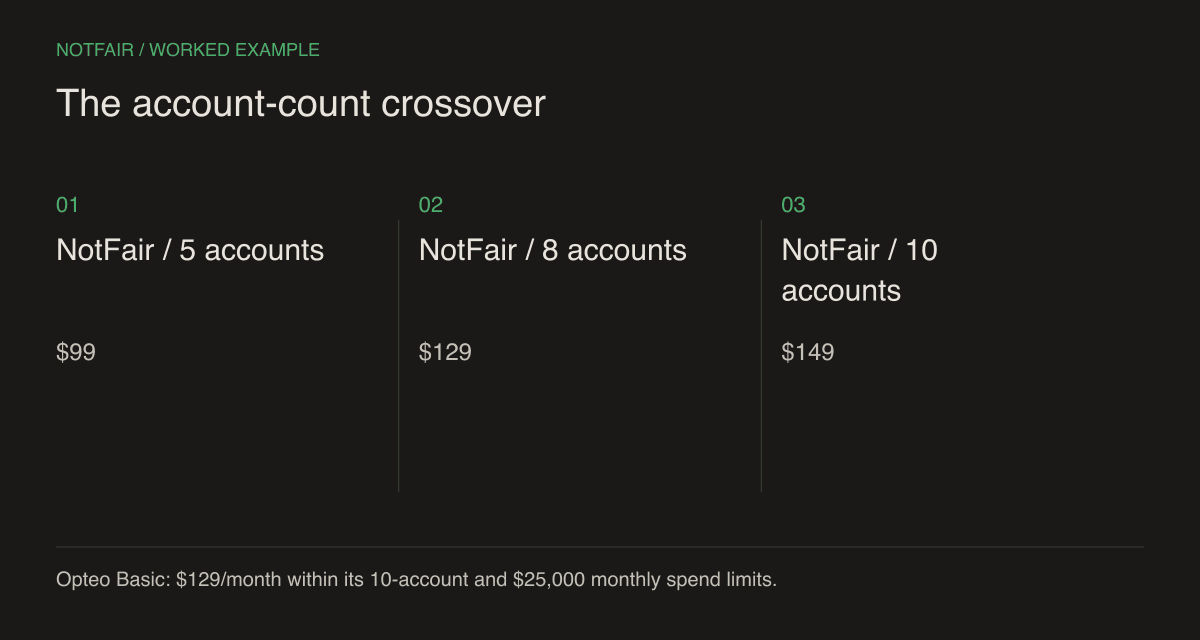
NotFair’s monthly Growth plan includes five shared spots across Google Ads, Meta Ads, X Ads, LinkedIn Ads, Reddit Ads, and TikTok Ads. Each extra spot is $10 monthly. Search Console and GA4 properties do not consume those ad-account spots. Your AI-client costs and ad spend remain separate.NotFair pricing and account limits.
Using those rates, five accounts cost $99, eight cost $129, and ten cost $149 in NotFair. At eight accounts the subscription equals Opteo Basic’s $129. At ten accounts NotFair is $20 more per month, provided all ten fit Opteo Basic’s connected-spend limit. That is a bounded software-price comparison, not a comparison of equivalent capabilities or total operating cost.
The reverse can happen when spend grows without account growth. A team with a few high-spend accounts should check Opteo’s next applicable tier. Do not assume an account-count fit establishes a plan fit. Keep one row per account in your worksheet, with its platform and expected monthly spend, and apply each vendor’s billing rules to the complete connected set.
When an AI-client workflow is worth choosing
NotFair’s advantage is flexibility for an operator who already works in a compatible assistant. You can ask a follow-up question, inspect a different dimension, and prepare a supported change without first constructing a recurring dashboard. When the investigation crosses into GA4, Search Console, GoHighLevel, or WordPress, the relevant connected tools can stay in the same working conversation.NotFair MCP setup and integrations.NotFair WordPress connection and publishing.
That is useful for a question such as why a landing page generates form submissions but few qualified leads. The ad report identifies spend and conversion actions; analytics supplies page-level behavior; CRM records may reveal the eventual outcome. Matching those records still requires reliable identifiers and compatible definitions. An assistant should not invent a join merely because it has access to all three services.
For a Google-only consultant who primarily wants a repeatable review queue and familiar reports, Opteo may be easier to operate. You should not pay for theoretical integration breadth that your actual work does not use. Conversely, manually exporting three systems every week is a real task worth including when evaluating NotFair.
A five-task trial for a real Google Ads account
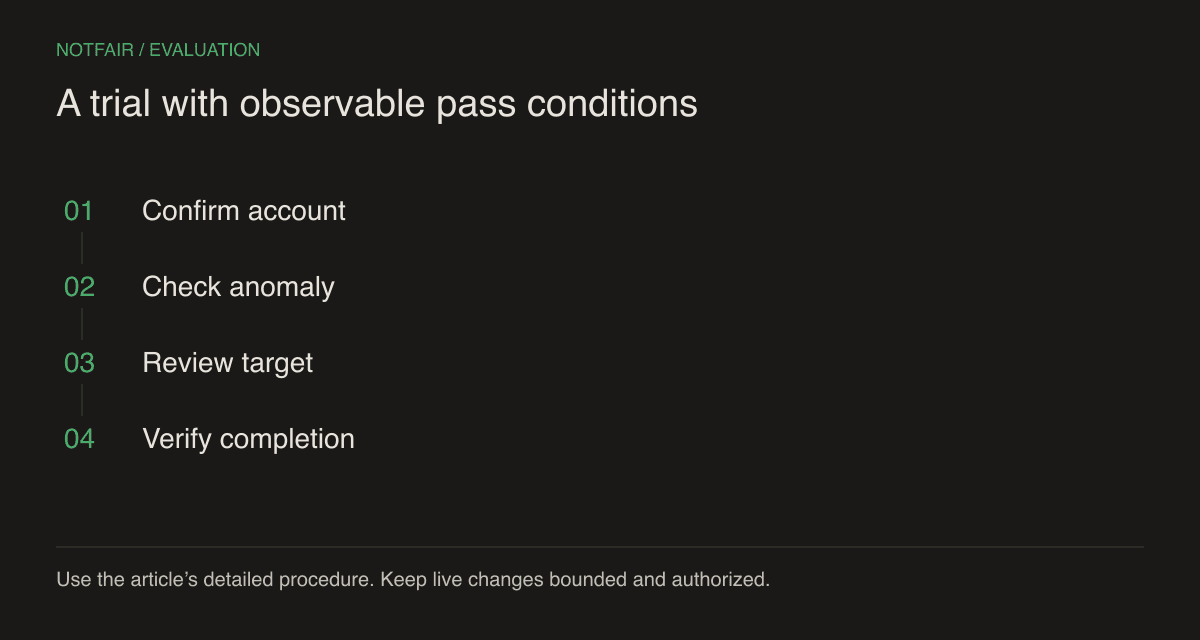
- Confirm scope — have the tool name the customer ID, time zone, currency, and date range before interpreting performance.
- Reproduce totals — compare spend and the chosen primary conversion with Google Ads for a completed period.
- Investigate one anomaly — supply a real business constraint, such as a service area or unavailable product.
- Review one change — require the target, current value, proposed value, reason, and expected side effects.
- Verify completion — authorize the supported action and check the provider’s state or change history.
Choose an anomaly with an answer you can independently inspect. A campaign accidentally serving outside the agreed region is often easier to verify than a broad claim about which creative will sell best. The test should establish whether the workflow can reason from evidence and perform a precise operation. A long list of generic recommendations is not the desired result.
Keep scoring simple: correct, incorrect, or not established for each task. Record the minutes needed to repair mistakes and the manual steps required. If an operation is unavailable, treat it as an explicit scope gap. Do not let an eloquent explanation erase a failed account match or an unverified mutation.
Keep reporting and maintenance in the decision
A useful reporting brief specifies what to do with incomplete data. For example, require the report to flag a campaign that started midway through the comparison period, and prevent a partial current week from being compared with a full prior week without explanation. Include that edge case in the trial, and require the report to explain its handling in language the client understands. Ask the tool to retain the original currency instead of silently summing accounts in different currencies. If a common-currency portfolio report is required, supply a documented exchange-rate method. These small reporting decisions determine whether an agency can reuse the output without correcting it manually every month.
Ask the person who sends the monthly report to produce the same deliverable in each workflow. Specify the audience, required metrics, comparison period, and commentary. A useful internal answer is not necessarily a client-ready report. Check whether the result can be reproduced next month without depending on one employee’s private conversation history.
Also decide who owns credential renewal, client access, and schedule failures. A connector makes tools available; the team still needs an operating process. NotFair separates read and write execution paths, while the client’s configuration influences confirmation behavior. Verify the controls in the actual client you intend to use, especially before enabling unattended work.
Choose NotFair if the trial demonstrates useful cross-system investigation and precise account actions in your existing assistant. Choose Opteo if its Google Ads workflow and included portfolio limits are the more economical operational fit. The account math above provides a starting point; your repeatable trial supplies the decision evidence.
Test the workflow on your own connected account
Start with a read-only question, inspect the evidence, then review one supported action. Check the current plan and connection requirements.