

You've published the post, checked the copy twice, and watched the first few reactions arrive. Then the momentum stops. The post is useful, the creative looks professional, but only a small portion of your potential audience has seen it. That's usually the point where the Boost Post button starts looking like an obvious solution.
It can be useful, but only when you understand what you're buying. Promoting a Facebook post isn't a magic repair for weak content. It's a paid distribution decision, and the button hides important choices about objectives, audiences, placements, and measurement.
Table of Contents
- Why Promoting a Post Still Matters on Facebook
- What to Check Before You Spend on Any Post
- How to Promote a Post Directly From Your Facebook Page
- Choosing Between Boost Button and Ads Manager
- How to Measure Results and Decide What to Do Next
- Your Repeatable Promotion Routine Going Forward
Why Promoting a Post Still Matters on Facebook
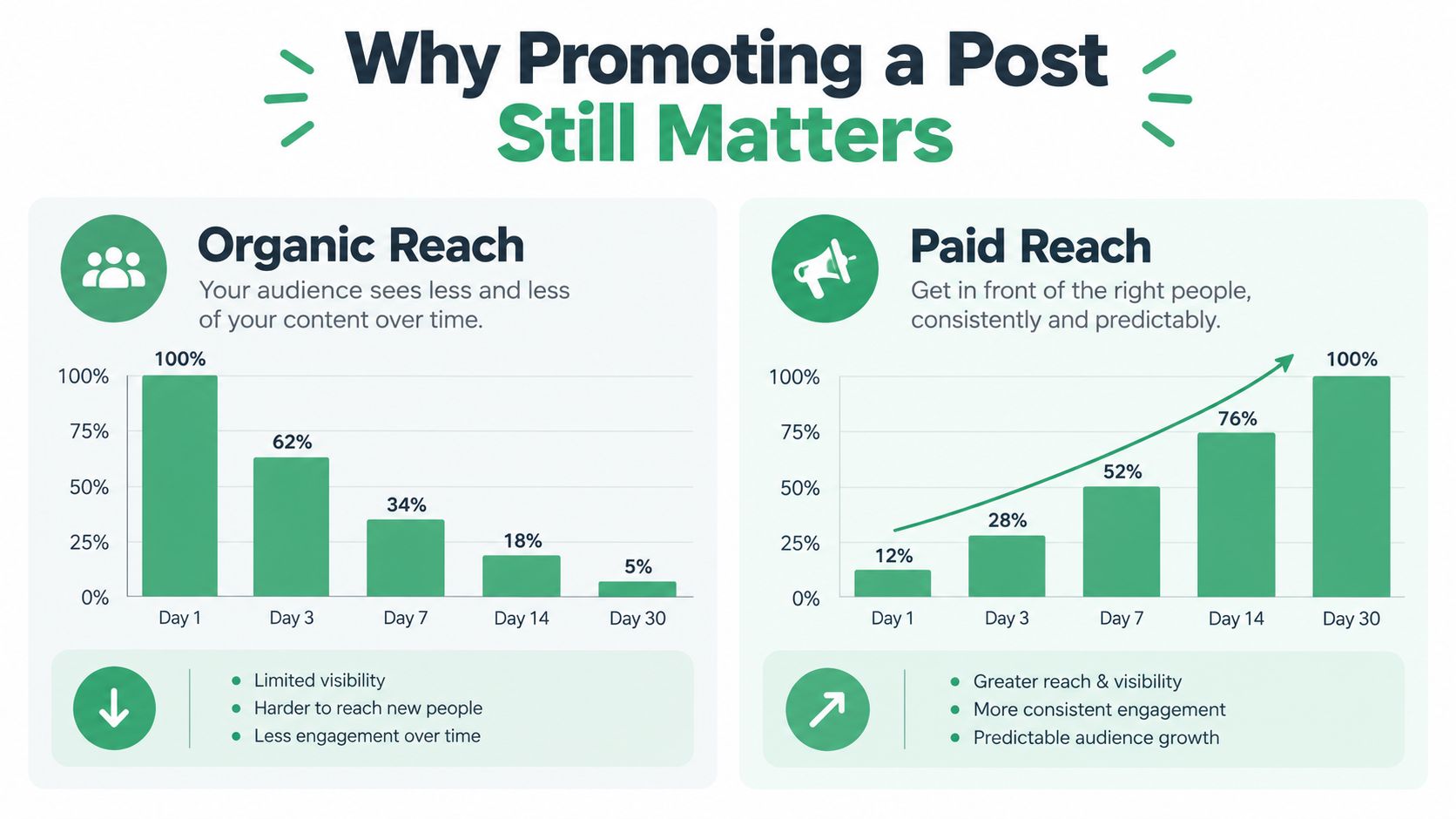
A strong post can stall even when the offer, copy, and creative are sound. Organic distribution is limited and unpredictable, so a Page may stop reaching people before the post has produced meaningful traffic, comments, or sales.
A boost changes the distribution model. You pay to show an existing post to a selected audience instead of waiting for Facebook to deliver it organically. Facebook's advertising audience remains enormous, with ad reach increasing from 2.08 billion people in October 2022 to 2.22 billion in October 2024, after reaching 2.31 billion in October 2023. The figures are reported in Facebook's advertising audience statistics.
Reach at that scale still needs context. Facebook's worldwide average ad reach rate was 38.6%, compared with 70.8% in the United States, while India had the largest advertising audience at 373,150,000 people. Your location, audience density, buying power, and competition determine how much that reach can contribute to the business.
Promotion buys exposure, not quality
A boost gives a capable post more opportunities to appear. It does not clarify a confusing offer, turn an irrelevant audience into buyers, or remove negative reactions from a weak creative. Facebook distributes the material you submit, including its flaws.
The market also affects the cost and value of that distribution. North America and Europe together account for 69.87% of Meta's total advertising revenue, and the United States and Canada generated about $72 billion in Facebook revenue in 2024, as detailed in Facebook advertising market data. Those regions offer substantial demand, but they also draw substantial advertiser competition.
The Boost button is useful for a quick reach or engagement test. It hides some placement, audience, and objective controls that are available in Ads Manager, so the simple workflow can produce less control over where money goes and what Facebook optimizes for.
Practical rule: Treat a boost as a purchase of incremental reach. Judge it by the action that reach produces, not by the size of the like count alone.
The better question is, “Which post deserves paid distribution, to whom, and for what business outcome?” That question turns promotion into a controlled decision rather than an automatic reaction to slow organic performance.
What to Check Before You Spend on Any Post
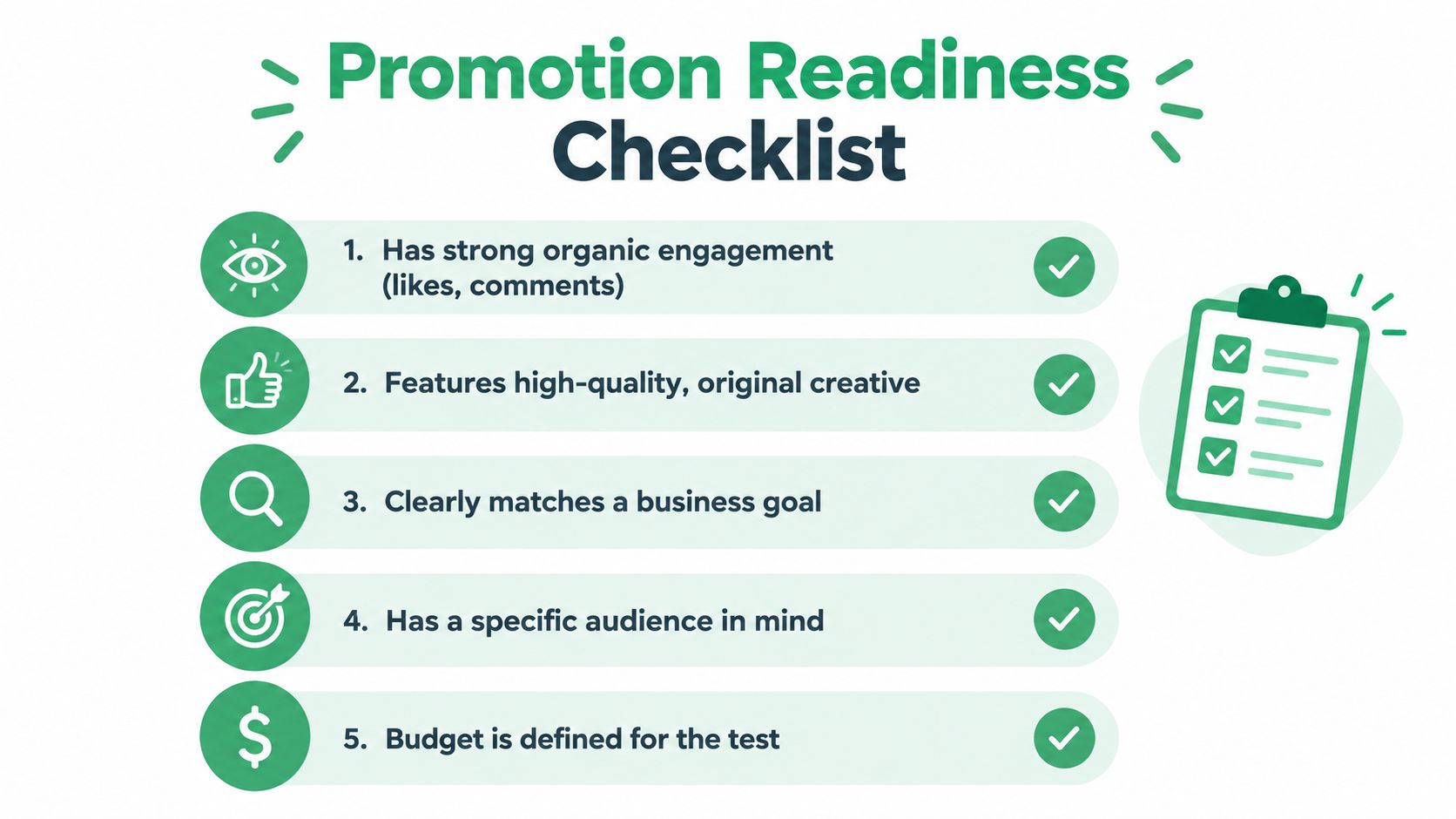
A post can collect quick reactions yet fail as a paid campaign. Before spending, let it gather 2 to 6 hours of organic response, then compare reactions, comments, shares, and engagement rate with your recent posts. The screening workflow and threshold examples are outlined in this Facebook post boosting guide.
Some practitioners use thresholds such as 20 or more reactions, 10 or more comments, or 5 or more shares before promoting. These figures are not universal rules. They create a screening habit: put budget behind content that has already shown evidence of connecting with real people.
Run a quick promotion audit
- Confirm the purpose: Choose one primary outcome, such as engagement, website visits, or profile activity. The Boost button can simplify setup, but that simplicity limits how precisely you control the objective and placements.
- Inspect the creative: Check the first frame, headline, caption, branding, mobile readability, and call to action. Paid distribution increases exposure, not creative quality.
- Review the response: Read the comments instead of judging totals alone. Confusion, objections, or hostile replies can make a high-activity post a poor candidate.
- Define the audience: Specify the locations, customer types, or existing followers that should see the post. “Everyone” is rarely a useful targeting decision.
- Prepare tracking: Add UTM parameters to website links before promotion so analytics can separate paid traffic from organic visits.
- Check account access: Confirm the Page, payment method, ad account, and permissions before launch. Fixing access problems after delivery begins can waste budget.
A post with a clear business role and constructive early response is ready for consideration. Weak engagement, unclear messaging, or negative feedback calls for a creative revision first. This Meta Ads wasted spend guide helps identify operational mistakes that let poor spend decisions continue.
For campaigns that send visitors to a landing page, align the page with the post's promise. A workflow to create AI advertorial pages can support that process, provided the finished page remains accurate and useful.
This video provides a visual walkthrough of the native setup process:
How to Promote a Post Directly From Your Facebook Page
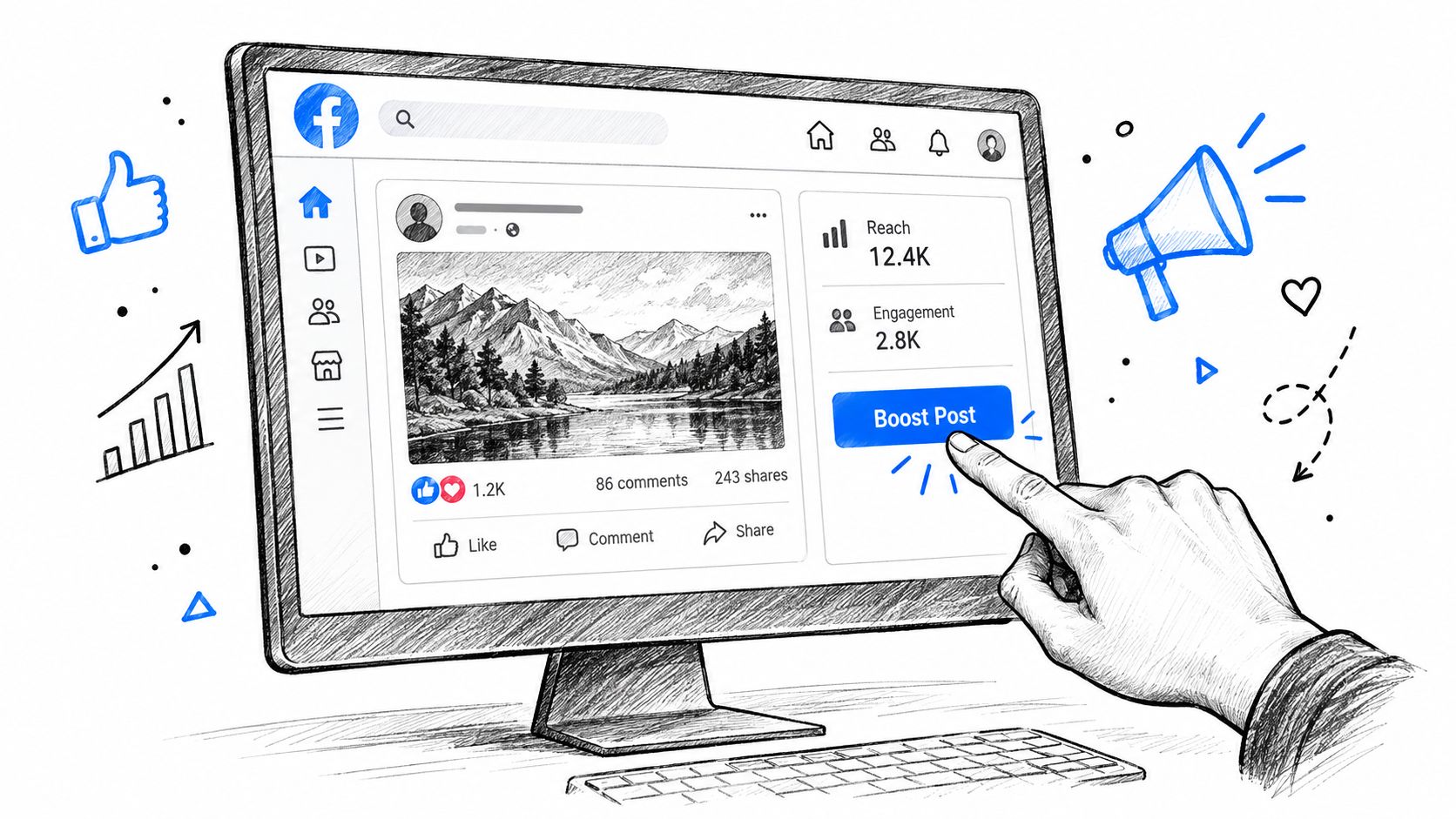
Open your Facebook Page and locate the post you want to distribute. Select Boost Post beneath it. Depending on the Page experience and account setup, Facebook may place the option behind a menu or show it alongside other post actions.
Start with one objective
The setup will ask what you want the promotion to achieve. Choose the closest single objective, such as website visits, messages, profile activity, or engagement. The objective influences how Facebook looks for people who are likely to take that action, so “more website visits” and “more reactions” aren't interchangeable choices.
If your goal is traffic, confirm that the post's link works on mobile and that the landing page delivers what the caption promises. If the goal is conversation, make sure someone can respond promptly to messages and comments. A simple objective makes the resulting numbers easier to interpret.
Build the audience deliberately
Facebook may offer an automatic audience based on people similar to your existing followers. That can be a reasonable starting point when your Page has a relevant audience and you're testing a broad message.
For more control, create an audience using the available location, demographic, and interest options. Start with people who already know the business when that fits the goal, such as Page followers, previous visitors, or existing customers. Cold audiences can work, but they need a stronger reason to care and usually deserve more careful testing.
Set the budget and duration
Enter the total budget and the period for which the promotion should run. Keep the first test bounded. You're trying to learn whether the post attracts the intended response, not commit your entire advertising plan to a single piece of content.
Facebook will show an estimated reach as you change the budget and audience. Treat that estimate as directional, not as a promise. Before submitting, review the payment method, Page identity, destination URL, audience, and preview.
Add tracking before submission
If the post sends visitors to your website, use a tagged URL with campaign details that your analytics platform can read. Track the source, medium, campaign, and content consistently. This lets you compare Facebook traffic with other acquisition sources and see whether the post produced meaningful visits rather than only platform engagement.
If you're publishing several posts around a planned theme, a Master Facebook posting schedule can help organize timing before you decide which content deserves paid support.
Finally, submit the promotion for Meta's review. Once approved, monitor the live delivery rather than assuming the initial setup tells the whole story. Pay attention to where the post appears, who responds, and whether the chosen objective is producing the action you selected.
Choosing Between Boost Button and Ads Manager
The Boost button is a shortcut. Ads Manager is a campaign-building environment. Neither is automatically correct, because the right choice depends on how much control your objective requires.
A boost works well when the post already exists, the goal is uncomplicated, the audience is relatively clear, and speed matters. Ads Manager is the stronger workflow when you need structured testing, detailed exclusions, conversion optimization, multiple ad sets, or reporting that separates audiences and placements.
| Feature | Boost Post Button | Ads Manager Campaign |
|---|---|---|
| Objective | Simple objective selection | Full objective suite |
| Placements | Automatic placements | Placement control |
| Audience | Basic audience targeting | Detailed audience building |
| Setup | Quick setup | Advanced options |
| Testing | Limited variation | Structured creative and audience testing |
| Measurement | Basic post and ad reporting | More granular campaign reporting |
The placement decision is hidden in the shortcut
When you boost a post, Meta automatically selects placements such as Feed, Stories, and Reels. The native Boost flow doesn't give you the same manual placement control available in Ads Manager, so you aren't just buying “more Feed reach.”
Recent coverage reports that boosted-post impressions commonly concentrate in Reels, Stories, or Video Feeds rather than standard Feed inventory, as explained in this guide to Facebook boost-post placements. That affects creative performance. A square image and a short vertical video may behave very differently when the algorithm distributes them across several environments.
The convenient option is still an optimization system. Review where delivery happens before you decide what the results mean.
Ads Manager adds control over placements, exclusions, optimization settings, audiences, and campaign structure. It also takes more setup time and creates more opportunities for inexperienced users to make unnecessary changes. For teams producing video variations or needing fast creative iteration, a tool such as ShortGenius Meta ad creator can support asset development before the campaign is built.
Meta is also moving advertisers toward AI-powered tools, broader targeting, and simpler campaign structures. Current Meta advertising guidance describes that direction, while detailed controls have become less central in some workflows.
Use Boost when convenience is the economic advantage. Use Ads Manager when the value of better control, testing, or measurement outweighs the setup cost. The Meta Ads platform documentation can help teams understand the operational layer before managing campaigns at greater scale.
How to Measure Results and Decide What to Do Next
Give the promotion enough time to produce usable delivery data, then review it against the action you selected. A practical review window is 3 to 5 days. During that period, check CPM, CTR, CPC, frequency, comment quality, and the actions that matter to the campaign.
CPM shows the cost of delivery. CTR indicates whether the creative earns clicks. CPC connects spend with those clicks, while frequency shows how often the audience sees the post. Comment quality adds context that platform metrics cannot capture. A cheap click has limited value if visitors leave immediately or comments show that people misunderstand the offer.
Read the signals together
A post may generate inexpensive engagement while sending weak traffic to your website. Another may receive modest reactions but attract qualified visitors. Judge performance against the objective chosen during setup. Engagement, traffic, messages, and conversions require different success signals.
Some guidance uses a 6% engagement rate as a screening benchmark. Another benchmark recommends 2% or higher organic engagement and scaling only when cost per engagement stays below about $0.20, as summarized in this Facebook boost-post strategy guide. Use these figures as reference points, not promises. Audience, creative format, industry, and objective can change what a result means.
A boost amplifies the response your creative already receives. It doesn't repair weak positioning.
Pause the promotion when costs exceed what the action is worth, audience response turns negative, or the chosen action fails to occur. If costs remain stable and comments stay constructive, increase the budget cautiously in 20% to 30% increments. Smaller changes make it easier to identify whether performance shifted because of budget, delivery mix, or audience behavior.
Check placement and audience breakdowns before deciding that a post has won or failed. A low overall CPC can hide expensive results in the audience segment that matters, while strong engagement may come from placements that do not support your business goal. The Boost button often summarizes performance at a high level, so use Ads Manager when you need clearer breakdowns or a more specific optimization decision.
Record the outcome in a simple log. Include the post topic, creative type, objective, audience, placement mix, cost metrics, and qualitative feedback. Over time, this record becomes more useful than any single promotion because it reveals which messages repeatedly earn attention from the people you want.
Your Repeatable Promotion Routine Going Forward
A reliable Facebook promotion habit is short:
- Qualify the post. Wait for organic response and inspect the comments.
- Define one outcome. Choose engagement, traffic, messages, or another clear action.
- Prepare the destination. Check the page, add tracking, and confirm the call to action.
- Preview delivery. Review the audience, estimated reach, identity, and likely placements.
- Measure the right signals. Compare cost and action quality, not vanity metrics alone.
- Choose the next move. Keep testing, scale gradually, pause, or rebuild the campaign in Ads Manager.
Teams managing multiple campaigns should also watch for creative fatigue. The Meta Ads creative fatigue workflow is relevant when the same message continues receiving delivery but audience response weakens.
Use approval gates when several people share responsibility for advertising. A reviewable change log, explicit budget diff, and reversible edits reduce the risk of someone changing a live campaign without context. That matters even more when AI-assisted tools are involved. Automation should help diagnose and prepare changes, while a human still approves what reaches the ad account.
The Boost button is valuable when you use it as a controlled test. Move to Ads Manager when the test raises questions that the shortcut can't answer. That distinction keeps small promotions simple without allowing convenience to become a substitute for campaign strategy.
NotFair connects AI clients to Meta Ads for live performance diagnosis and approval-gated campaign operations, including budget changes and campaign pauses. Visit NotFair to review your account workflow, inspect proposed changes before approval, and keep advertising decisions logged and reversible.