

The popular advice is to treat Google Search Console as the single source of truth for organic search. That's useful until the platform's own reporting changes the meaning of your trend lines. Google Search Console metrics are diagnostic signals, not an unquestionable ledger, and performance marketers who ignore that distinction can misread demand, rewrite working pages, or shift paid budgets for the wrong reason.
The practical value of Search Console comes from combining its query and page data with indexing checks, analytics, advertising results, and business outcomes. A rise in impressions might indicate broader visibility, or it might reflect exposure to less relevant searches. A fall in CTR might signal a weak snippet, or it might show that a page has started reaching a wider audience. The work is not just reading the dashboard. It's identifying what changed, testing whether the change is real, and deciding which action deserves attention.
Table of Contents
- Why Your Dashboard Numbers Might Be Lying
- Decoding Core Performance Metrics
- Diagnosing Indexing and Coverage Health
- Correlating Organic Queries with Paid Media
- Automating Diagnostics with AI Agents
- Navigating the Blind Spots in AI Search
- Building a Sustainable Optimization Routine
Why Your Dashboard Numbers Might Be Lying
Top-line graphs invite confident conclusions. A year-over-year chart rises or falls, and the team immediately looks for an algorithm update, a content problem, or a paid media explanation. That habit is risky because platform data can contain measurement defects that have nothing to do with your website.
Google acknowledged a logging error affecting Search Console impressions from 13 May 2025 until it was fixed in April 2026, with related CTR and average-position metrics distorted during that interval. Industry reporting also indicates that Google didn't backfill the affected history, so comparisons across the period can be materially misleading (CapConvert's reporting on the Search Console issue).
That doesn't make Search Console useless. It changes how you should use it. Treat a large graph as an alert, then move to the underlying query, page, country, device, and date segments. Cross-check organic clicks against GA4 sessions, conversions, CRM records, and paid search demand before you label the movement a business trend.
Separate platform movement from market movement
A reliable investigation starts with a question: did the website change, did search behavior change, or did reporting change?
Use comparison windows that avoid known anomalies where possible. Then inspect whether the same direction appears across:
- Queries: Did existing terms lose visibility, or did new terms add impressions?
- Pages: Is the movement concentrated on a template, product group, or landing page?
- Devices and countries: Does the change exist across markets, or only in one segment?
- Business outcomes: Do qualified visits, leads, sales, or pipeline follow the reported movement?
Google recommends comparing time periods and filtering by page or query to isolate the source of a performance change (Google's comparison and filtering guidance). That workflow is more dependable than reacting to a blended total.
Practical rule: Never make a budget or content decision from an unexplained aggregate graph.
Build a confidence layer around the dashboard
Search Console reports search-result activity, not every downstream outcome. GA4 may classify sessions differently, paid platforms use their own attribution rules, and CRM data records commercial progress later in the funnel. Those systems won't match perfectly, but disagreement can help identify where interpretation has failed.
For recurring reporting, annotate known data-quality incidents beside your charts. Keep raw exports or API snapshots when long-term comparisons matter, and label affected periods rather than presenting them as normal history. A clean-looking trend line can be less useful than an imperfect chart with clear caveats.
The result is a more disciplined operating model. Search Console tells you where to investigate. Other systems help determine whether the issue affects revenue, acquisition efficiency, or only the visibility measurement itself.
Decoding Core Performance Metrics
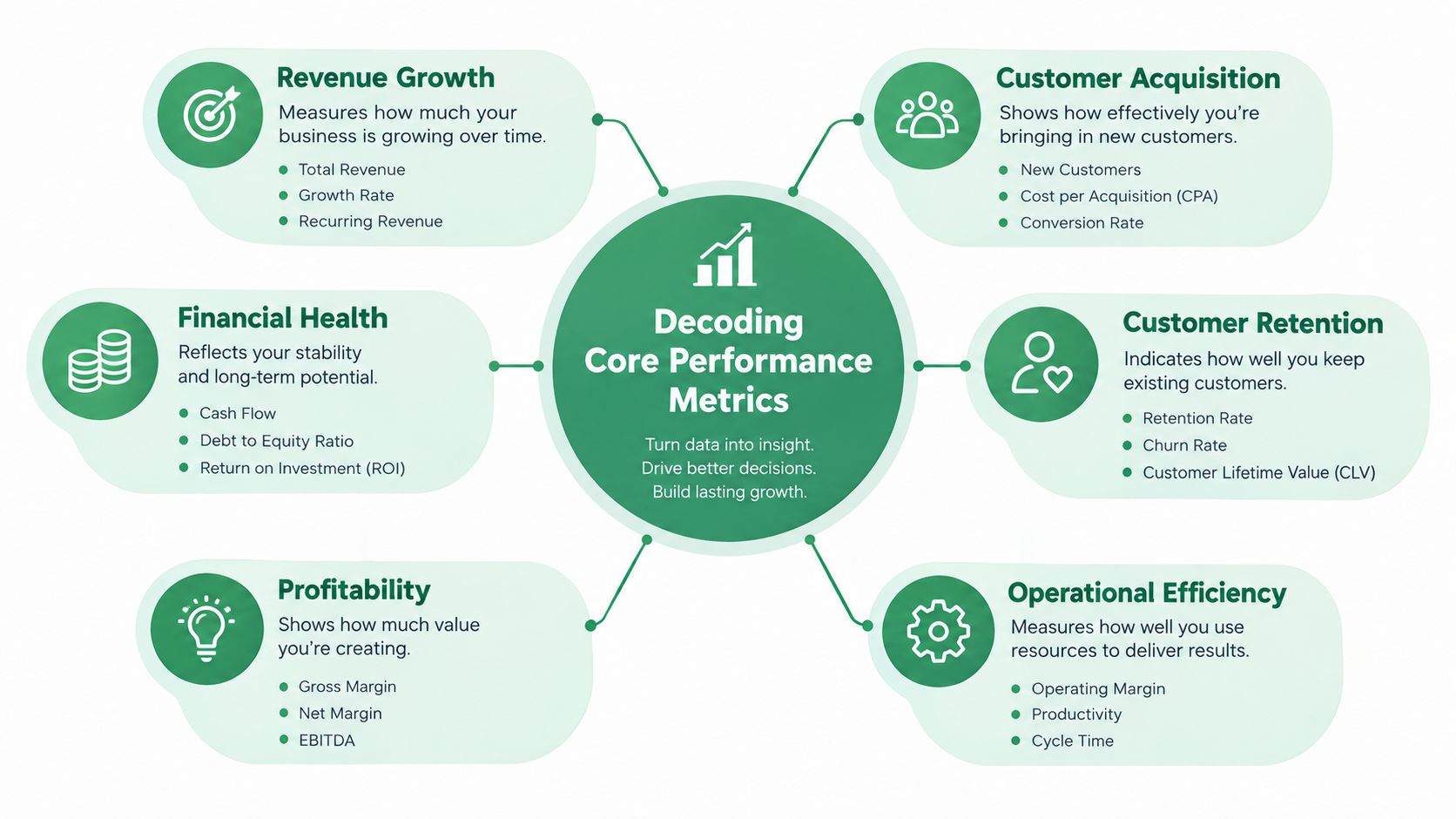
Google defines four core Search Console performance metrics: clicks, impressions, CTR, and average position. Each answers a different question, and the metrics become misleading when teams compress them into one score.
A click is a visit from a Google Search result to your site. An impression occurs when a link to your site is shown in search results. Google clarifies that an impression can count when the results page loads even if the user doesn't scroll far enough to see your result, making impressions broader than visible page exposure (Google's performance report documentation).
CTR is clicks divided by impressions. Average position reflects the average position of the topmost result for your site across queries and impressions. It isn't a simple reading of where one page sits for one keyword.
Read the metrics as a system
Suppose a page begins appearing for a wider set of relevant searches. Impressions can increase while CTR declines because the additional searches produce fewer clicks than the page's original, more focused query set. That isn't automatically a content failure. It may indicate expanding reach, weaker intent in the new audience, or a SERP layout that gives users more ways to answer a question without visiting a site.
Average position can hide the same issue. Because the metric reflects the topmost result across impressions, one URL can hold a strong position for some searches and a much lower position for others while still displaying a favorable average. Segmenting by query and page exposes that distribution.
Use a simple diagnostic sequence:
- Start with clicks and impressions together. Rising clicks with rising impressions usually indicates stronger search capture. Rising impressions with flat clicks needs query and SERP inspection.
- Then examine CTR by query and page. Don't judge a page from its blended site CTR.
- Use average position as context. Look for clusters of queries moving together rather than treating one average as a ranking guarantee.
- Connect search behavior to outcomes. A low-CTR query can still matter if it introduces qualified users, while a high-CTR query may have weak commercial value.
For a broader framework on judging whether content creates useful business outcomes, review how to measure content success. The same principle applies here: visibility is an input, not the final definition of success.
Turn anomalies into hypotheses
A CTR decline can suggest a title or description problem, but don't edit the page until you know what changed. Check whether impressions came from different queries, whether the affected pages changed, and whether search features altered the click environment. Then form a testable hypothesis, such as “new informational queries expanded visibility but diluted click intent.”
This approach prevents a common waste pattern. Teams often change titles, headings, and content in response to a sitewide CTR movement that really came from query mix or reporting behavior. Query-level segmentation gives you a narrower intervention and a clearer post-change comparison.
Diagnosing Indexing and Coverage Health
Performance data can't rescue a page that Google hasn't indexed, can't access, or has replaced with another canonical URL. Coverage and URL inspection reports therefore function as a technical health monitor, not merely an error inbox.
Start with commercially important URLs. List the pages that generate leads, support product discovery, or receive paid traffic, then inspect those URLs individually. A broad coverage total may look stable while a small group of high-value landing pages has become excluded.
Triage the reason, not just the status
Separate urgent blockers from explainable exclusions. A server error, accidental noindex directive, inaccessible page, or incorrect canonical signal deserves faster attention than an intentionally excluded duplicate. The report's label is only the starting point. Open the affected URL, inspect the selected canonical, review indexing status, and compare the result with your intended architecture.
Redirect chains deserve special scrutiny because they can obscure the final destination and create unnecessary crawl paths. Canonical conflicts also need business context. If Google selects a different canonical from the one your team expects, check whether the pages are equivalent, whether internal links point consistently to the preferred version, and whether sitemaps reinforce the same choice.
A practical prioritization model is:
- Revenue exposure: Fix exclusions on pages tied directly to acquisition or conversion first.
- Template scale: A problem affecting a reusable page type may justify engineering work even when individual URLs look minor.
- Recovery confidence: Prefer fixes where the cause is clear and validation is straightforward.
- Dependency risk: Coordinate changes that affect redirects, canonicals, navigation, or CMS rules.
Validate after every meaningful change
Don't assume that submitting a URL resolves the underlying issue. Confirm that the page is crawlable, returns the intended status, contains the appropriate canonical signal, and appears in the relevant sitemap. Then use URL inspection to request validation and monitor whether the issue clears.
The Search Console platform documentation can help teams centralize this diagnostic context when they need to inspect coverage alongside performance data. The operational principle remains the same: fix the highest-value failure first, document the change, and validate the result rather than closing the ticket because a request was submitted.
Correlating Organic Queries with Paid Media
Organic query data becomes much more valuable when it changes how you manage paid search. Search Console reveals the language and intent associated with unpaid visibility, while Google Ads shows what the account is buying and how those clicks behave after the search.
The useful comparison isn't “SEO versus PPC.” It's which channel should carry which kind of demand. A query with strong organic visibility and weak paid conversion quality may deserve tighter match controls or a negative keyword review. A high-value paid term with weak organic coverage may justify a dedicated landing page, stronger internal linking, or content designed around the same intent.
Create a shared query review
Export or connect query-level organic data and align it with paid search-term records. Normalize obvious variations, then classify each term by intent, landing page, funnel stage, and commercial value. Don't remove paid coverage solely because a page ranks organically. Paid placement may still be useful for brand protection, high-value offers, testing, or periods when organic visibility is unstable.
| Query Profile | Organic Signal | Paid Action |
|---|---|---|
| High-intent, strong organic clicks | The site already captures qualified demand | Test whether paid coverage adds incremental value, then protect only where the business case is clear |
| High-intent, weak organic visibility | The site has limited unpaid reach | Keep paid coverage while assigning an SEO and landing-page workstream |
| Broad informational query, rising impressions | Visibility is expanding, but intent may be mixed | Review search terms before increasing bids, and separate research traffic from buying traffic |
| Paid query with weak conversion quality and little organic value | Neither channel shows strong commercial evidence | Investigate the term, landing page, and audience before retaining spend |
| Strong organic CTR, weak paid ad engagement | The topic and result may resonate organically | Use organic language to inform ad copy, but test it rather than copying it blindly |
Use GA4 to connect the search term and landing-page discussion to engagement and conversion behavior. A team that wants a connected analytics view can review Google Analytics integration details, then reconcile those results with ad-platform conversion definitions.
Improve negatives and creative with evidence
Negative keyword decisions should protect efficiency without blocking valuable discovery. Before adding a negative, inspect the query's organic page, downstream quality, and role in assisted journeys. Some terms look broad in paid search but reveal a valuable audience segment when their organic behavior and CRM outcomes are considered together.
Organic titles and snippets can also provide creative hypotheses. If a page earns attention around a specific benefit, problem, or comparison, test that language in ad headlines and descriptions. Paid results provide faster feedback, but organic data can help prioritize which messages deserve testing.
Cross-channel discipline: Let organic data generate hypotheses, paid data test the commercial response, and analytics or CRM data decide whether the response matters.
Automating Diagnostics with AI Agents
Manual CSV exports create a delay between a search problem and the decision to fix it. By the time an SEO manager joins a paid media review, the query set may have changed, the campaign may have spent further, and the original context may be scattered across files.
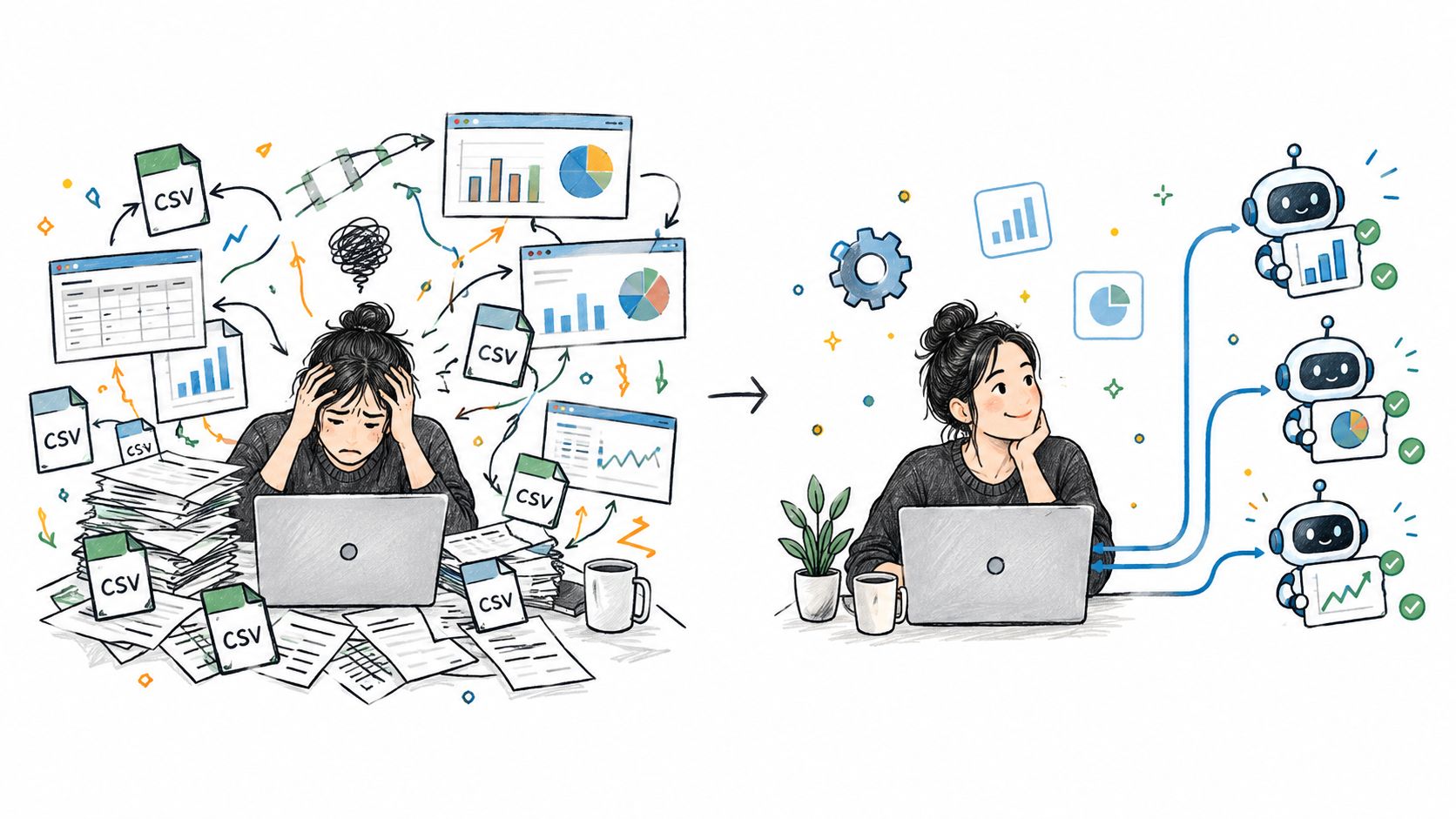
A Model Context Protocol server can give an AI client structured access to live Search Console, advertising, analytics, or CRM data. The important distinction is between a chatbot that summarizes pasted exports and an agent that can query current dimensions, compare segments, inspect URLs, and prepare an operational change.
Set up read access before write access
Start with a read-only diagnostic workflow. Give the agent access to query, page, country, device, date, click, impression, CTR, and position dimensions, then connect the relevant paid search-term, spend, conversion, and landing-page data. Ask focused questions such as:
- Which paid search terms have weak conversion quality and overlapping organic visibility?
- Which high-spend landing pages have indexing or canonical issues?
- Which query clusters lost clicks while impressions remained stable?
- Which issues affect pages or campaigns with the greatest commercial exposure?
The agent should return the evidence behind each finding, including the date range, filters, affected URLs or terms, and the reason for its priority. A useful system can rank findings by spend at risk or commercial importance instead of producing an undifferentiated list.
Teams evaluating agent operations should also define how they track AI agent KPIs, including task completion, review rate, error rate, and the quality of recommendations. Those measures help separate useful automation from fast but unreliable output.
Add approval gates for campaign changes
Writing access should come later and remain constrained. The agent can draft negative keyword additions, propose budget changes, or prepare structural fixes, but a human should see the exact diff before anything changes in an active account.
A safe approval workflow includes:
- Evidence panel: Show the queries, pages, spend, conversions, and filters behind the recommendation.
- Proposed diff: Display exactly what will be added, removed, paused, or edited.
- Scope control: Limit the operation to the named campaign, account, property, or URL set.
- Audit log: Record who approved the change, what changed, and when.
- Undo path: Provide a reversible restoration route for approved edits.
NotFair is one option for this model. Its hosted MCP servers connect AI clients with Google Search Console, Google Ads, GA4, Meta Ads, and CRM context, while approval-gated writes provide explicit diffs, logging, and one-call undo. Teams can review its ChatGPT and Google Search Console integration when designing a connected workflow.
The agent shouldn't replace judgment about intent, brand risk, or attribution. It should reduce the time spent collecting evidence and make proposed actions easier to review.
Navigating the Blind Spots in AI Search
AI search reporting creates a visibility signal without fully exposing the commercial path that follows it. Google's documentation and recent reporting describe AI Search reports as focused on impressions across Google surfaces such as AI Overviews and AI Mode. They don't provide clicks, CTR, or query-level breakdowns, and they don't show visibility in ChatGPT, Claude, Perplexity, or the impact of generated content pipelines (Google's Search Console documentation).
That limitation matters because impressions aren't outcomes. A brand can appear in an AI surface without receiving a site visit, a lead, or a sale. Conversely, an AI answer may influence a later branded search or direct visit that conventional click reporting won't connect cleanly to the original exposure.
Use AI reports as directional evidence
Treat AI-surface impressions as evidence that Google is associating your content with a topic, entity, or answer context. Use them to identify pages that deserve qualitative review, especially where the page's proposition, supporting evidence, and internal links don't match the audience you want.
Don't turn an AI impression count into a revenue estimate. Instead, monitor signals that can be observed outside the report:
- Branded demand: Look for changes in branded query themes and landing pages.
- Direct and assisted activity: Compare analytics behavior with appropriate attribution caveats.
- Lead quality: Ask sales or CRM owners whether inquiry topics and qualification patterns have shifted.
- Content citations: Track mentions or references in the AI platforms that matter to your audience, using a consistent manual or tool-assisted process.
- Conversion paths: Review whether users arriving through related organic pages take meaningful actions.
Keep third-party AI separate
ChatGPT, Claude, Perplexity, and other systems don't belong inside a Search Console performance total. Build a separate observation layer for them, and record the prompt or topic, answer presence, brand treatment, cited sources, and resulting referral or branded activity where measurable.
The lack of query-level clicks also changes optimization decisions. You can't reliably identify a single AI report row and claim that a specific title rewrite generated a business result. Use controlled content changes, monitor several downstream signals, and preserve the distinction between visibility, influence, and attributable acquisition.
Measurement boundary: AI Search reporting can tell you where Google is showing visibility, but it can't yet tell you the full value of that visibility.
Building a Sustainable Optimization Routine
A sustainable routine keeps teams from treating every dashboard movement as an emergency. The strongest cadence combines technical checks, query analysis, paid-media decisions, and outcome validation without requiring every specialist to live in every platform.
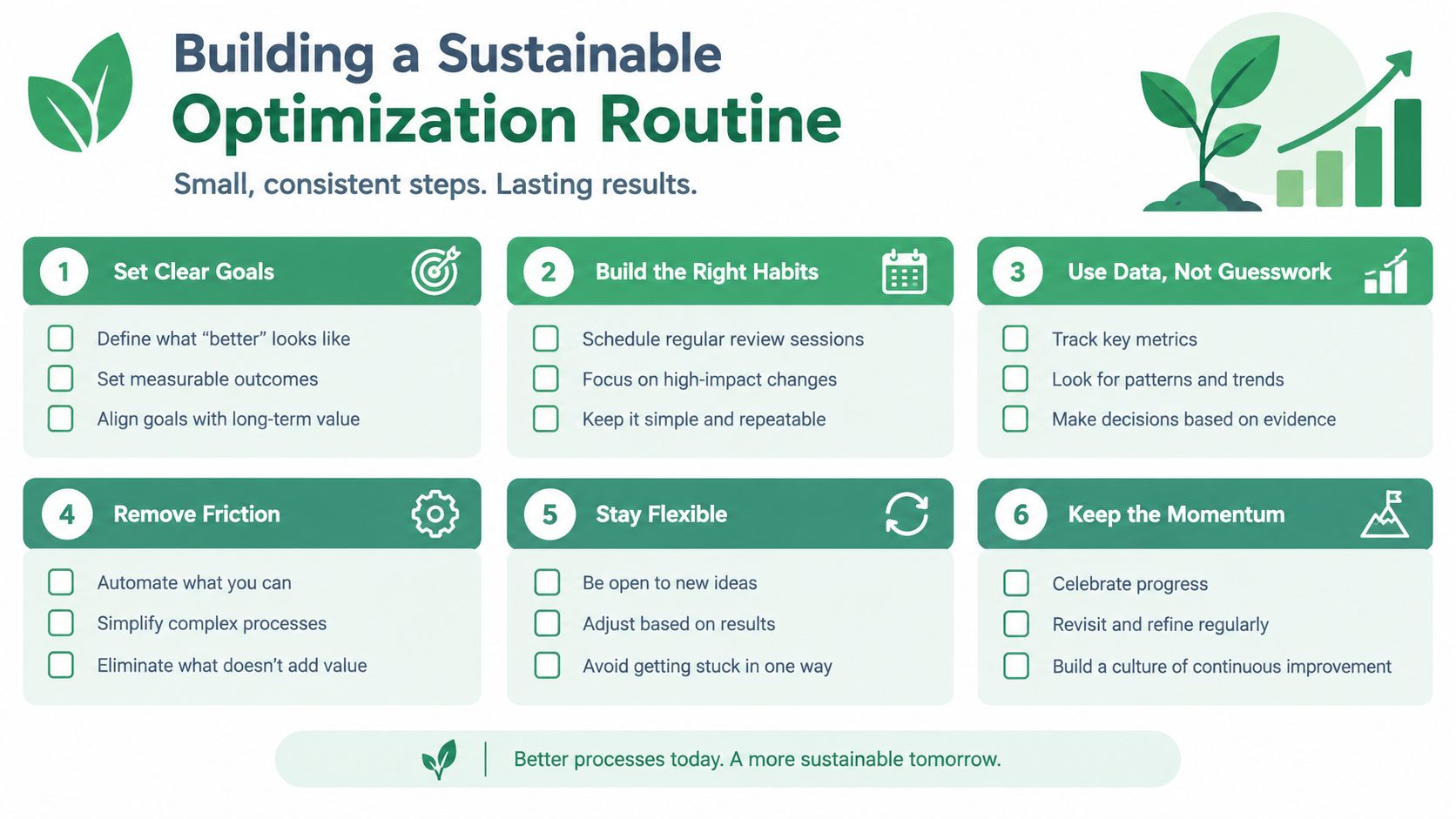
A practical operating rhythm looks like this:
- Daily: Review active paid search anomalies, spend exposure, and major conversion disruptions. Don't redesign SEO content from one day's movement.
- Weekly: Inspect query and page changes in Search Console, then classify them as demand shifts, coverage problems, query-mix changes, or possible reporting anomalies.
- Weekly: Compare organic query themes with paid search terms. Draft negative keyword candidates and ad-copy tests, but require evidence and approval.
- Regularly: Inspect priority landing pages for indexing, canonical, redirect, and accessibility problems. Validate fixes after implementation.
- Monthly: Reconcile Search Console, GA4, advertising, and CRM patterns. Record known data-quality caveats beside the report.
- During planning: Use AI-surface visibility as a directional input, while keeping third-party AI observation and business outcomes in separate measurement views.
The routine works because each channel has a defined job. Search Console identifies demand and visibility patterns. Technical reports protect access to valuable pages. Paid media tests intent and messaging. Analytics and CRM data determine whether the activity supports acquisition and pipeline.
The result isn't a perfect dashboard. It's a decision system that makes uncertainty visible, prioritizes the pages and campaigns that matter, and gives humans control over consequential changes.
NotFair connects live Google Search Console, advertising, analytics, and CRM data to AI clients for cross-channel diagnosis, prioritized recommendations, and approval-gated campaign operations. Visit NotFair to explore a workflow that turns search visibility findings into reviewable actions for SEO and paid media teams.