

Your purchase events look fine in the browser debugger, then finance says yesterday's revenue doesn't match Google Ads or Meta. The pixel fired. The server returned a success code. Bidding still chased conversions that never cleared in the CRM.
That gap is what a conversion API gateway is meant to close, and it's where most setups fail without anyone noticing. Browser tags lose clicks to privacy controls, cookie limits, and blockers. A server path can carry the signup, the payment nine days later, and the refund. It can also double-count the same order, forward a user who declined tracking, or stamp a local time that lands the conversion on the wrong day.
Judge the gateway on two checks dashboards bury. Can you prove each event was allowed to leave, and do platform totals still reconcile to revenue after deduplication? Match rate and attributed lift come after those. A green status code is only a receipt that a payload was accepted.
Table of Contents
- How a Conversion API Gateway Moves Data
- Event Fields Each Platform Expects
- How to Build the Gateway Step by Step
- Deduplication Rules That Stop Double Counting
- Debugging Unmatched and Missing Conversions
- Confirm the Gateway Before You Turn On Bidding
How a Conversion API Gateway Moves Data
A customer clicks an ad, signs up on your site, then pays through the CRM days later. The browser pixel records the click and signup, but never sees the invoice. A conversion API gateway can receive that payment event, preserve its connection to the original click, and send it to advertising platforms in their required formats.
Server-side measurement addresses conversion data that browser controls, cookie restrictions, and platform changes can obscure. Google's Enhanced Conversions offers one example of server-assisted measurement for Google Ads. Advertisers can send hashed first-party fields, such as email, phone, name, or postal address, after a conversion so Google can compare them with hashed data from signed-in users. Google describes Enhanced Conversions as a supplement to existing conversion tags, not a replacement, and its documentation supports sending the data from your servers. That feature describes Google Ads measurement; it does not establish what a general gateway will achieve.
A gateway centralizes event collection, maps fields to a shared schema, applies consent rules, and routes events to destinations such as Meta, GA4, and Google Ads. Its value depends on control and reconciliation, not a match-rate score alone. Record whether each event was permitted to leave, then compare platform-reported conversions and value with revenue after deduplication. A successful API response only confirms that a request was accepted.
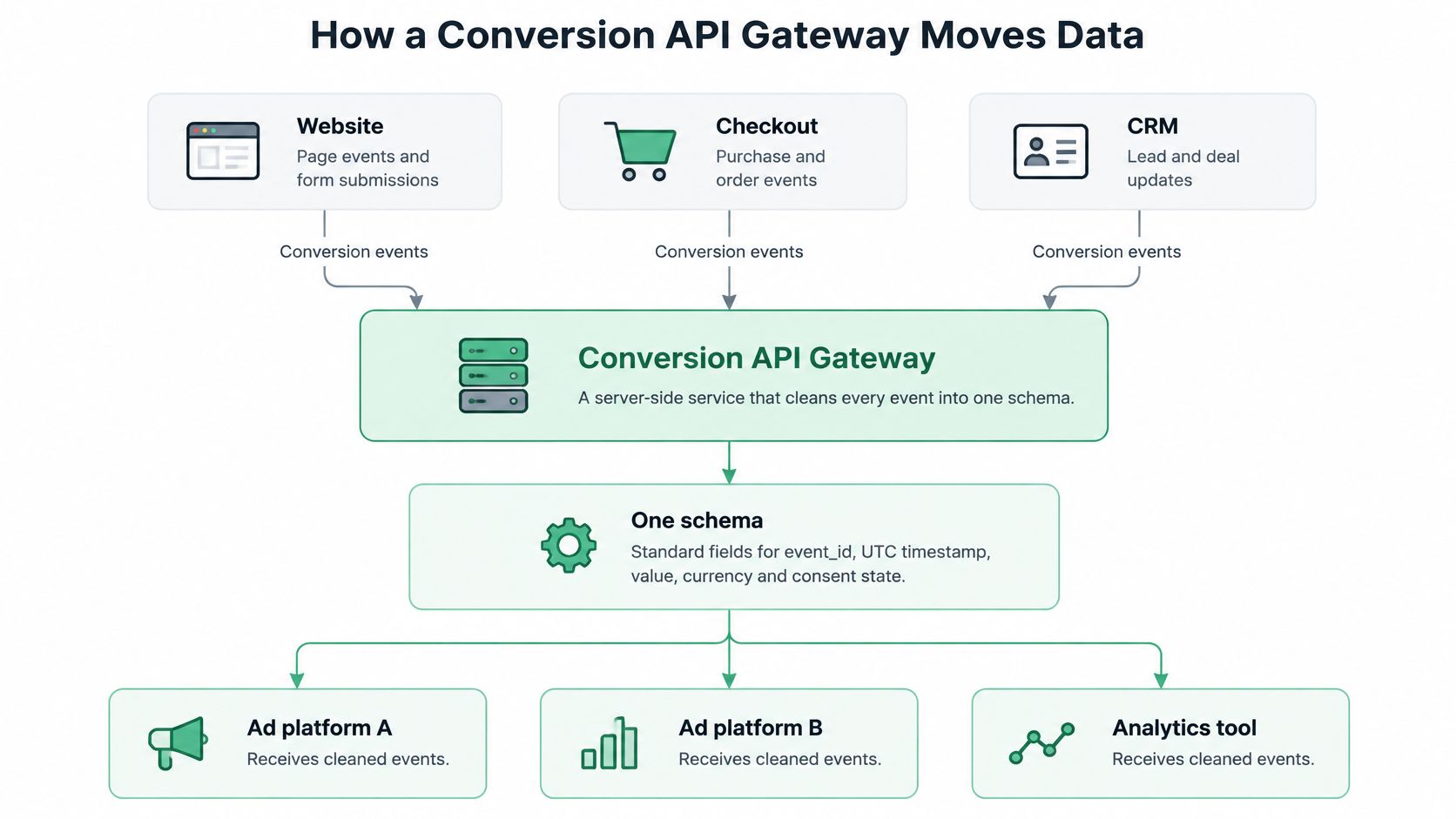
Five layers and one late payment
| Layer | Job | Typical example |
|---|---|---|
| Browser tag | Captures page context, click IDs, and session IDs | Meta Pixel, gtag.js |
| Server endpoint | Receives events by HTTPS POST from site, checkout, and CRM | Your own /events route or a hosted collector |
| Normalizer | Maps field names, hashes personal data, applies consent state and timestamps | Custom service or gateway product |
| Destination connectors | Sends each event in the platform's required format | Meta Conversions API, GA4 Measurement Protocol, Google Ads API |
| Reconciliation store | Logs event IDs, delivery status, and replays | Warehouse table or log database |
For example, a trial user clicks an ad and signs up on day 0, then pays on day 9 inside the CRM. The gateway can forward the payment with the original click ID and the same internal schema used for the signup. Check that the payment value, event time, consent status, and identity remain accurate through each connector.
Keep the browser tag for page context, and use the server path to carry outcomes the browser cannot observe. The two paths can work together, but inconsistent IDs, timestamps, values, or consent states can create duplicates or misattribute revenue.
Design rule: Preserve event identity, timestamp, value, and consent status at every destination. If a connector rewrites an ID or drops consent, more server data can make attribution less reliable.
Event Fields Each Platform Expects
A server event can return a green status and still fail to match. The translation from your internal schema to each platform's request format determines which fields carry identity, timing, and value.
| Internal field | Meta Conversions API | GA4 Measurement Protocol | Google Ads Enhanced Conversions |
|---|---|---|---|
| Event name | event_name | events[].name | conversion action name |
| Event time | event_time (Unix seconds) | timestamp_micros (optional) | conversion_date_time |
| Event ID | event_id (shared with pixel) | no shared dedup field; use transaction_id on purchases | order_id |
| Value and currency | custom_data.value, currency | events[].params.value, currency | conversion_value, currency_code |
| user_data.em (SHA-256 hashed) | not accepted as hashed email; use user_id | user_identifiers.hashed_email (SHA-256) | |
| Browser click ID | user_data.fbc, user_data.fbp | No click-ID field; client_id identifies the browser client | gclid carried in the click record |
| Action source | action_source (website, offline, and similar) | no dedicated field | no dedicated field; implied by the conversion action |
Where a mismatch kills the match
For Meta, normalize email before hashing: lowercase it and trim whitespace, then apply SHA-256. Hashing the raw value can prevent a match. Send fbc and fbp as stored by the browser. Do not hash them. A match-rate score alone does not prove that an event was permitted or that its reported value reconciles to revenue.
GA4 Measurement Protocol requires client_id to identify the browser client. It is not a click ID. Put the event name inside the events array, not at the root. timestamp_micros is optional and can place a late CRM payment on the correct day. GA4 has no hashed-email field; use user_id when you have a first-party user key.
Google Ads Enhanced Conversions uses order_id and conversion_date_time. A hashed email cannot make up for an order ID that differs from the browser tag. A datetime with the wrong local offset can also undermine matching.
Store timestamps in UTC and currency as an ISO 4217 code in the canonical schema. Connectors can rename fields, but should preserve their values and consent state. Check each event against its permission record and reconcile the resulting conversion value to revenue. For Meta field-level parameter details, see the Meta Ads platform docs.
How to Build the Gateway Step by Step
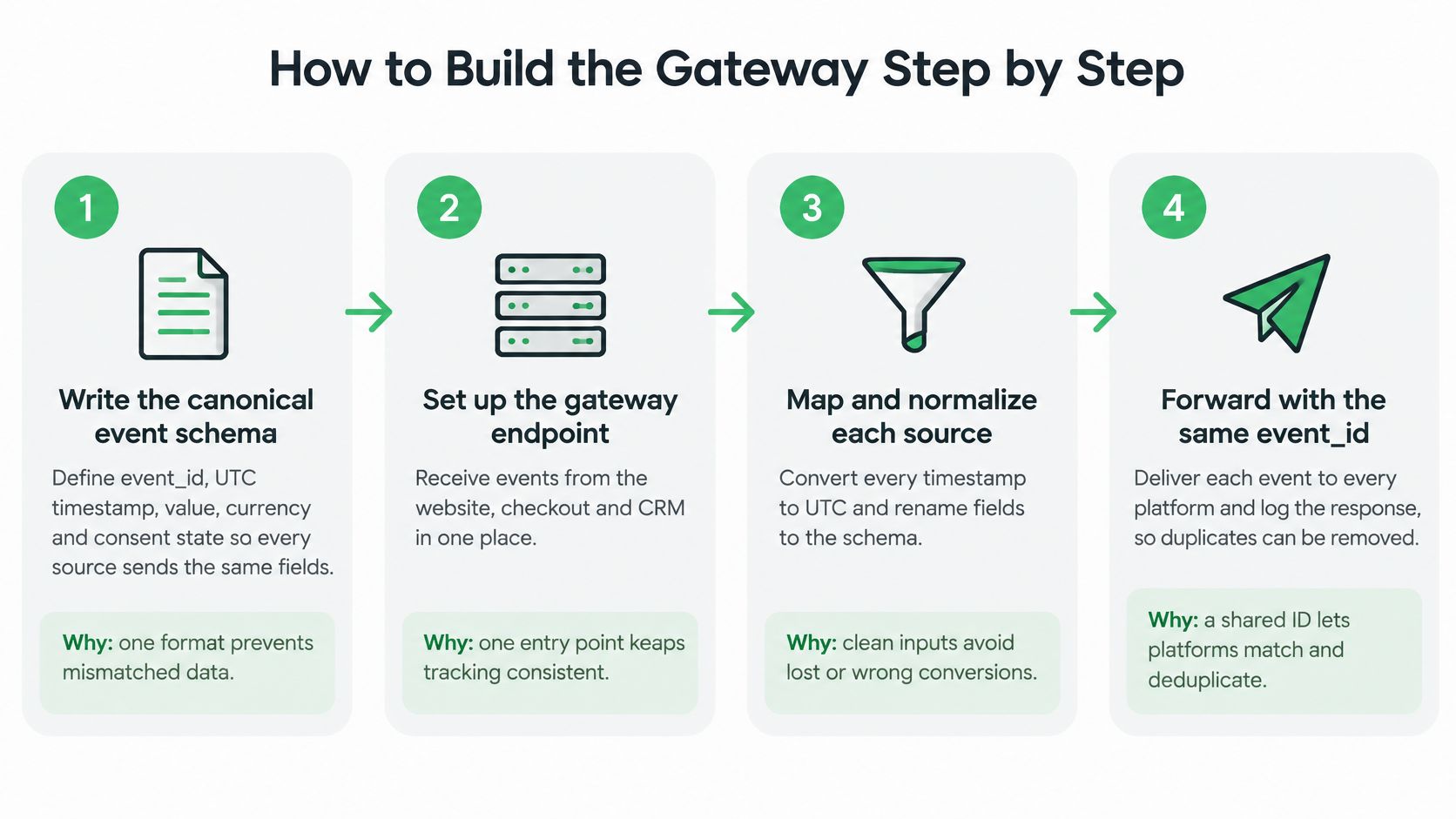
Build the pipe so a retry can't invent a second conversion, and so a slow response doesn't make the browser try again.
Write the canonical schema first. Include event_id, a UTC timestamp, value, currency, and consent state, using the field table above. If checkout and the CRM each invent their own names, every connector becomes a one-off parser that drifts.
Issue long-lived credentials, then lock them away. Create a Meta system user token with access to the pixel and the Conversions API. The common slip is a user token that expires mid-week and silently stops sends. Generate a GA4 API secret under Admin, Data Streams, Measurement Protocol. For Google Ads, create an OAuth 2.0 client with a developer token and a refresh token, and store all of them in a secrets manager, not in code. Exchange the refresh token for a short-lived access token before each send batch. If that exchange fails, alert and hold the queue. Don't drop the events.
Make the endpoint fast and boring. Validate the payload, queue it, and return 202 within a few hundred milliseconds. A slow handler makes browsers and webhooks retry, and those retries become duplicate purchases if step 7 is missing.
Put a consent gate in front of every destination call. Read the event's consent state before Meta, GA4, or Google Ads is contacted. A blocked event stays in the log with the reason. It doesn't get "fixed" by a later job that ignores the flag.
Generate event_id once, at the source. The server that first knows about the signup or the order owns the ID. Don't let the pixel, the gateway, and the CRM each mint one. Pass that same ID into the browser tag.
Normalize, then hash. Lowercase and trim email and phone before SHA-256. Hashing first and cleaning later produces a different digest on every platform.
Retry with an idempotency key. Network failures must reuse the same event_id and the same order ID. A new ID on retry is how one checkout becomes two conversions.
Prove a sample event before you go live. Send with Meta's test_event_code and GA4's debug collection endpoint. Confirm the sample shows in each platform's diagnostics, with the ID you generated, before any bidding uses the action.
What usually breaks on day two
Teams skip the queue and call the ad platform inline. A timeout then looks like a lost conversion, so the client retries, and you get two orders with two IDs. The other failure is credential ownership. A developer token in a personal Google account, or a Meta token tied to someone who left, fails on a weekend. The gateway should refuse to send when auth fails, and it should keep the payload until a human rotates the secret.
Treat the schema and the ID as product decisions, not connector settings. Destinations change their parameter names. Your event_id should not.
Deduplication Rules That Stop Double Counting
Double counting starts when the browser tag and the server describe the same purchase with different keys. GA4 is the easy demo. gtag.js sends a purchase, and the Measurement Protocol sends the same order without a shared transaction_id. Revenue in GA4 is that order twice. Optimization and finance both inherit the lie.
| Platform | Dedup key | Setup that avoids double counting |
|---|---|---|
| Meta | event_id shared by pixel and CAPI, same event_name | Generate the ID once on the server and pass it to the browser; fall back to external_id plus fbp only if no shared ID exists |
| GA4 | transaction_id on purchase, with client_id | Send purchase from one path only, or make both paths carry the same transaction_id |
| Google Ads | order_id matched against the browser tag | Use the same order_id in the tag and in the enhanced conversion payload |
One ID, persisted, then checked daily
Use a dual path. Keep the browser tag for page and click context, and send the same conversion from the server with a stable identifier. Before either copy leaves, normalize event name, timestamp, currency, value, consent state, click or session identifiers, and first-party customer fields.
Meta's Conversions API guidance is specific. When browser and server events are redundant, Meta requires the same event name and recommends a shared event_id, or the external_id plus fbp combination. Omit those keys and you get double-counted conversions and distorted optimization signals.
A rollout that holds up looks like this:
- One schema. Name, time, value, currency, consent, and ID are defined before any connector is written.
- ID at the source. Checkout, the pixel, and the CRM don't each generate their own.
- Persist it. The same ID rides through checkout, CRM status changes, and offline updates, including refunds.
- Idempotent retry. A failed POST doesn't mint a new ID.
- Daily reconcile. Gateway totals are compared with each platform's totals for the same dates.
Don't treat HTTP success as measurement success. Meta states that only matched events are usable for attribution and ad delivery optimization. Unmatched events stay limited to basic measurement. That is why match-rate monitoring, event-level error logs, replay, and a quarantine for malformed payloads belong in the gateway, not in a spreadsheet someone opens on Fridays.
A test before bidding
Send three controlled test events, and make one of them repeat an ID you already sent. Each destination should count two conversions, not three. Read platform diagnostics, not your own 200 responses. Turn on bidding for that conversion action only after the repeated ID collapses to a single count.
Debugging Unmatched and Missing Conversions
An HTTP 200 from Meta, GA4, or Google Ads means the request was accepted. It doesn't mean the conversion will count, attribute, or match a click.
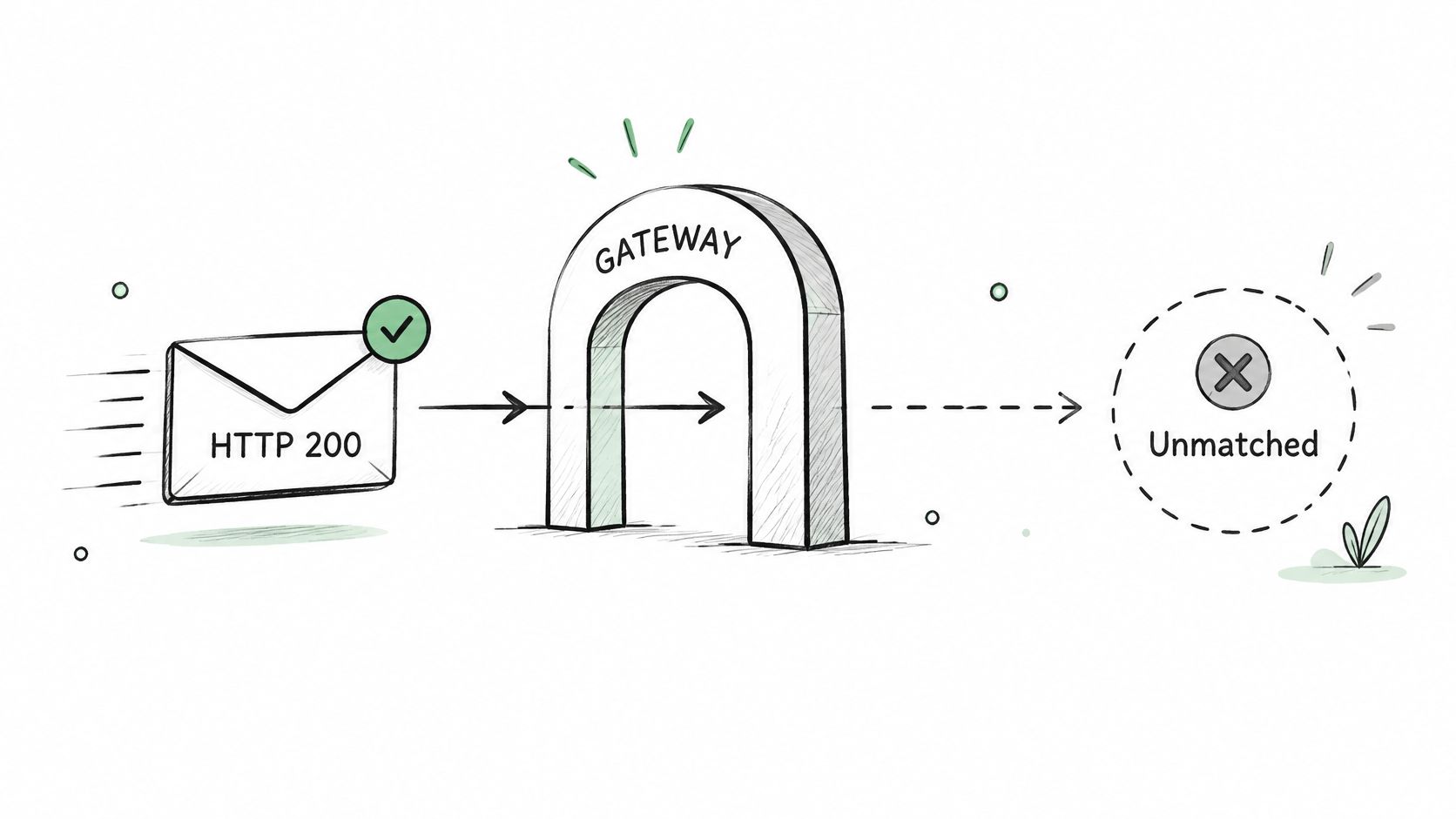
Matched events can feed attribution and delivery. Unmatched events, as covered above, support only basic measurement. A rising event count with a flat conversion count is the usual shape of that failure. Improved match quality also doesn't prove incrementality. A gateway can raise the number of conversions an ad platform claims without raising total sales, especially when modeling and attribution windows differ.
Symptoms worth trusting
| Symptom | Likely cause | Fix |
|---|---|---|
| Low match rate in Meta | Email or phone hashed without lowercasing and trimming first | Lowercase and trim before SHA-256 hashing |
| Purchases doubled in GA4 | Browser and Measurement Protocol both send without a shared transaction_id | Use one transaction_id across both paths, or send from one path only |
| Events accepted but no conversions | Wrong pixel ID, a typo in the event name, or a test code left on | Compare the payload log with platform event diagnostics |
| Conversions on the wrong day | Local time sent instead of UTC, or seconds where microseconds are expected | Send UTC and convert units in the normalizer |
| Refunds still counted as revenue | No negative adjustment after the refund | Send a refund or adjustment tied to the same order ID |
| Enhanced Conversions impact seems missing | Learning can take up to 30 days | Measure against a holdout and wait for the full window |
Google's notes on Enhanced Conversions results are easy to misread if you check reporting on day three. Training can take up to 30 days before impact shows. Judge the change over that full window, against a holdout, not against the first quiet week.
An order that finds the real miss
Start with the raw payload log. Confirm the event_id, UTC time, currency, consent state, and the hashed fields you sent. Then open the platform diagnostics and look for the same ID. Only after those two agree should you compare platform conversion totals with CRM or finance revenue for the same dates.
That comparison is how you separate a recovered conversion from a duplicate, a modeled conversion, or a sale that was only reattributed. Late offline conversions, CRM-qualified outcomes, delayed purchases, and refunds all belong in the same reconciliation, not in a second spreadsheet.
A practical audit pass over the same dates is laid out in this Google Ads conversion audit. If the gateway can't show lineage, the dedup keys it used, delivery status, and whether a replay created a second ID, you don't have a measurement system. You have a forwarder.
A higher event-match score can sit next to flat revenue. Report the uncertainty. Don't publish the lift as if the server path created the sales.
Confirm the Gateway Before You Turn On Bidding
Don't switch bidding onto a conversion action until the gateway passes four checks. Platforms optimize on whatever they receive, including duplicates, blocked users you failed to suppress, and refunds you never reversed.
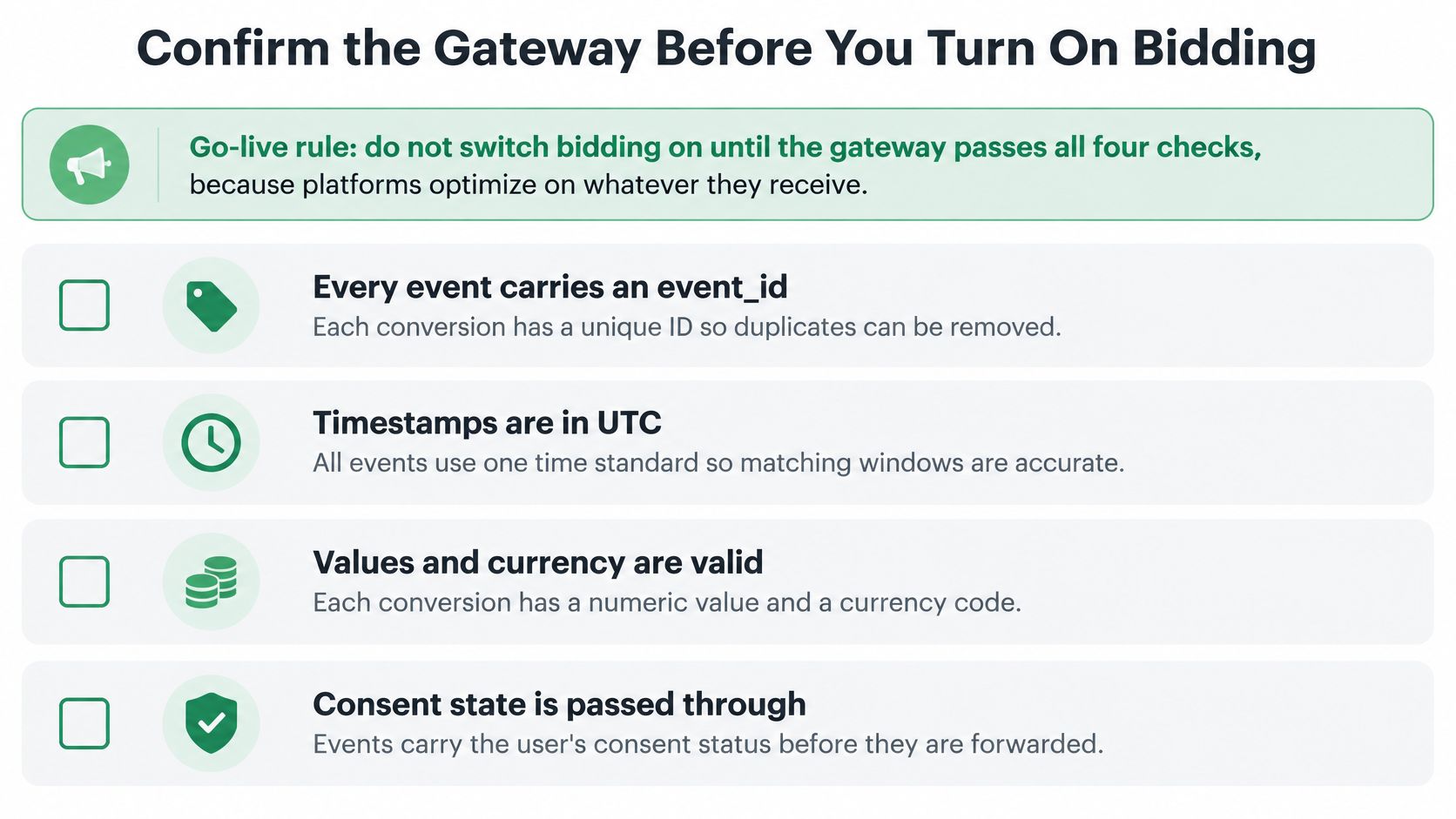
The four checks
Check 1, a stable ID. Every event carries the event_id generated at the source, and the controlled duplicate test from the deduplication work counts the repeat once. If that test fails, bidding will buy the duplicate.
Check 2, a consent gate with a reason log. Events for users who declined are blocked on the browser pixel, the server event, the offline CRM conversion, and every ad platform. Each block is stored with why it was blocked. Server-side delivery can bypass browser blockers and cookie limits. It doesn't remove consent, purpose limitation, or regional processing duties. You still collect consent, and you still keep sensitive data out of the payload.
Check 3, a stable match rate. Watch three consecutive days. A drop right after a normalizer change means hashing, click IDs, or field names moved. Don't celebrate a spike from adding more identifiers until check 2 still holds.
Check 4, revenue, not the platform's total. Reconcile platform conversions with CRM or finance totals for the same dates, inside a tolerance you agreed with finance before the test. Log every wider gap as an open issue and run it through the debugging order above. Cross-platform ROAS only means something after that compare.
Prove permission, not a match score
Coverage of Meta's Conversions API gateway rarely says this plainly. The gateway doesn't erase your obligations. One service has to enforce consent the same way for pixels, server events, offline CRM conversions, and every ad platform. That means event-level consent states, regional routing or suppression, retention rules, hashed-identifier controls, and an audit trail that shows why each event was sent.
Privacy choices differ by jurisdiction, customer type, and purpose. A global advertiser can't use one "send everything" switch.
Higher match rates aren't automatically better measurement. Extra identifiers can improve matching. They also widen compliance exposure and make deletion, access, and purpose audits harder. Add an identifier only when the consent record covers it.
Evaluate the gateway by whether you can prove an event was permitted. Don't evaluate it by event-match score or attributed-conversion lift alone.
Before any bidding change, pull GA4 and Google Ads conversion totals for the same two weeks. Compare each day with CRM revenue. Anything outside the tolerance you set with finance stays an open issue until the payload log, the platform diagnostics, and the revenue file agree.
NotFair hosts MCP servers that let Claude, ChatGPT, and similar agents read Google Ads, Meta Ads, and GA4 at query time, then draft campaign changes only after you approve a diff. Use that live read to compare gateway totals, platform conversions, and CRM revenue before you turn bidding on, and start at NotFair.