

Can you prove who changed a campaign budget last Tuesday, who approved it, and whether the change can still be undone? Many teams answer yes and mean something weaker. What they have is a stream of timestamped messages confirming that an update succeeded, with no reliable path from that line back to a person, an approval and a prior value.
The gap exists because audit log event describes two different things. One is a log line written for developers, recording that something happened. The other is a structured record built to answer questions later, when the person who made the change has moved on and the money has already been spent.
Telling those apart is a skill. It starts with what an event must record, moves into the fields that make reconstruction possible, and ends with the chain that holds up when someone outside your team asks for evidence.
Table of Contents
- What Audit Log Events Record and Why They Matter
- Quick Reference to Common Audit Log Events
- Fields Every Audit Log Event Needs
- Authentication, Access and Privilege Events
- Configuration, Data and Change Events
- Trace One Action and Its Linked Audit Events
- Retention, Integrity and Access Controls for Audit Logs
- Check Your Audit Trail Before You Need It
What Audit Log Events Record and Why They Matter
What separates an audit log event from an ordinary log line? Intent. A debug message exists so an engineer can find a bug at 2 a.m. An audit event exists so a reviewer can establish, weeks later and without asking anyone, that a specific action happened, who or what performed it, which resource it touched, and whether that action succeeded, failed or was rejected.
The NIST guide to log management is the reference worth knowing. Special Publication 800-92, published in 2006, defines log management as the process of generating, transmitting, storing, analyzing and disposing of log information from IT systems and networks, and it treats logging as an operational security capability rather than an after-the-fact troubleshooting archive.
Its event scope is the part to memorize. NIST lists audit records as covering:
- Authentication outcomes, both successful and failed attempts, because ten failures against one account tell a story a single success never will.
- File and resource access, so you can tell what was read before a write.
- Security-policy changes, including the settings that decide what gets logged at all.
- Account creation and deletion, the events that prove onboarding and offboarding happened.
- Privilege assignment and use, recording not only who holds admin rights but when those rights were exercised.
Strip away the categories and every useful event answers three questions. Who or what acted? Which resource was affected? Did it succeed, and what authorization or privilege made it possible? A record that answers two of the three is a message, not evidence.
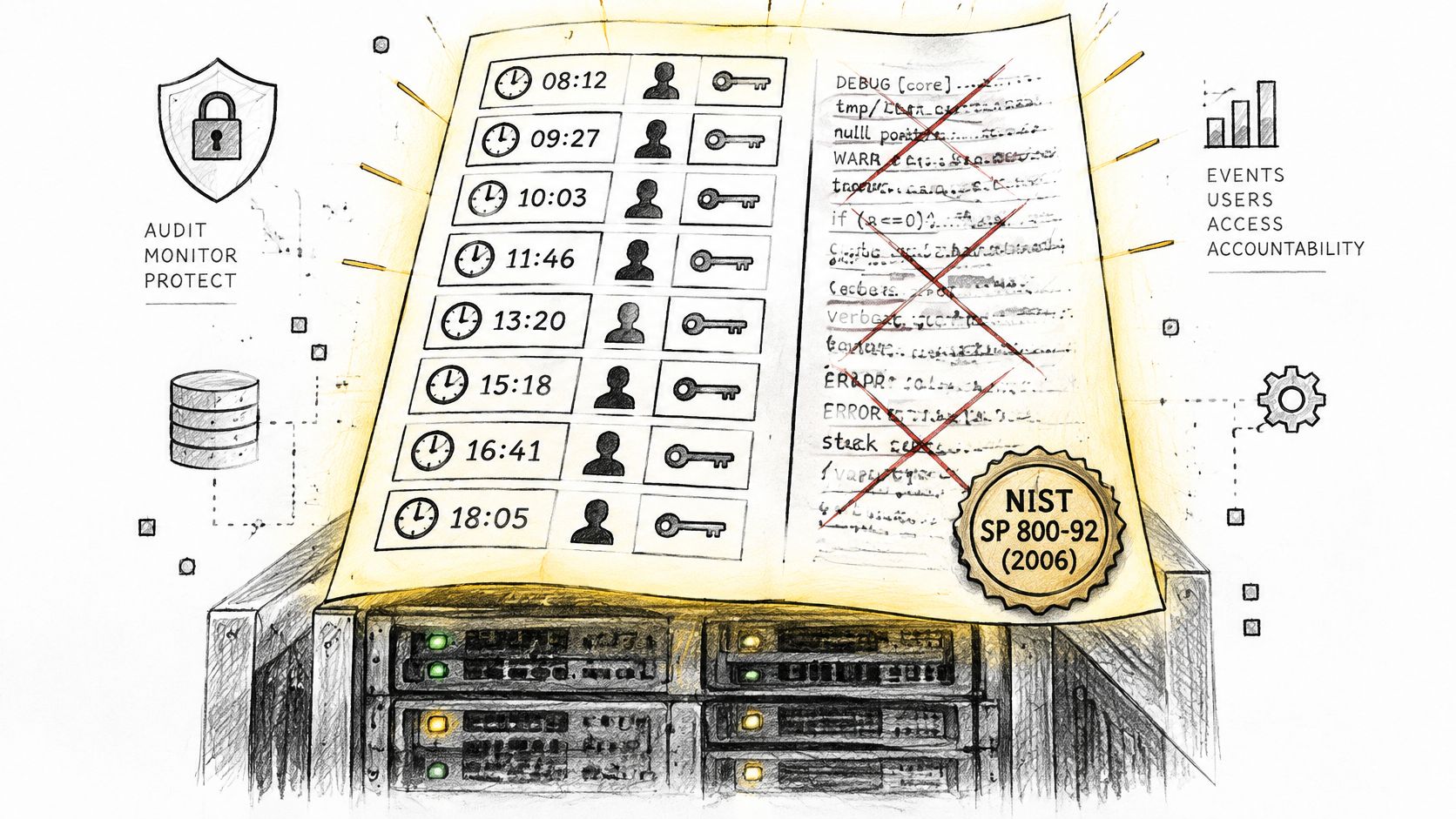
An audit trail isn't a record of what happened. It's a record that lets someone who wasn't there prove what happened.
That third question is where most systems fall short, and it's why the same discipline appears wherever people review other people's work. A mailbox review queue has to answer who proposed a send and who cleared it, which is why teams designing approval flows often study how review sends, blocks and approvals are recorded and retained. The mechanics differ by platform. The requirement doesn't.
Hold one test in mind for every event you write. Could a stranger sort this record into a category and name the fields it's missing? If the answer is no, the schema needs work, not more volume.
Quick Reference to Common Audit Log Events
Eight categories cover most of what you'll configure on any real system. Read across the rows: the category tells you the family, the example events tell you what the raw entry looks like, the third column tells you what has to survive into the record, and the last tells you what question the category answers.
| Category | Example events | What the record shows | Main use |
|---|---|---|---|
| Authentication | Successful login; failed login; MFA challenge | User, source IP, outcome | Detect repeated failures and account takeover |
| Access and privilege | Role assigned; admin tool used | Actor, role, target resource | Verify least privilege |
| Configuration change | Setting modified; logging disabled | Before and after values | Explain unexpected behavior |
| Account lifecycle | Account created; account deleted | Actor, account ID, timestamp | Check onboarding and offboarding |
| Data access | Export run; record viewed | Resource, actor, volume | Scope a possible data exposure |
| Campaign or write action | Bid change; budget move; negative keyword added | Before and after values, approver | Attribute a spend change to its cause |
| Approval decision | Change approved; change rejected | Approver, timestamp, proposed diff | Prove who authorized a change |
| Reversal | Change undone | Reference to original event, result | Confirm a recovery succeeded |
The two rows that carry the most weight for accountability are approval decision and campaign or write action. One proves a human agreed to something, the other proves what was applied. If your system logs the write but not the approval, you can describe the damage but not assign it.
For troubleshooting, configuration change is the row you'll read most often, and the one many teams under-log. A timeout value, a retention setting or a logging level that shifted last week will explain a surprising number of odd results, provided the record kept the previous value.
Rule of thumb: one real action generates several rows. A single budget move produces a request, an approval, a write, a platform response and possibly a reversal, spread across four or five categories.
That multiplication is normal. It's also why counting events tells you nothing about coverage. A system can write a million records a day and still fail to connect a single approval to the write it authorized.
Fields Every Audit Log Event Needs
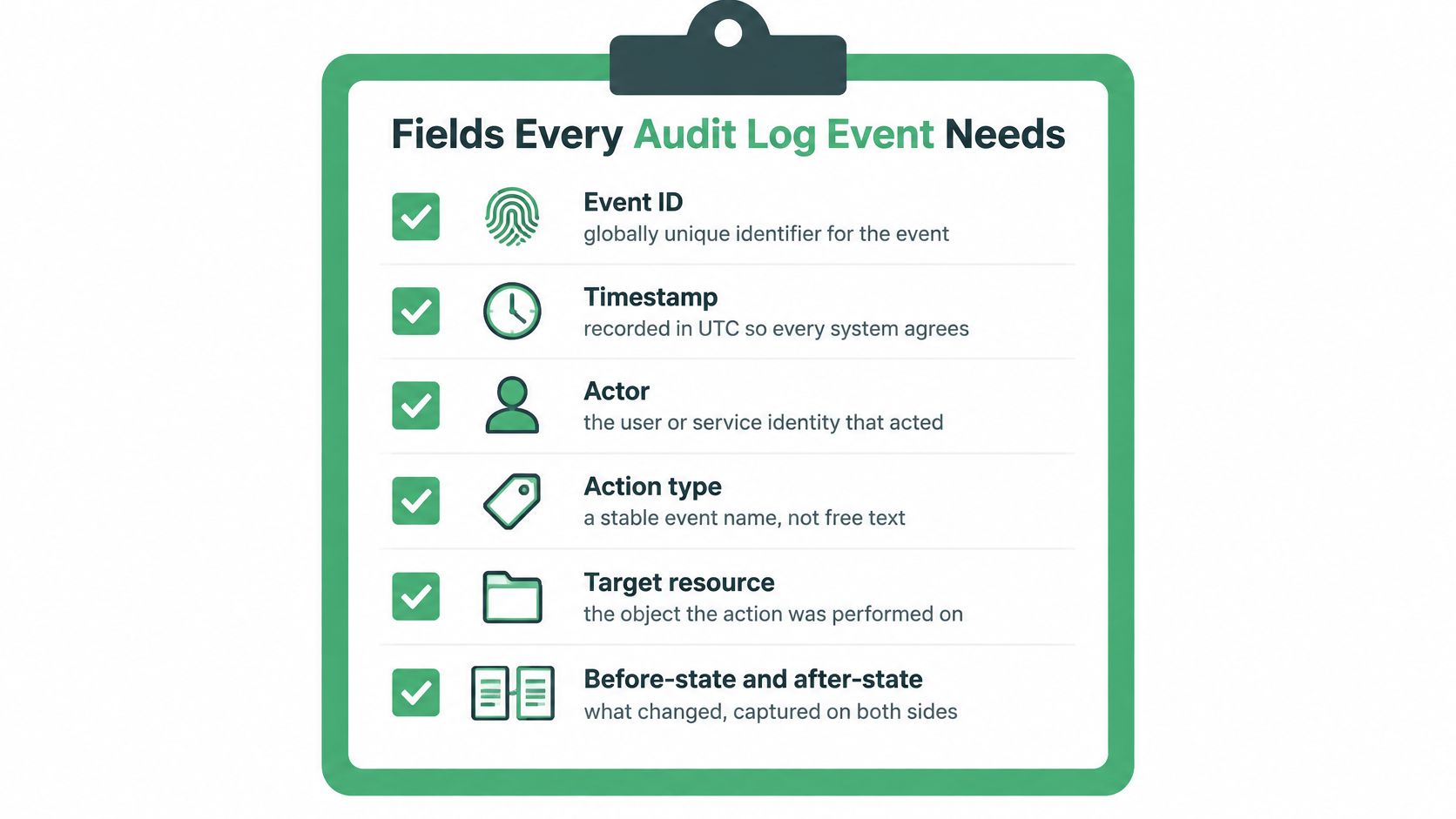
The OWASP Logging Cheat Sheet sets the floor: an event should capture when it occurred, where it originated, who or what caused it, and what happened. Every field below exists to make one of those four answerable under scrutiny.
| Field | Purpose | Example |
|---|---|---|
| Event ID | Unique reference for the event | evt_01HZX8K4Q2 |
| Timestamp (UTC) | Orders events across systems | 2024-11-12T09:02:11Z |
| Actor | Identifies the user or service | analyst@client.example |
| Action type | Stable, versioned event name | campaign.budget.update.v2 |
| Target | Resource affected | campaign 4821, account 991 |
| Before and after | State prior to and after the change | daily_budget 200.00 to 450.00 USD |
| Outcome | Success, failure or rejected | success |
| Approval | Decision and approver | approved by manager@client.example |
| Trace ID | Joins events from one request | req_9b2c4e |
The timestamps that answer the hard questions
Teams collapse four moments into one timestamp and lose the ability to measure anything. Keep them separate. requested_at marks when someone asked. approved_at marks the decision. executed_at marks the platform write. reversed_at marks the undo.
With all four you can calculate how long approvals sit waiting, which approvers stall, how often a change is reversed within a day, and how many requests never reach execution at all. With one timestamp you can only say something happened.
What to store instead of secrets
Record sensitive values by reference or cryptographic digest. Never embed credentials, access tokens or unnecessary personal data in the event itself. A secret ID, a version and a scope tell an investigator what they need. The value turns your audit store into the breach.
Common mistake: logging the full request body to make events "complete". That usually copies tokens, customer records and internal identifiers into a system with weaker access controls than the one it describes.
Event names should be versioned contracts, not free text. Stable names, enumerated outcomes and a schema version let records from several connectors and ad platforms join reliably, without anyone writing fragile string parsing to reconcile budget updated with BudgetUpdate.
Run this check on any event type: could a reviewer find the actor, the target, both states, the outcome, the approval and the trace ID without opening another system? Every missing field is a question you can't answer later.
Authentication, Access and Privilege Events
Authentication events get switched on first and read least carefully. That's a mistake, because they answer a narrow question and the narrowness is what makes them useful once you stack them together.
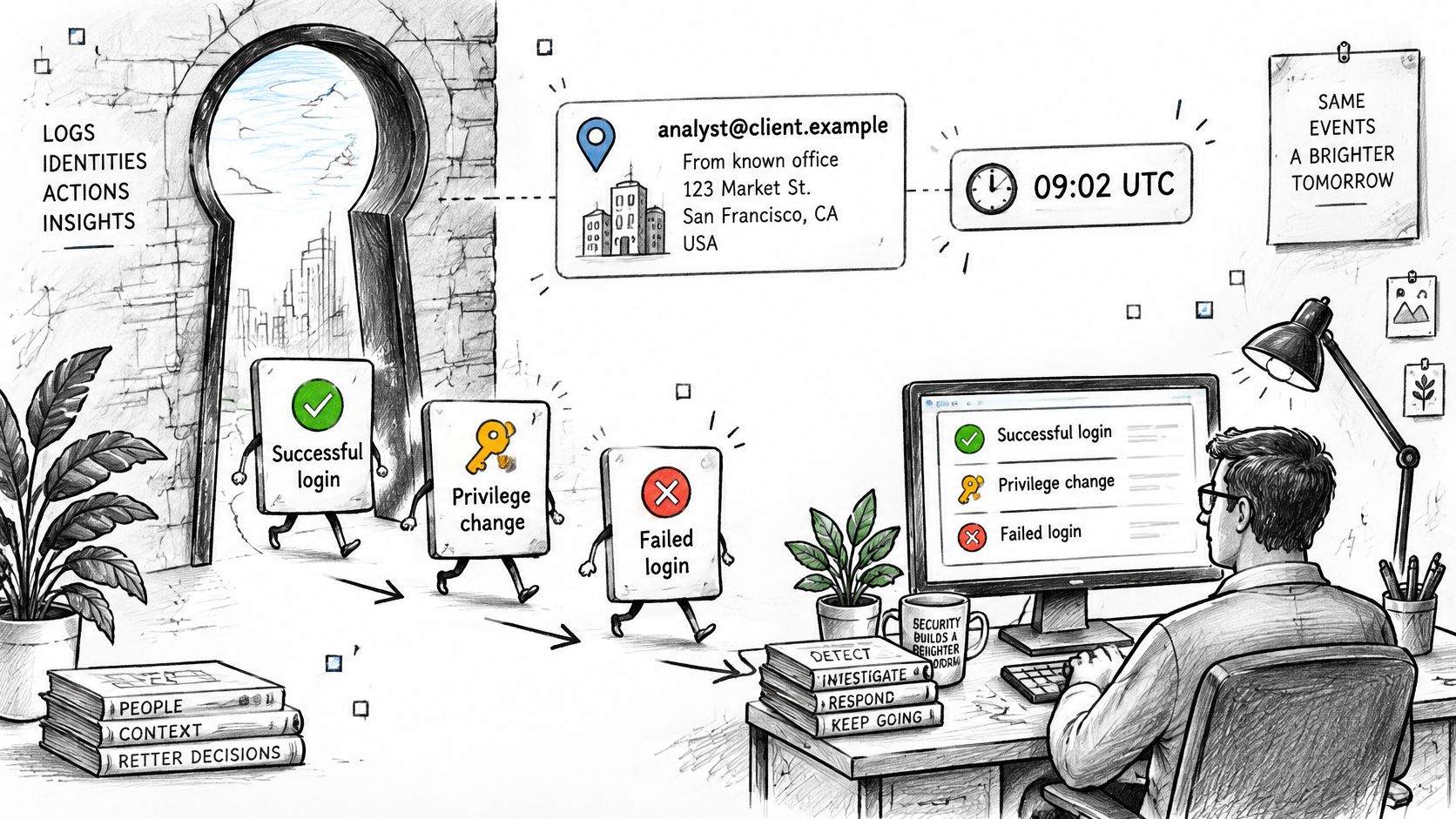
A successful login records the identity, the source address, the client or device, and the time. On its own, analyst@client.example signing in from the office address at 09:02 UTC is unremarkable. Against that analyst's normal pattern, it becomes a reference point the rest of the day is measured against.
A failed login only means something in aggregate. Ten failures against one account from one address inside two minutes is a different pattern from two failures spread across a week. Capture the identity attempted, the source address, the outcome and the reason code where the platform exposes one, then compare counts rather than reacting to single entries.
An MFA challenge should record whether a second factor was required, which method was used, and whether it passed. A session that skipped the challenge entirely deserves its own alert.
Role assignment and revocation record who granted the privilege, to whom, under which approval, and when it disappeared. These are the events that turn least privilege from a policy document into a checkable claim. Where roles are modelled as a hierarchy, it helps to understand how access levels work in FoPost before deciding which grants count as sensitive.
Privileged tool use records the administrative action taken and its target. A password reset, a connector reauthorization or a permission toggle is not routine background. It's the kind of event an attacker needs and therefore the kind you watch.
If your agents reach ad platforms through MCP connectors, the credential model matters as much as the login record. Our authentication reference covers how tokens and connector sign-in work for the hosted servers, which is the layer where a delegated write can otherwise look identical to a human one.
Reviewers who read single events miss the patterns. Read sequences ordered by timestamp. A successful login followed by an unusual bulk export is a story no individual record tells, and it's the story that matters.
The scale justifies the effort. Verizon's 2024 Data Breach Investigations Report analyzed 30,458 security incidents and 10,626 confirmed breaches that occurred during 2023, both record highs, with the incident total roughly double the previous year's level. Reconstructing those timelines means correlating authentication, privilege, administrative, data-access and configuration events across systems. When records are missing, altered or kept inconsistently, investigators can't separate authorized activity from compromise.
Three questions close out any access event. Who acted? From where? Was that expected for this role at this hour? If the record can't answer all three, add the field rather than the alert.
Configuration, Data and Change Events
Say a team raises a daily budget from 200 to 450 on a campaign that had been spending flat. Two weeks later, cost per acquisition is up and nobody remembers approving anything. The audit trail has to answer a sharper question than "did an update run". It has to answer whether this was the only change, and what the number was before it.
Configuration change events cover settings that shape behavior rather than content: a logging level, a timeout, a retention window, a tracking parameter. Record the setting name, the old value, the new value and the account that changed it. A shift in retention or a disabled log source explains more mysteries than any performance metric, which is why a logging setting that gets turned off is itself a high-risk event worth alerting on.
Data access events cover exports, bulk record views and report downloads. Record the resource, the volume and the actor. When someone asks whether a customer list left the building, these are the only records that answer with a number instead of a shrug.
Write events on an ad or CRM account cover the actions that move money and state: a bid change, a budget move, a negative keyword added, a campaign paused, a lead reassigned. Record the item, the account, the old value and the new value, plus who approved it. That combination is what lets you attribute a spend spike to one decision instead of a vague sense that something changed.
Account lifecycle events cover creation, deletion and permission changes. These matter most in multi-tenant setups, where the same person may hold different rights across client accounts. Understanding account scoping makes the difference between an event that names the right tenant and one that names the wrong one and sends you hunting in the wrong place.
A change event without its previous value is a rumour with a timestamp.
That's the whole argument for before and after. An event saying daily_budget updated supports no rollback, no variance explanation and no audit conclusion. The same event with 200.00 to 450.00 USD supports all three, and lets a reviewer confirm the follow-up reversal restored the original number rather than a guess at it.
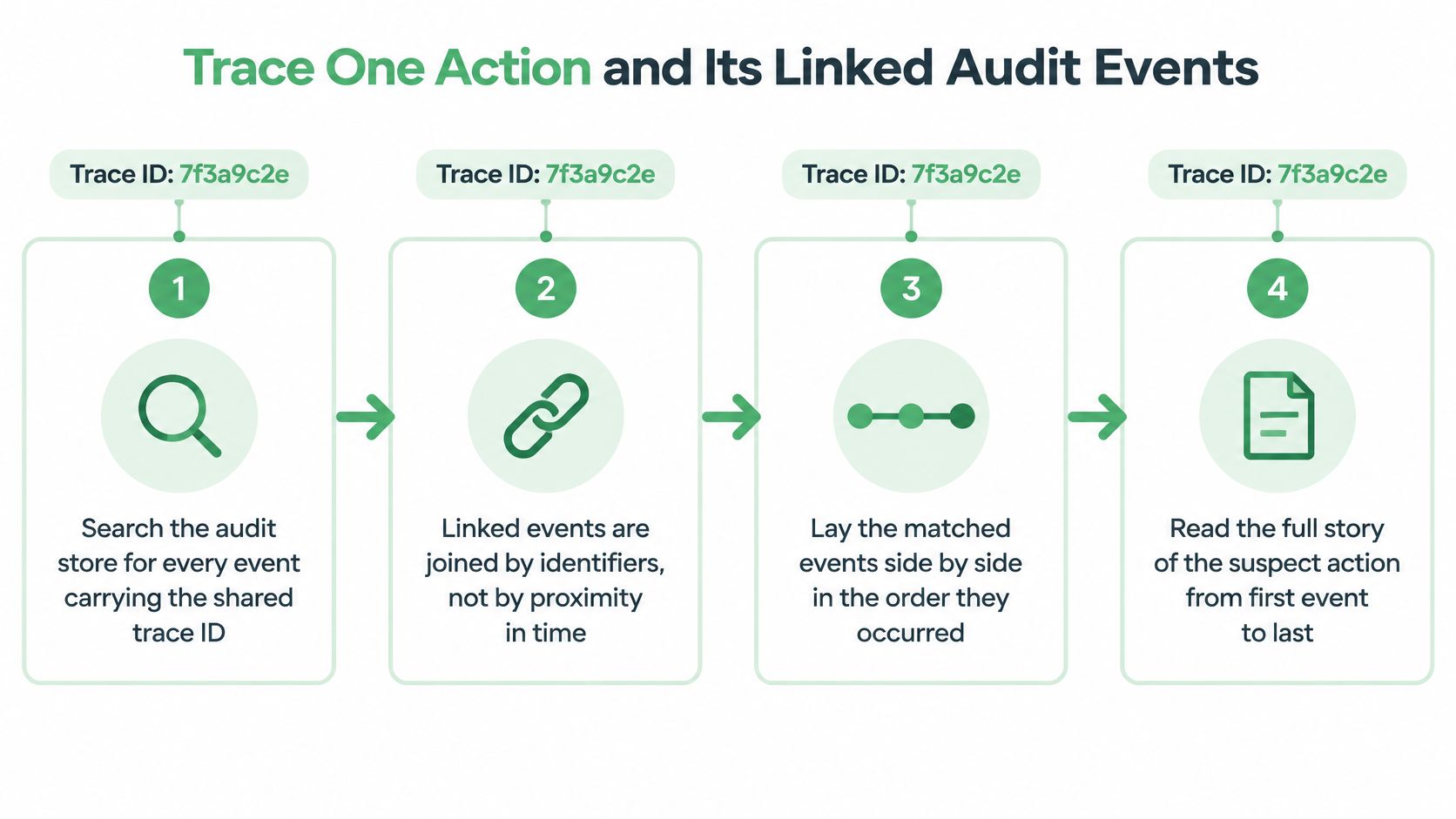
Trace One Action and Its Linked Audit Events
Pick one suspect action and try to follow it end to end. Not the day it happened, not the account it touched. The action itself. Here most organisations discover they have an audit log but not an audit trail, and the difference is measurable: the Gravitee state of AI agent security report finds that only 47.1% of AI agents are actively monitored or secured, while 57.4% of builders name insufficient logging, monitoring or audit trails as a primary security concern.
Follow the identifier, not the clock
Linked events are joined by shared identifiers, not by being near each other in time. Work through the chain in this order, because each step answers a question the previous one can't.
- Search the audit store for the trace ID. Every record from the same request carries it, across the identity provider, the agent runtime, the API gateway and the destination platform. Searching by time window instead will hand you neighbouring events from unrelated work.
- Confirm the actor and the delegation. Which human or service identity started the request, and which agent identity and credentials performed it? An agent acting on a delegated token is not the same actor as the person who delegated, and both belong in the record.
- Read the request event and its proposed diff before anything ran. This is what a reviewer was shown, not what was applied. Keeping the two separate is the only way to detect an approval that drifted.
- Check the approval event. Who approved, when, and does the approved diff match the executed diff field for field? A mismatch is the most serious finding this exercise produces.
- Compare the before-state reference with the state recorded just before execution. If they differ, something changed between proposal and write, and the approval no longer covers what happened.
- Read the execution result and the platform response, including partial failures. A write that reached the platform and returned an error may still have applied.
- Look for a reversal event that references the original event ID and confirms the prior state was restored. Absence of a reversal is an answer too.
Where the chain breaks
Three failures account for most broken traces, and all three are detectable if you look for them.
- Clock skew between systems, which reorders events and makes an approval appear to precede its own request. Synchronise clocks and compare the original event timestamp with the ingestion time.
- A missing connector, where one platform's events never arrived. Silence from a system that usually writes daily is a defect, not a quiet day.
- Approvals recorded after execution, which usually means the workflow allowed the write to proceed while the decision was still being captured. Compare the two timestamps directly rather than trusting the order they appear in the log viewer.
| First event | Linked event | What the pair proves |
|---|---|---|
| Request | Approval | The change was authorized before execution |
| Approval | Execution | The approved diff is the one that was applied |
| Execution | Platform response | The change took effect and what result it produced |
| Execution | Reversal | The change was undone and the reversal references the original |
| Failed login | Access denied | The attempt was blocked and not followed by access |
| Configuration change | Later logging events | Monitoring continued after the change |
That last row catches a specific and common disaster: logging was reconfigured and nothing was recorded afterwards, so the trail stops. Correlating identity-provider, agent-runtime, API and SaaS logs on the same trace ID is what makes delegation and credential use visible, rather than only the final write.
What a reversal actually proves
Restoring a budget from 450 back to 200 proves the configuration was restored. It doesn't prove the spend already incurred came back, the clicks were refunded, the learning phase was unreset or the auction outcomes were undone. An inverse API call is not always a true rollback.
Audit design meets operational reality. The Postman 2025 developer survey analysis reports that only 35% of surveyed respondents said agents were managed under existing identity and access-management processes, only 30% reported a formal AI kill switch or agent-termination capability, and 88% said they could not roll back agent actions without disrupting systems.
The practical consequence is that a reversal event should record what kind of recovery happened. Configuration restored, business outcome restored, or only the API-visible state restored. Add rollback eligibility, the compensating action taken, side effects and a verification result to the record, so the limit stays visible to whoever reads it next.
Every write we run, including bid changes, negative keywords, ad copy and campaign state, is approval-gated and logged with full provenance, while diagnostic reads run freely.
That asymmetry is deliberate. Reading is how you diagnose. Writing is where the evidence has to be complete enough to defend a decision to a client, an auditor or a finance team asking why spend doubled.
Retention, Integrity and Access Controls for Audit Logs
Collecting events is the easy half. Keeping them trustworthy is where controls matter, and New Zealand's government security guidance on log protection is blunt about the direction: separate secure log servers and archival methods that preserve integrity, rather than storing evidence inside the system it monitors.
Integrity. Protect records against modification with digital signatures or write-once storage, and maintain a chained digest so any tampering becomes detectable rather than merely unlikely.
Access. Restrict the log store, keep it separate from the systems being monitored, and deny monitored operators the ability to alter or delete their own records. An administrator who can edit the evidence isn't audited by it.
Protection. Encrypt logs in transit and at rest. Reference secrets rather than storing them, as the event schema already requires.
Time. Synchronise clocks across services and keep both the original event timestamp and the ingestion time, so you can separate platform delay from logging delay when an event arrives late.
Retention. Set periods from documented risk, contractual, legal and incident-response needs rather than reaching for a universal number. A retail account, a regulated financial workflow and a short-lived campaign test may all need different schedules because their evidence has different value after the fact. Teams operating under European rules such as NIS2 should confirm their obligations with counsel or the relevant regulator before setting a schedule. For context on entity-level requirements, EU representative support for digital operators can help clarify which obligations may attach to a business, but that review belongs before the retention policy is fixed, not in place of it.
Dual control. Require two people to approve log deletion or any change to the retention policy. Single-person deletion of audit data defeats every other control listed here, and the safety controls for approval-gated changes follow the same principle of separating who acts from who approves. Write requests are not executed until the user explicitly approves them. When a change is requested, the proposed operation is staged with the account, item and new value, then shown as a before/after comparison before anything runs.
Alerts. Flag unapproved writes, privilege escalation, repeated failures, disabled logging, and any reversal whose result differs from the original change. Those five signals catch many operational problems early because each one points to a break in evidence, authority or recovery.
Then test the whole arrangement with one concrete operation. Take a bid change, a negative keyword addition or a campaign state update and trace it from request through approval, execution, platform response and reversal. The record should show the account, tool, time and result, along with who made the change, what changed and the before and after values. If that walk fails, the controls above are paperwork.
Check Your Audit Trail Before You Need It
You don't need every event switched on at once. Enable these five first, in this order, because they cover the questions that arrive with the most urgency.
- Failed logins and privilege changes, the access pair that reveals account takeover and quiet escalation.
- Configuration changes, including any event where logging itself was altered or turned off.
- Every write action with before and after values, so a spend change can be attributed to one decision.
- Approval decisions, recording who authorized what, against which proposed diff.
- Reversals, with a reference back to the original event and the result of the undo.
Then run the test that matters this week. Pick one real change from the last month and try to answer six things: who requested it, who approved it, what changed, what the prior value was, what the platform returned, and whether it could be undone. If any answer is missing, the gap is in your fields or your joins. More events won't close it.
Teams running agent-driven workflows need two extra records that human-only systems never needed: the delegation event, showing which identity handed authority to which agent, and the tool call event, showing what the agent invoked and with which credentials. Without both, an agent's write is indistinguishable from a person's, and nobody can say whether the recommendation, the approval and the execution were three separate decisions or one.
This is the model we build against. You connect a platform once with OAuth and the agent reads campaigns and diagnoses performance. Write tools stage the exact operation, including the account, the item and the new value, and nothing runs until you approve it. Every applied change lands in an operations log with who made it, what changed and both values, and the Growth plan includes full change history and one-call undo. The Free plan covers diagnosis and drafting, which is usually enough to find out whether your current trail would survive the test.
Run the one-change test on your own account and fix the first gap it exposes, whether that's a missing approver field, a before-state you never captured, or a reversal that references nothing. NotFair connects to Google Ads, Meta and Search Console with your own logins, so the history stays with you, and it turns that standard into the default: every approved write recorded with full provenance, an explicit diff and one-call undo. Visit NotFair to see how approval-gated campaign operations look when the audit trail is built into the workflow rather than bolted on afterwards.