

You've opened Google Ads and the numbers look stable, yet qualified leads are getting harder to capture. A familiar rival appears beside your ads more often, a new advertiser has entered a valuable auction, and a keyword report suggests opportunities that don't resemble what people see in search. By the time the quarterly competitor report reaches the team, the useful window may already have closed.
Effective AdWords competitive analysis isn't a list of rival domains or an export of guessed keywords. It's a live operating process that connects auction pressure with search intent, organic query movement, analytics, and CRM outcomes. The practical question is not who competes with you. It's which competitor is taking incremental demand, where that pressure is concentrated, and what action deserves approval before you change live campaigns.
Table of Contents
- Why Competitive Analysis Is a Workflow, Not a Report
- Running Auction Insights the Right Way
- Mapping Competitor Keywords Without Chasing Breadcrumbs
- Choosing Between Native Tools, Third-Party Signals, and Manual SERP Checks
- Turning Findings Into Approved Campaign Actions
- Real Scenarios Where Competitive Analysis Protects Spend
Why Competitive Analysis Is a Workflow, Not a Report
Most analyses stop after identifying competitors and downloading keyword data. That produces an attractive spreadsheet, but it rarely explains whether a rival is taking volume from your account, appearing in a different intent segment, or merely showing up beside you in a small set of auctions.
A useful workflow joins several signals. Auction Insights shows relative pressure in shared auctions. Live searches reveal the ads, offers, landing pages, and calls to action that buyers encounter. Search Console can expose organic query shifts, while GA4 and CRM data help distinguish cheap traffic from leads that progress into pipeline. A competitor's visibility matters less if it attracts searches your business can't serve profitably.

Build a repeatable operating rhythm
Start with a defined question, not a dashboard tour. For example, ask whether a competitor is reducing visibility for a product line, whether a new comparison intent is emerging, or whether rising lead costs come from query drift rather than stronger rivals.
A practical sequence looks like this:
- Detect pressure: Review Auction Insights by campaign or product line and isolate meaningful changes in shared auctions.
- Validate reality: Search priority terms manually and record which advertisers, messages, URLs, and CTAs appear.
- Trace intent: Compare paid terms with organic query movement and landing-page engagement.
- Check commercial value: Use analytics and CRM stages to see whether the affected traffic produces qualified opportunities.
- Queue a controlled response: Draft negatives, budget changes, new ad groups, or landing-page tests for approval.
Rank findings by spend at risk, not by how interesting the competitor looks. A rival dominating a low-value informational query may deserve monitoring, while a modest shift around a high-margin product deserves immediate review.
Teams building a broader search intelligence practice can also use this guide to SEO competitive intelligence, particularly when paid and organic movements need to be interpreted together. The important distinction is operational: every observation should become an owned action, an approval decision, or a documented reason to defer.
Practical rule: A competitor report is useful only when someone can answer what changed, why it matters, who approves the response, and how the change will be reversed if the evidence weakens.
Running Auction Insights the Right Way
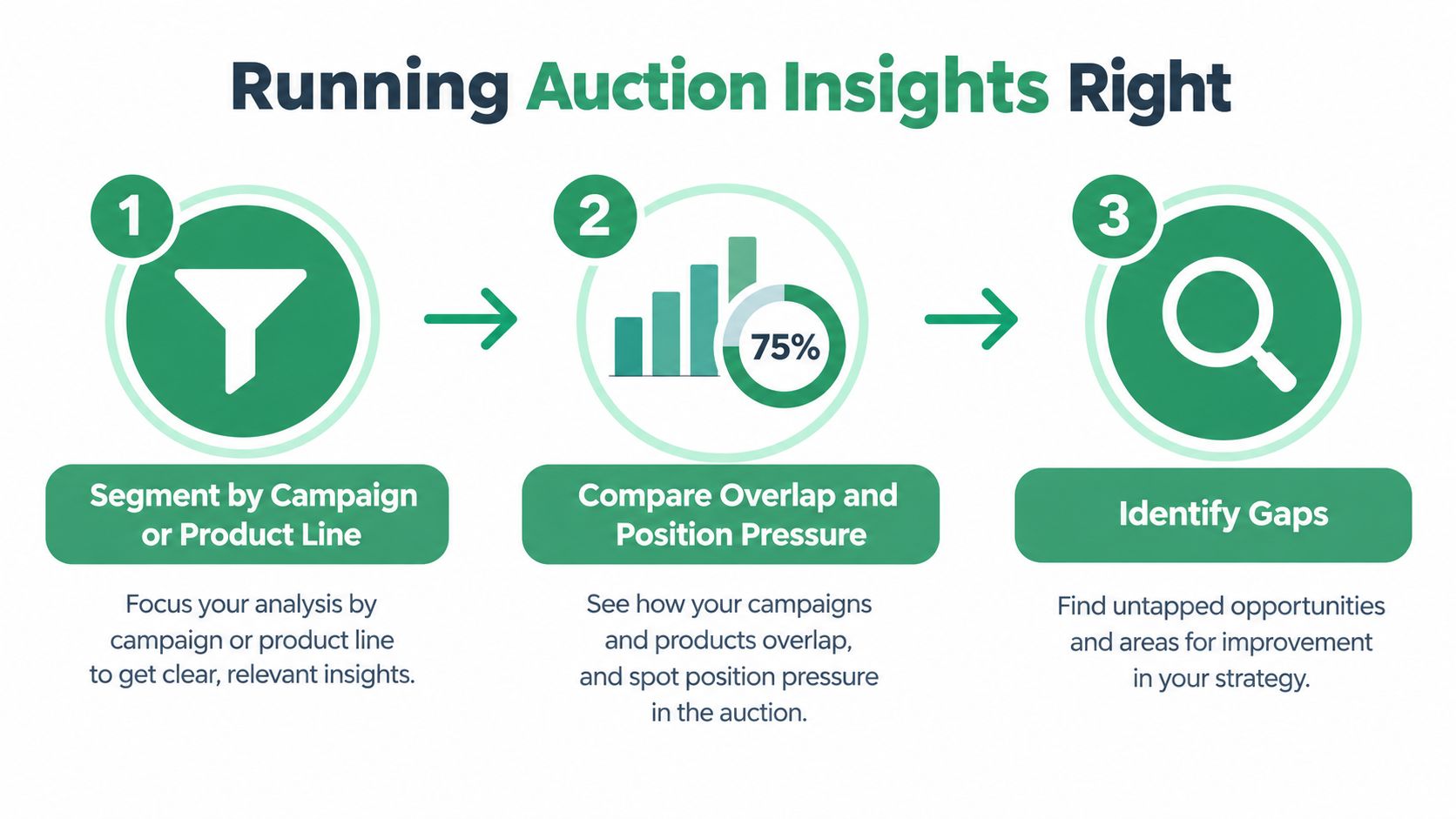
Auction Insights is the most reliable starting point because it describes the auctions you share with other advertisers. Google's report includes overlap rate, outranking share, position above rate, top of page rate, and absolute top of page rate, but those measures are relative to the same auction set, not a universal market benchmark. Google's Auction Insights documentation explains the scope and interpretation of these metrics.
Segment before you compare
Run the report at a useful level of intent. Separate campaigns or product lines instead of treating the account as one market. A competitor that pressures enterprise software terms may be irrelevant to a small-business campaign, and an advertiser strong in one region may not matter elsewhere.
Wait until enough impressions have accrued to make the comparison meaningful. Don't interpret a short, thin sample as a durable market pattern. Then compare competitors within the same segment and period, recording both the metric movement and the campaign conditions around it.
A high overlap rate means another advertiser frequently enters auctions where your ad appears. It doesn't prove that the rival is taking your clicks. Outranking share adds context by showing how often your ads rank above theirs, or appear when theirs don't. Position above rate helps identify who tends to sit higher when both ads show. Top of page and absolute top of page rates indicate visibility, but they don't explain whether your account has enough budget or rank to participate in more eligible auctions.
Read combinations, not isolated figures
High overlap combined with low outranking share usually points to a competitor entering the same auctions more efficiently. That could reflect stronger ad rank, a different bid strategy, tighter targeting, or a different mix of queries. Treat it as a diagnostic signal, not proof that raising bids is the correct response.
A strong top-of-page rate can coexist with weak impression share. Your ads may appear prominently whenever they enter, while budget or rank limitations prevent them from entering more eligible auctions. Increasing bids without checking conversion value can buy more exposure without improving commercial outcomes.
Watch this short walkthrough before building the report into your operating routine.
| Signal | What It Usually Means | Operational Action |
|---|---|---|
| Overlap rate | A rival often appears in the same auctions as your ads | Segment the affected campaigns and inspect shared search intent |
| Outranking share | Relative frequency with which your ads rank above a rival or appear when theirs don't | Compare rank, budget, relevance, and conversion value before changing bids |
| Position above rate | How often the rival appears higher when both ads show | Review ad quality, landing-page alignment, and bid pressure |
| Top of page rate | How frequently an advertiser appears above organic results | Check whether visibility is constrained by rank, budget, or eligibility |
| Absolute top of page rate | How often the advertiser occupies the first paid position | Protect high-value terms only when the incremental economics support it |
Finally, combine Auction Insights with Google's competition analysis view and regional filtering. A pattern limited to one market calls for local diagnosis. A pattern across campaigns and regions suggests an account-wide issue.
Mapping Competitor Keywords Without Chasing Breadcrumbs
A competitor keyword export is a hypothesis list, not a media plan. The useful workflow begins by grouping rival terms into intent clusters, then checking whether those terms match your offer, margin, sales process, and landing-page capability.
Start with branded, category, comparison, problem-aware, and use-case clusters. Compare paid coverage with organic coverage so you can see whether a competitor is buying visibility where it lacks organic presence, or whether the apparent gap is already covered by your own content. Estimate CPC and search volume as directional inputs, then add conversion potential and competition density to the prioritization model.
Semrush describes competitive density on a 0-to-1 scale, where values near 0.1 indicate few advertisers and 1 indicates heavy Google Ads competition. Its keyword competition guidance makes the scale useful as a quick benchmark, not as a promise of efficiency.
Score the opportunity commercially
A simple weighted score can combine:
- Volume: Is there enough observed demand to justify attention?
- Conversion potential: Does the query indicate a buyer your team can serve?
- Competition density: Are many advertisers already contesting the term?
- Business fit: Does the offer, geography, and sales motion match?
- Coverage gap: Is the term absent, weakly covered, or blocked by existing structure?
The score should order investigation, not automate bids. A lower-volume comparison query may deserve priority over a broad category term if the former aligns closely with your sales process and the latter attracts expensive research traffic.
The team at LLMrefs offers a useful complementary perspective on how to outrank rivals in Google Ads, but the same caution applies: competitor presence doesn't automatically create a profitable opportunity. Your landing page must answer the intent more convincingly than the ad suggests.
Validate the live SERP
Search the most commercially important terms manually before building a bid plan. Record which ads appear, how many distinct offers compete, what the headlines promise, which URLs receive traffic, and whether CTAs point to a demo, purchase, quote, trial, or educational page.
Then compare the ads with their landing pages. A keyword can look valuable in a tool and still be a poor target because the dominant advertisers have better intent alignment, the traffic falls outside your service area, or the resulting leads have weak downstream value.
Live search beats confident extrapolation. Tools identify candidates. The search results page tells you what buyers can actually choose.
Keep separate lists for testable gaps, watch items, and rejects. A reject is not a failure. It's a documented decision that prevents the same attractive but unsuitable term from returning to the roadmap every month.
Choosing Between Native Tools, Third-Party Signals, and Manual SERP Checks
No single intelligence layer answers every competitive question. Google's native reports are closest to your account reality, third-party tools broaden discovery, and manual searches show the market as a buyer sees it.
Google's competition reporting can provide category-level impressions and CTR context, but it won't explain every rival's keyword strategy or landing-page choice. Third-party platforms can surface paid keywords, ad variations, and estimated traffic or spend, yet those estimates are directional. They don't reveal a competitor's actual account data.
Use each layer for its proper job
| Approach | Best Use Case | Key Limitation |
|---|---|---|
| Google Ads native tools | Measuring pressure in auctions connected to your campaigns | Visibility is limited to available account and category data |
| Third-party research platforms | Generating competitor candidates, keyword gaps, and creative hypotheses | Spend, CPC, and coverage estimates aren't exact account records |
| Manual SERP checks | Confirming live ads, offers, URLs, and intent alignment | Results vary by location, timing, personalization, and search context |
The native layer should anchor decisions. If Auction Insights shows a rival in your shared auctions, that competitor has operational relevance. A third-party report can then help you investigate adjacent terms or historical messaging, but it shouldn't override the account evidence.
Manual validation is where many audits fail. Analysts trust an export, draft a campaign, and discover later that the target query is dominated by a different intent or that the rival's ad no longer runs. Search the terms that could materially change your budget allocation, not every term in the export.
For teams evaluating AI-assisted operations, this comparison of AI tools for Google Ads can help frame the difference between analysis, account access, and controlled execution. The right stack reduces uncertainty by layering evidence, not by producing a more elaborate estimate.
A strong decision record names the source of each finding. “Auction pressure in campaign data” is different from “third-party estimate suggests a rival may target this term,” which is different from “manual search confirmed the rival's ad and landing page.” Those labels make approval conversations faster and prevent assumptions from becoming facts.
Turning Findings Into Approved Campaign Actions
Competitive analysis earns its keep when it changes what the team does next. The safest process turns each finding into a ranked, reviewable proposal instead of allowing an analyst or agent to edit live campaigns from an ambiguous instruction.
Begin with an action register. Rank items by spend at risk, business value, confidence, and reversibility. A confirmed irrelevant query with material spend deserves attention before a speculative opportunity based only on an external keyword export.

Convert observations into proposals
A useful proposal includes the evidence, the proposed change, the expected purpose, and the rollback condition.
- Search-term waste: Draft negative keywords, identify the affected match types, and show which campaigns would change.
- Budget pressure: Propose a budget adjustment only after checking conversion value, impression share, and regional performance.
- Structural mismatch: Separate intent clusters, revise ad groups, or route queries to a more relevant landing page.
- Message weakness: Draft new headlines or descriptions that answer the same buyer concern without copying a rival.
- Data uncertainty: Mark the item for observation rather than forcing a change from thin evidence.
Every edit should have an explicit diff. The reviewer needs to see what will be added, removed, paused, or reallocated. A change history and one-call undo matter because competitive conditions move, tracking can be incomplete, and several people or AI agents may touch the same account.
Use cross-platform context before approving. Search Console may show that organic queries have shifted toward comparison language. GA4 can reveal whether those visitors engage or convert. CRM data can show that one campaign produces sales-qualified opportunities while another generates form fills that never progress. That context prevents optimization toward CTR or lead volume alone.
Teams that need a focused negative-keyword workflow can review this guide to Google Ads negative keywords. The operational principle is simple: draft first, review the scope, apply the change, and preserve enough history to reverse it without reconstructing the old state.
Approval should be a control point, not a bottleneck. Give reviewers a concise reason, a visible diff, and a defined rollback path.
After implementation, schedule a verification check. Confirm that the intended queries moved, the landing pages still receive the right traffic, and CRM quality hasn't deteriorated. Competitive analysis becomes reliable when the team records not only what it changed, but also whether the diagnosis survived contact with live performance.
Real Scenarios Where Competitive Analysis Protects Spend
A software advertiser notices that lead costs are rising. The first explanation is stronger competition, but the search-term review shows a different pattern. Loose matching has expanded into adjacent queries, while Auction Insights reveals that the main rivals are concentrated in a narrower commercial segment. The response is not a blanket bid increase. The team drafts negatives, separates the relevant intent, and checks CRM progression before protecting additional budget.
Another team spends hours moving between Google Ads, Search Console, GA4, a keyword platform, and its CRM. Each dashboard offers a partial answer, but no one can connect a competitor's new ad message with the query shift and the quality of resulting leads. The workflow improves when the analyst records one finding with its source, confidence, affected campaign, and proposed owner. The meeting then reviews actions rather than debating disconnected screenshots.
A third account has automation enabled across several campaigns. An agent detects a competitor change and edits bids and budgets without an approval record. The immediate issue isn't only the edit. It's the absence of a clear diff, rationale, and undo path. The team later can't tell whether performance changed because of the competitor, the automated edit, or a separate tracking problem.
The Google Ads wasted-spend workflow is useful for framing these situations around root cause rather than surface symptoms. In practice, the strongest safeguards are consistent:
- Separate signal from noise: Confirm important findings with account data and live searches.
- Protect commercial intent: Use analytics and CRM stages, not clicks alone, to rank responses.
- Make changes reversible: Log diffs, approvals, and rollback conditions.
- Keep the cadence alive: Recheck competitors, queries, landing pages, and outcomes instead of waiting for a quarterly surprise.
AdWords competitive analysis works when it becomes a disciplined loop: detect, validate, connect, approve, apply, and verify. That loop protects budget without turning every rival appearance into a bidding war.
NotFair connects AI agents with Google Ads, analytics, Search Console, and CRM context for live diagnosis and approval-gated campaign changes, including explicit diffs, change history, and one-call undo. Visit NotFair to review how the workflow can turn competitive findings into controlled, actionable account operations.