


 Free WordPress website builder
A free WordPress website builder for the AI you already use.
No coding. No new page-builder app to learn. Install the free NotFair WordPress plugin, connect Claude, ChatGPT or Codex, and describe the website change you want.
- Free to start
- No coding
- Use your existing AI
- Keep WordPress
Your hosting, theme, domain and content stay in WordPress.
The difference
Not another builder interface to learn.
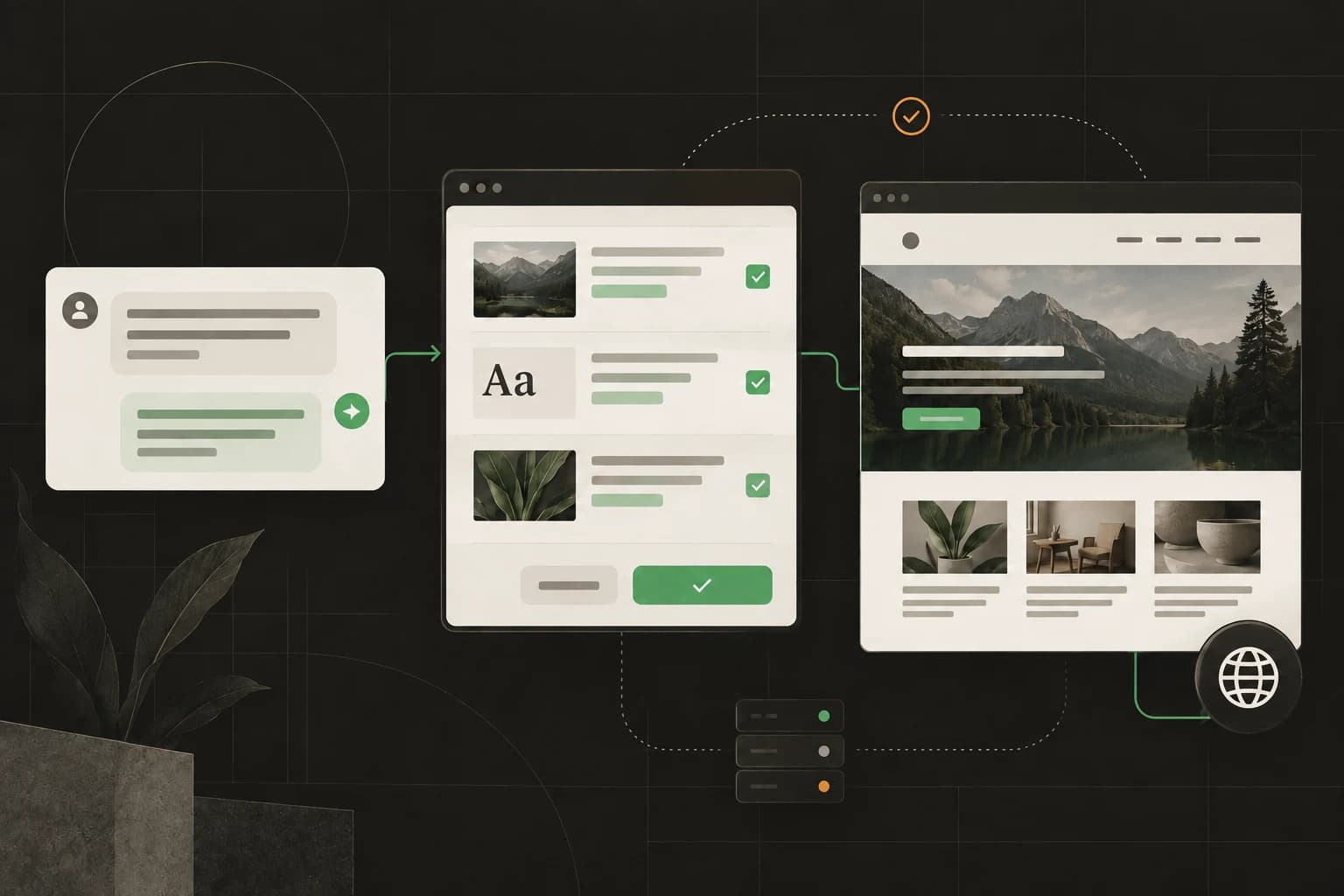
Most website builders make you learn their editor. NotFair lets you work in the AI assistant you already know. Ask for a new page, a better headline or an updated menu in plain language, then keep improving the real WordPress website your business already depends on.
You do not need to migrate, start over or become a developer. You install one free plugin and keep your current hosting, theme, domain and content.
What you can build
One WordPress website builder. Four kinds of work.
NotFair turns a request into specific WordPress operations. The agent reads the current page first, uses the capabilities your site exposes and can verify the result afterward.
Create pages that are ready to publish
Ask for a service page, campaign landing page, announcement or article. Your agent can create a normal WordPress page or publish a sanitized standalone HTML page at an exact path.
Ask your agent“Build a landing page for our fall offer. Save it as a draft first.”
Edit the page that already ranks
Change a headline, replace exact copy or update one Gutenberg block without rebuilding the rest of the page. Version checks protect you from writing over a newer edit.
Ask your agent“Rewrite the opening on /services, but keep the layout and CTA unchanged.”
Keep content, media and SEO together
Upload images, set alt text, update page metadata through supported SEO plugins, inspect indexing settings and verify that the published content contains what you expected.
Ask your agent“Add this case-study image, write useful alt text and update the social description.”
Manage the website around the page
Update menus, supported global styles, themes, plugins, redirects and site settings. Installed adapters add focused support for tools such as WooCommerce, ACF, Elementor and Contact Form 7.
Ask your agent“Add the new page under Services in the main menu, then verify the link.”
How it works
Three steps. No code and no new builder to learn.
Keep the WordPress site and AI assistant you already use. The free NotFair plugin connects them so your request can become a reviewed website change.
- 1
Install one free plugin
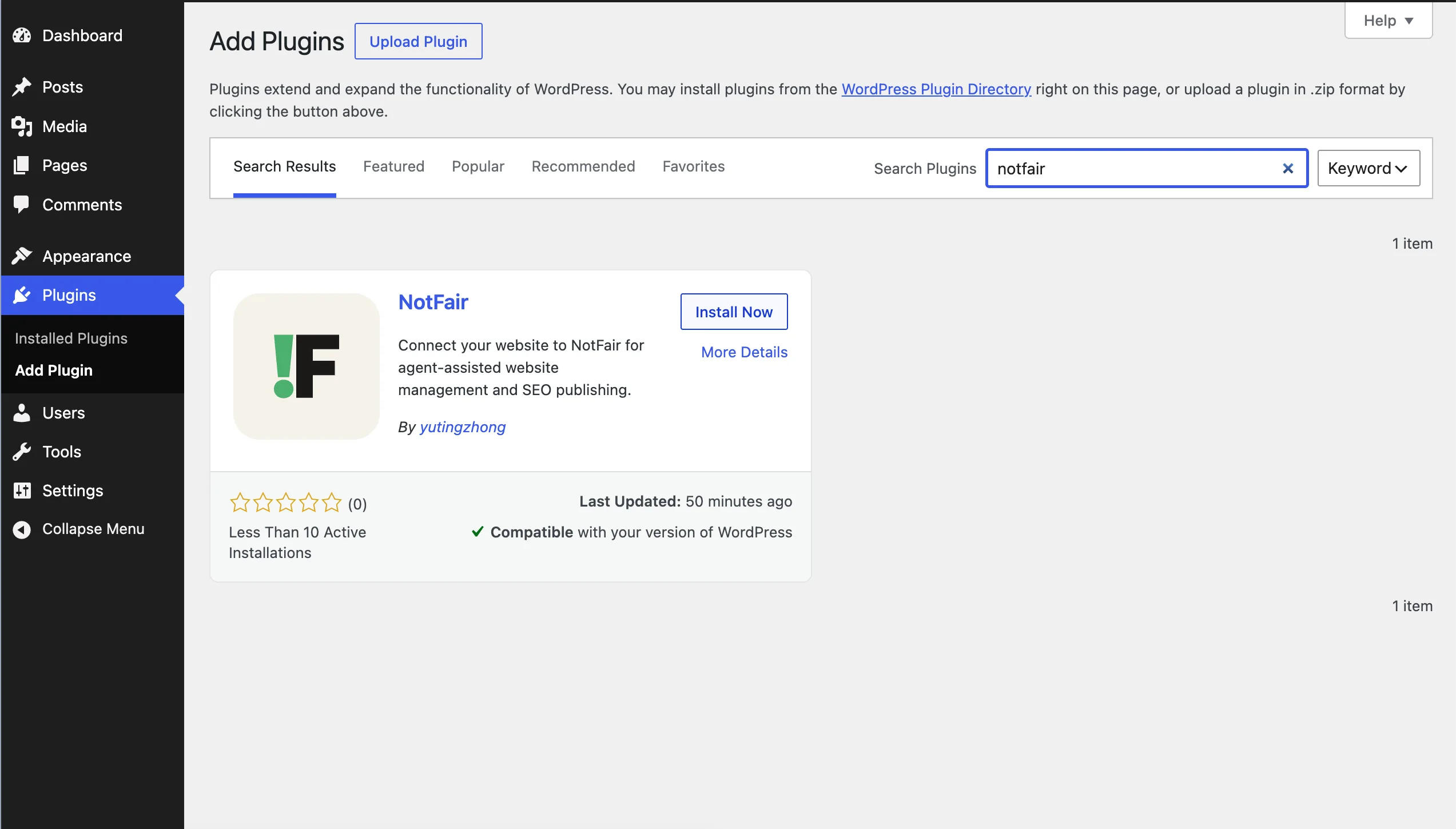
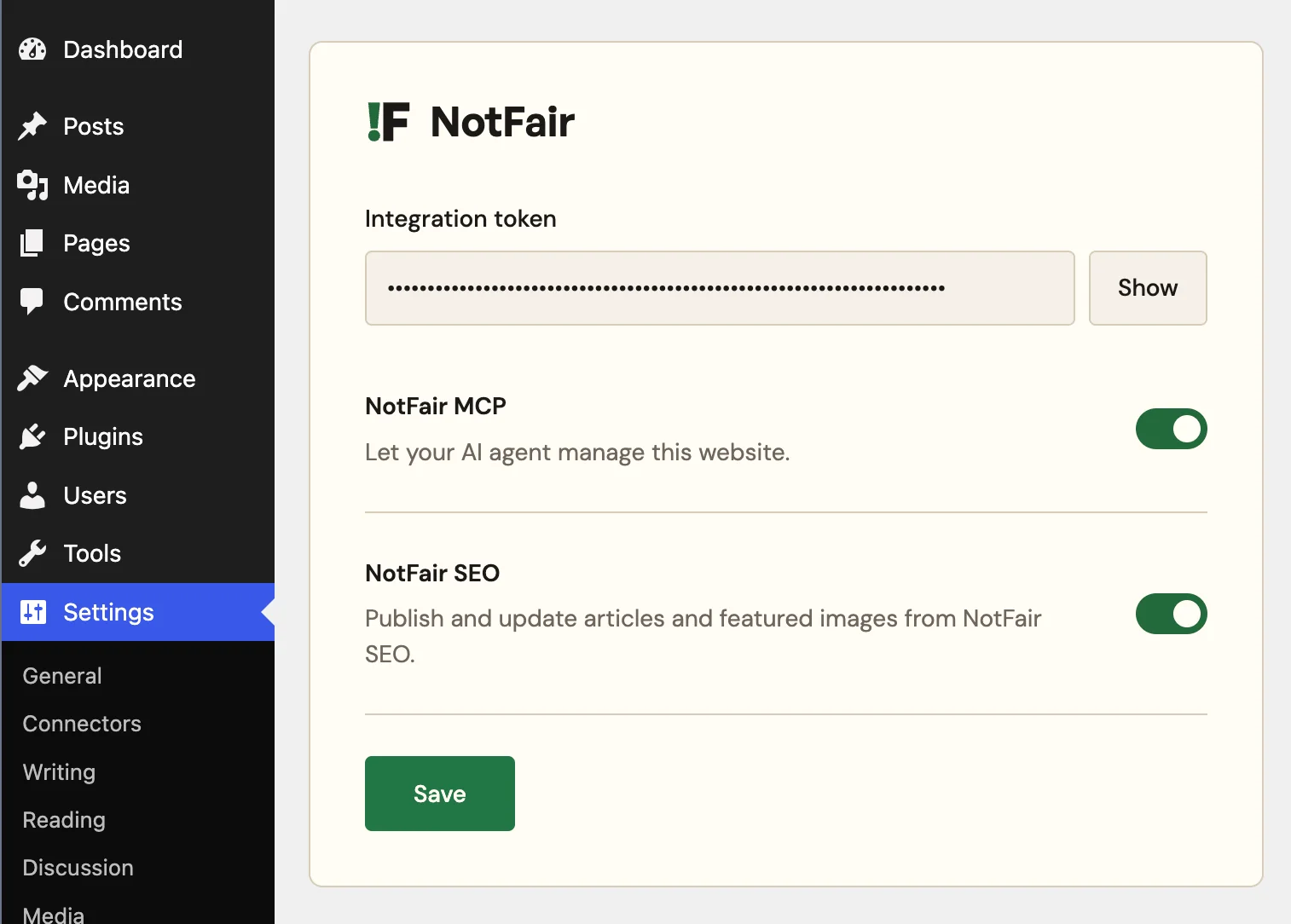
Add the free NotFair plugin from WordPress, paste your integration token and enable NotFair MCP. There is no separate desktop app or hosted page builder.
- 2
Use the AI you already have
Connect Claude, ChatGPT, Codex or another MCP-compatible client. You do not need to buy or learn a separate NotFair AI assistant.
- 3
Describe, review and publish
Say what you want in plain language. Review the proposed change, run it, and let the agent re-read WordPress to verify the result.
Real plugin. Real WordPress.
One free plugin is all you install.
There is no separate NotFair desktop app or hosted page builder. Install the plugin from WordPress, connect it to your NotFair workspace with one integration token, and keep its MCP and SEO switches under the site administrator’s control.
Built for the people doing the work
Less builder work. More website work.
Business owners
Fix a typo, launch an offer or refresh an old page without waiting for a developer.
Solo marketers
Move from campaign idea to landing page, metadata and tracking-ready copy in one workflow.
Creators
Publish new pages and keep your site current without learning code or a complex visual editor.
Agencies
Work across connected client sites with explicit site selection and repeatable instructions.
Control before convenience
An easier workflow should not mean a careless one.
Website edits can affect revenue, search traffic and customer trust. NotFair gives agents structured WordPress tools instead of arbitrary server access, and the plugin refuses executable PHP or remote script publishing.
Read the WordPress MCP details- Version-aware edits detect when a page changed after it was read.
- Private previews let you inspect sanitized HTML before publishing an exact path.
- Operation receipts show what ran and whether it completed, failed or needs reconciliation.
- Supported changes can be restored when the affected resource is still in the expected state.
- Local feature switches and WordPress permissions determine what the connection can do.
Frequently asked questions
WordPress website builder questions, answered plainly.
Do I need coding knowledge or another website builder?+
No. You make changes with plain-language requests in Claude, ChatGPT or Codex. The only new software is the free NotFair plugin installed inside WordPress; there is no separate desktop app or page-builder interface to learn.
Is the NotFair WordPress website builder free?+
Yes, NotFair is free to start. The WordPress plugin has no local paid feature gates, and the free NotFair plan includes 300 monthly MCP operations after 7 unlimited days. Growth is $99/mo monthly, or $950/yr (~$79/mo) annually if you need higher usage.
Can NotFair build a WordPress website from a prompt?+
NotFair can create pages and landing pages, publish content and media, update navigation and design settings, and manage supported WordPress resources from a plain-language request. The free plugin needs an existing WordPress installation and does not include hosting or a domain. The separate full-service plan at /full-service-marketing includes a website build and managed hosting.
Can an AI edit my existing WordPress website?+
Yes. After you install the NotFair plugin and connect your site, an AI agent such as Claude, ChatGPT or Codex can inspect existing pages and make targeted, version-aware changes. You can ask it to update copy, edit Gutenberg blocks, replace images, change menus, update SEO fields and more.
Does NotFair work with Gutenberg and Elementor?+
NotFair can inspect and edit Gutenberg blocks. When Elementor is active, its dedicated adapter can inspect Elementor sections and update supported existing text fields while preserving the layout. Support varies by installed plugin and field, so the agent checks available capabilities before changing anything.
Can NotFair manage WooCommerce websites?+
Yes, when WooCommerce is active. NotFair can read and manage supported products, variations, orders, coupons and customers through WooCommerce's discovered WordPress interfaces and the permissions you grant.
Will NotFair lock my website into a proprietary builder?+
No. Your website, hosting, theme and content remain in WordPress. NotFair connects your chosen AI agent to the WordPress site you already control, and you can disable the NotFair MCP connection in the plugin at any time.
Free to start
Build or update your WordPress site with one sentence.
Install the free plugin, use Claude, ChatGPT or Codex you already have, and describe the result you want. No code and no new builder interface.