

wordpress mcp for claude connects Claude to a WordPress site through an MCP server that makes selected site actions available as tools. To use it, you need a compatible server, a Claude client that can connect to it, and WordPress credentials with appropriate permissions. For an editorial or marketing workflow, start with read-only access or draft creation on a test site, then have a person review any proposed change before it reaches a live page.
Understand what Claude connects to
MCP, or Model Context Protocol, is a way for an AI application to interact with tools provided by a server. In a WordPress setup, Claude is the client, the MCP server defines the tools, and WordPress is the system those tools access. The tools might use the WordPress REST API, or come from a WordPress-side integration. MCP does not itself guarantee any particular WordPress capability: available actions depend on the server and its configuration. The MCP tools specification describes how a server makes tools available to a client.
That distinction is important when deciding what to connect. Claude does not automatically receive access to every WordPress feature simply because an MCP connection is active. The available tools, the WordPress account’s permissions, and any server-side limits jointly determine what the connection can do. The WordPress REST API documentation describes API access to site resources; an MCP integration may expose only a subset of those resources and operations.
For paid media managers, agencies, and in-house growth teams, the practical question is not just whether Claude can connect. It is which work it can do, on which site, with whose authority, and under what review process. Finding existing campaign-related pages is a different task from editing them, and both differ from publishing changes or altering site settings.
Separate the layers before you evaluate a connector
Think of the connection as three components to verify independently:
- Claude client: the application or environment where you want to use Claude, and its current MCP setup options.
- MCP server: the component that advertises tools and handles requests between Claude and WordPress.
- WordPress access: the site, user account, and API permissions the server uses.
A problem in one layer can look like a problem in another. For example, a missing page might reflect a tool that does not retrieve page content, an account without access, or a failed request. Identifying the layer helps your developer or vendor diagnose the issue without expanding permissions as a guess.
Choose an integration route for the job
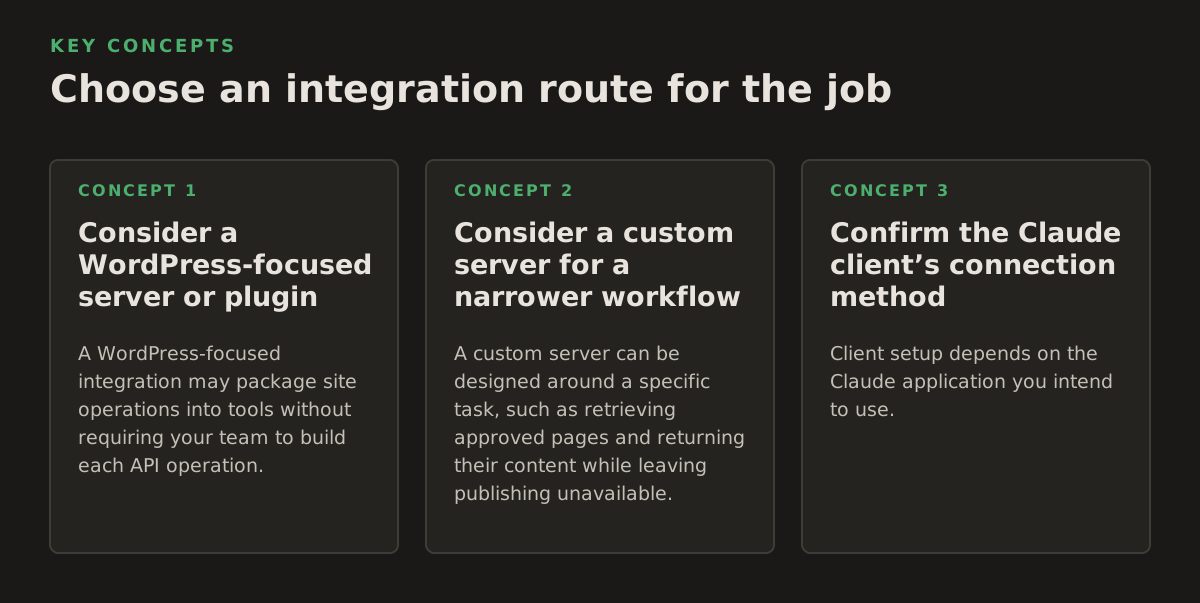
Consider a WordPress-focused server or plugin
A WordPress-focused integration may package site operations into tools without requiring your team to build each API operation. The WordPress MCP Adapter repository is one project to review when investigating WordPress-side MCP support. Its existence alone does not establish that it is suitable for your WordPress version, hosting setup, or production workflow. Check its current documentation, compatibility notes, release status, and actual tool definitions before installing or relying on it.
Inspect what each tool accepts and can change. A broad “update post” operation could expose more fields than a copy review needs. A tool that retrieves only titles may not provide enough information to assess landing-page wording. Judge the integration by its documented operations and limits, not just by its description or use of MCP.
Consider a custom server for a narrower workflow
A custom server can be designed around a specific task, such as retrieving approved pages and returning their content while leaving publishing unavailable. That can give a development team more control over the tool surface, but it also means building and maintaining the server, handling credentials, and responding to API or site changes. It is not automatically safer: its boundaries depend on how it is implemented and tested.
The WordPress REST API can be one part of this approach, but API access alone does not create a Claude connection. The server still needs to translate MCP tool calls into API requests and decide what information to accept, return, and restrict. Expose only the actions the workflow requires. For a brief-writing task, reading relevant pages may be enough; direct publishing would add authority without helping complete the brief.
Confirm the Claude client’s connection method
Client setup depends on the Claude application you intend to use. Anthropic provides setup guidance for MCP servers in Claude Code; do not assume that instructions for Claude Code apply unchanged to another Claude client or deployment. Confirm the current instructions for your environment before choosing a server.
Before connecting a production site, be able to explain where the server runs, how the Claude client reaches it, and how WordPress credentials are supplied. If the integration documentation does not answer those questions, ask the maintainer or your developer. A connection indicator confirms neither the scope nor the safety of access; test the tools and permissions themselves.
Limit access and test the setup
WordPress Application Passwords are used for API authentication. WordPress’s REST API authentication guidance explains their use and notes that API authentication should use HTTPS. An Application Password remains a credential associated with a WordPress user, so its effective permissions depend on that account. Read the current guidance and the integration’s instructions before creating or storing one.
Use a dedicated account with permissions appropriate to the task rather than defaulting to a site administrator’s credentials. The exact permissions depend on what the integration does and how the site is configured. If the workflow only needs to retrieve content, do not grant write access simply because the connector offers it. If it must prepare revisions, find out whether it can create drafts without publishing them, and verify that behavior on a test site.
- Start on staging or with low-risk content. Check the connection away from customer-facing pages when your team has a test environment.
- Inventory the tools. Distinguish reading, drafting, updating, publishing, deleting, media handling, and settings changes.
- Use a dedicated credential. Follow the server’s documented storage method; do not paste credentials into prompts or commit them to source control.
- Test the intended boundary. Confirm which site and content the connection can reach, and whether actions outside the intended scope are blocked.
- Plan for revocation. Know how to remove the credential and disconnect the server if the workflow ends or access needs to be withdrawn.
These are operational recommendations, not assurances that every connector offers the same safeguards. WordPress permissions, server restrictions, and client confirmation behavior are separate controls. Check each rather than assuming a limit at one layer is enforced by the others.
Apply it to bounded marketing work
Good first workflows have a defined input, a limited output, and a person who can judge whether the result is correct. Instead of asking Claude to “fix the website,” name the pages or content to review, provide the approved campaign material, and request a specific deliverable. That makes it easier to tell whether a weak result came from missing context, missing tool access, or the content itself.
- Find pages for a campaign review: retrieve relevant page titles or content, then let the marketer decide which pages need attention.
- Prepare proposed copy: use an approved offer and audience brief to draft wording for a named landing page, without publishing it.
- Check message consistency: compare page copy with supplied ad messaging and flag mismatches for a person to resolve.
- Gather editorial context: retrieve existing titles, excerpts, or publication details to support a content brief.
These are workflow examples, not guaranteed features of a particular connector. Check that the relevant tool can retrieve the fields needed and that any write operation has the intended effect. A server that returns only titles cannot support a detailed copy review; one that can publish may have more authority than a drafting task requires.
Example: revise a landing page after an offer change
Suppose a growth team has approved new offer wording and wants to update a campaign landing page. A controlled request would identify the page and provide the approved wording, then ask Claude to retrieve the page and propose specific edits. A marketer checks the claims, links, form details, tracking requirements, and audience fit. If the integration can write to WordPress, use a draft or another review step where supported, then verify the saved status in WordPress before proceeding.
This approach gives the reviewer a concrete change to assess, rather than an open-ended instruction to update multiple campaign pages. It also helps isolate failure: the page may not have been retrieved, the brief may have been incomplete, or the server may not support the requested action. Approve the actual content change, not merely the decision to connect Claude.
Recognize limitations and decide whether to expand
A working connection can still be a poor fit for a task. The server may omit fields the marketer needs, lack a required operation, or return content without useful context. A write tool may not preserve the review process your team expects. Hosting restrictions, authentication failures, plugin conflicts, and site-specific customization are implementation questions to investigate in the chosen setup; do not assume they are resolved by MCP.
Content quality is another separate concern. A proposed revision can read smoothly while changing an offer detail, dropping a qualification, or missing a tracking requirement. For a paid campaign, a landing-page change can create a mismatch with the message that brought a visitor to the page. A successful tool call is not content approval. Assign someone to check claims, links, forms, and campaign alignment before production changes are made.
Use the same criteria when comparing a plugin, hosted server, or custom build:
- Does its documentation identify the supported WordPress setup and the tools it exposes?
- Can the workflow separate reading or drafting from publishing, deletion, and settings changes?
- Can your team tell which account made a change and inspect the resulting content in WordPress?
- Can you test the intended workflow without risking a customer-facing change?
- Who is responsible for credential handling, server maintenance, and troubleshooting?
If documentation leaves an important point unclear, ask the maintainer or developer rather than assuming a safeguard exists. A connector can suit a bounded editorial task and still be a poor choice for unattended publishing or bulk changes. The decision turns on the impact of an incorrect edit, the access the task needs, and your team’s ability to review and reverse changes.
Make the first deployment narrow
Choose one task, one site, and the least powerful tool set that can complete it. Define a correct result in practical terms: for example, Claude retrieves the intended page and returns proposed copy that preserves the approved offer. Have the content owner review the output, record what context or access was missing, and adjust the instructions or tool scope before considering broader use.
For an agency, keep client sites and credentials distinct, and make the approval owner clear for each account. For an in-house growth team, decide whether Claude may retrieve content, create drafts, or make changes that still require a person to publish. These are organizational decisions; an MCP connection does not determine them for you.
WordPress MCP for Claude is most useful when it shortens a defined handoff, such as finding campaign-related content or preparing a reviewable draft, while keeping responsibility for live changes clear. NotFair provides hosted MCP servers for advertising and analytics platforms; if that is relevant to your wider marketing workflow, see Google Ads MCP and Meta Ads MCP, and evaluate NotFair alongside the WordPress connection with each system’s access and approval boundaries checked independently.
Authored with NotFair SEO