

Your search terms report is growing, spend is climbing, and the sales team is still asking why paid leads want jobs, spare parts, or something you don't sell. Adding those searches to a blocklist feels productive. But a blanket exclusion list can waste money too, especially when it removes the language your best customers use.
Strong negative keyword lists start with commercial intent. They describe what you don't sell, where you can't serve, and which customer journeys a particular campaign isn't funding. A plumbing business that only installs new systems might exclude repair instructions from its acquisition campaign. A retailer selling refurbished electronics shouldn't automatically exclude used, and a software company offering a free trial shouldn't broadly block free.
Google defines negative keywords as terms that prevent ads from being triggered and supports reusable lists for exclusions shared across campaigns. That makes them a campaign-management control, not just a collection of unwanted words, as explained in Google's guidance on negative keyword lists.
Practical rule: Exclude the intent you can't profitably serve, not every query that looks unfamiliar.
Use these collections as starting points, then validate them against search terms, purchases, and qualified leads. The practical aim is negative keywords for higher-quality leads, not a cleaner-looking report. Google exclusions operate through keyword matching; Meta requires a different approach using available audience, placement, and brand-safety controls.
Table of Contents
- 1. Ecommerce Shopping and Performance Max Negative Keyword List
- 2. B2B SaaS Free-Trial Acquisition Negative Keyword List
- 3. Local Service Business Negative Keyword List (Plumbing, HVAC, Legal, Home Services)
- 4. Competitor Conquest Campaign Negative Keyword List
- 5. Brand Protection and Branded Search Negative Keyword List
- 6. Informational Intent Suppression List for Lead-Gen Search Campaigns
- 7. Universal Job-Seeker and Career Negative Keyword List
- 8. Meta Ads Exclusion and Brand Safety Strategy (Non-Keyword Negative Targeting)
- 8 Negative Keyword Strategies: Side-by-Side Comparison
- Build a Living Exclusion System, Not a Permanent Blocklist
1. Ecommerce Shopping and Performance Max Negative Keyword List
A shopper looking for headphone replacement parts isn't necessarily a buyer for a new pair of headphones. But if your store sells both, blocking replacement parts across the account would remove legitimate demand.
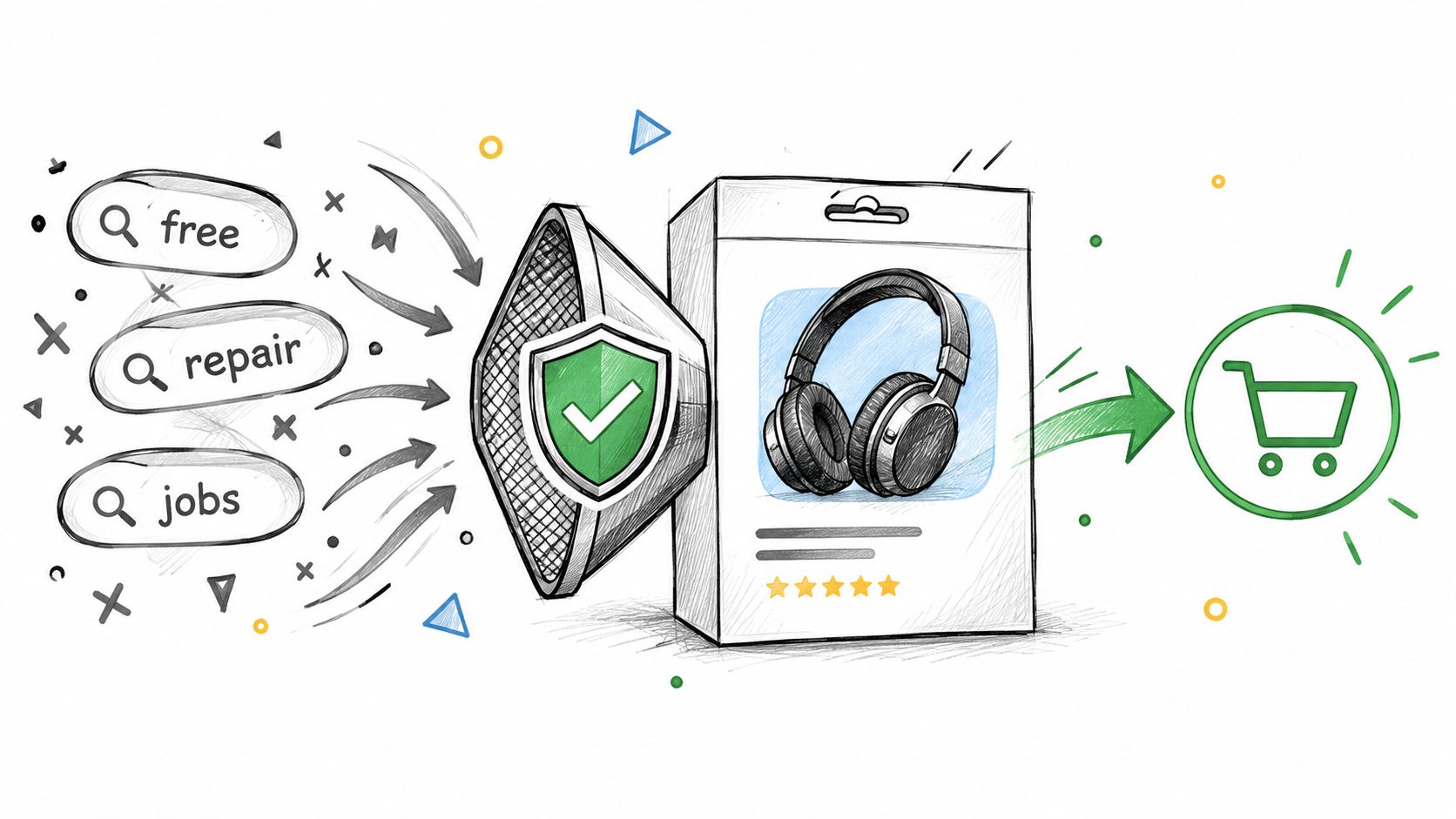
Build product-focused negative keyword lists around catalog eligibility, not assumptions about purchase readiness. For an apparel store selling finished garments, sewing instructions and downloadable patterns might be unsuitable. For a sewing-supply retailer, those same searches could be relevant.
- DIY intent: Consider how to make, sewing pattern, and DIY instructions when you sell finished products rather than materials.
- Unsupported product conditions: Review used, secondhand, and refurbished only when those conditions fall outside your catalog.
- Unavailable services: Consider repair service or replacement parts when you don't offer repairs or components.
- Noncommercial requests: Investigate free giveaway and employment searches before sharing exclusions across product campaigns.
Fix the feed before widening the blocklist
For Shopping and Performance Max, check the product title, attributes, and landing page before blaming every mismatch on missing negatives. If a listing doesn't clearly distinguish a complete product from an accessory, improve that distinction alongside your exclusions.
Review search terms weekly, prioritizing meaningful spend without purchases, then check whether those searches produced later sales. Use Google Ads negative-keyword workflows to organize proposed changes by campaign and match type rather than pushing an undifferentiated batch.
Keep shared exclusions limited to intent that's invalid across every attached campaign. Verify the controls available for each campaign type instead of assuming Search list behavior transfers unchanged to Performance Max. When the problem is the advertised inventory itself, consider whether you should exclude products from Performance Max rather than block customer language.
2. B2B SaaS Free-Trial Acquisition Negative Keyword List
Free is a dangerous negative for a campaign advertising a free trial. Keeping free trial as a positive keyword won't protect it from an overlapping negative, so the acquisition offer must guide the exclusion.
Consider a hypothetical project-management SaaS campaign. Searches for downloadable spreadsheet templates might be unsuitable for its trial landing page, while searches comparing paid software alternatives could represent valuable evaluation intent.
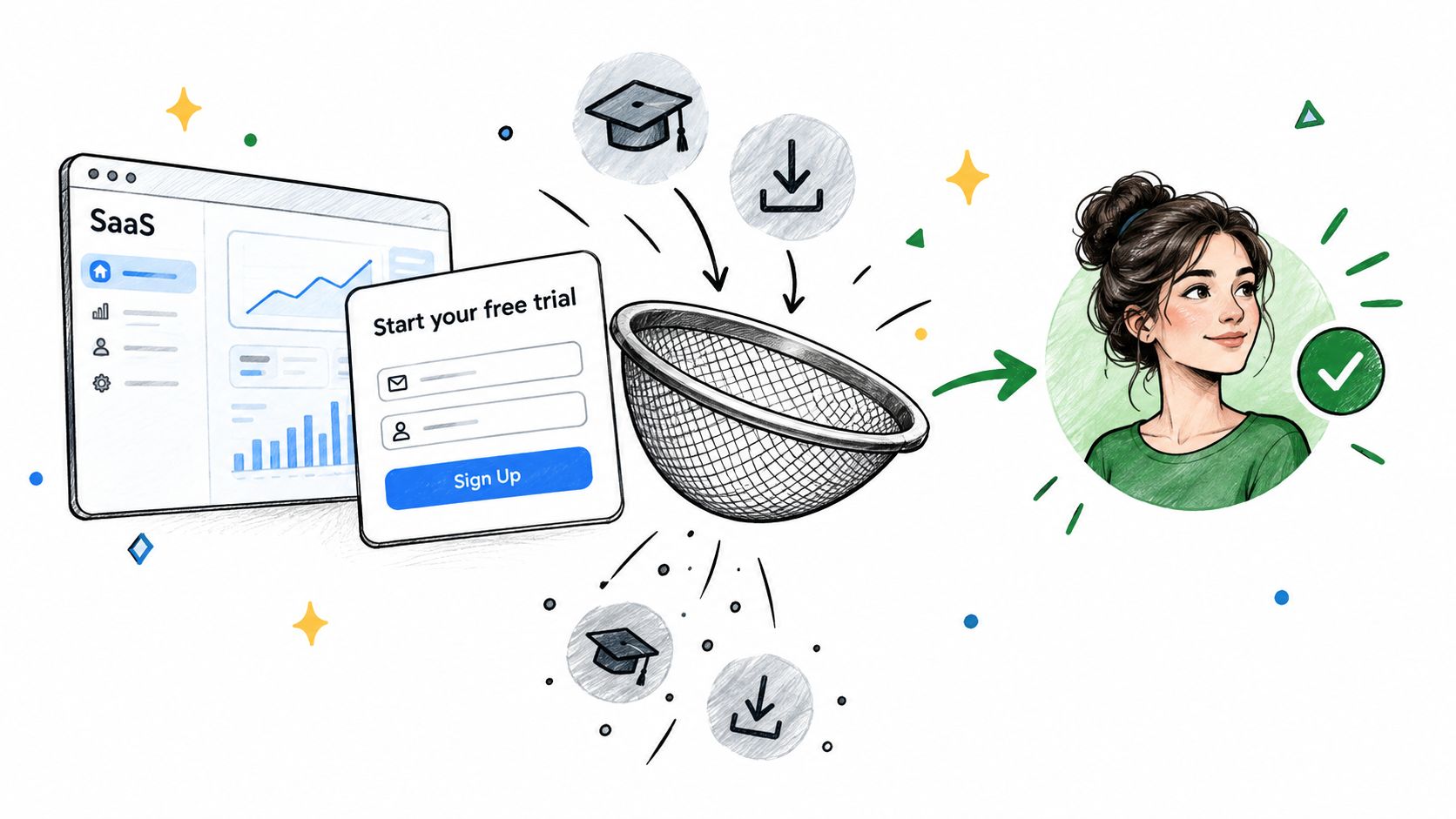
Build separate lists for trial acquisition and demo requests. A self-service trial can accommodate a different buyer journey from a sales-led demo campaign, and a term shouldn't move between them just because it performed poorly elsewhere.
- Piracy intent: Review crack, cracked download, and torrent when they clearly seek unauthorized software.
- Nonproduct downloads: Consider spreadsheet template or free PDF template when your offer doesn't satisfy that request.
- Unsupported alternatives: Exclude open source only when the query clearly seeks an offering you don't provide.
- Learning-only searches: Evaluate tutorial queries against activation and eventual purchase, not signup volume alone.
Cover variants without excluding evaluators
Google's negative keyword matching guidance explains that negatives don't expand to close variants. Its example distinguishes flowers from flower, so plural forms, wording variations, and misspellings need deliberate review.
That doesn't justify adding every possible variation preemptively. Start with observed unsuitable intent, select the narrowest useful match type, and document which legitimate searches should remain eligible.
Alternative, versus, and comparison deserve particular care. Judge those queries by trial activation, sales acceptance, and trial-to-paid outcomes. Blocking an evaluator because they haven't chosen a vendor yet can remove precisely the prospect you wanted to acquire.
3. Local Service Business Negative Keyword List (Plumbing, HVAC, Legal, Home Services)
A call asking whether you're hiring isn't the same as a call asking whether you can repair a boiler. Local service exclusions should reflect the work you accept, the area you serve, and the purpose of the campaign.
For a hypothetical HVAC contractor selling installation and maintenance, employment searches might be clear exclusions. Filter, however, needs context: someone seeking a loose replacement component differs from a homeowner asking for professional filter maintenance.

Useful candidates include apprenticeship, salary, certification course, and DIY repair instructions, provided the campaign isn't promoting recruitment or education. A personal injury acquisition campaign could similarly review law school, bar exam preparation, and paralegal jobs without broadly excluding every query containing legal.
A service-area negative should describe somewhere you won't work, not somewhere your customer happens to mention.
Let call quality shape the exclusions
Review call recordings where permitted, disposition notes, and form submissions alongside query data. Ask the team answering calls to distinguish wrong-service inquiries from valid leads that weren't booked because of availability, pricing, or slow follow-up.
Keep geography exclusions campaign-specific until you've checked the service-area settings. A person mentioning a neighboring city may own property inside your coverage area, and location words alone don't establish whether the job is unsuitable.
Separate emergency acquisition from scheduled work when the offers differ. Maintenance plan might be irrelevant to an emergency-only landing page but valuable elsewhere, so it doesn't belong in a universal list.
Measure bookable jobs and qualified calls, not just reduced call volume. If exclusions remove inquiries your team could have served profitably, the campaign may look more efficient while producing less business.
4. Competitor Conquest Campaign Negative Keyword List
Competitor campaigns need to distinguish evaluators from existing customers navigating to an account. A search for a rival's pricing can justify a comparison ad; a search for that rival's password reset usually calls for a different destination.
For a hypothetical project-management tool bidding on competitor names, begin with tightly scoped navigation and support queries. Don't immediately block all complaints or cancellation searches, because dissatisfaction may be part of a genuine switching decision.
- Account navigation: Review competitor-specific login, sign in, and password reset queries.
- Routine support: Consider exact queries for support telephone numbers or help-center destinations.
- Employment: Exclude competitor careers and job-opening searches when the campaign seeks customers.
- Disputes: Investigate refund, chargeback, and legal queries in context rather than treating each word as universally irrelevant.
The same caution applies to a payments provider. A user seeking help with a disputed transaction may be unsuitable, while a merchant comparing chargeback-management capabilities could be commercially relevant.
Keep support exclusions narrower than brand exclusions
Use exact negatives when you want to block a specific observed query while preserving related searches. Use phrase negatives when the unwanted wording consistently expresses the same intent, and check reordered wording separately.
Scope matters: A competitor-support exclusion belongs in the conquest campaign, not automatically in every campaign selling your product.
Before launch, check the proposed ad copy against current trademark requirements and avoid implying an affiliation that doesn't exist. Keep the landing page focused on substantiated differences that matter to the buyer.
Evaluate each competitor separately using qualified conversions and sales feedback. If one brand attracts unsuitable searches despite careful exclusions, reducing its budget or pausing its targeting may be more sensible than adding increasingly broad negatives that also remove evaluators.
5. Brand Protection and Branded Search Negative Keyword List
Reviews isn't automatically a bad branded keyword. A shopper checking whether your product is reliable may be closer to buying than someone entering the brand name alone.
Branded negative keyword lists should separate acquisition from customer service, recruitment, and unrelated meanings. They shouldn't hide every uncomfortable query or assume that paid branded traffic is always incremental.
For a hypothetical electronics brand, warranty claim status might belong outside a purchase campaign. Warranty coverage before buying could support a sale, especially if warranty terms are part of the product's appeal.
- Existing-account navigation: Review exact login and account-access searches when the campaign's purpose is new acquisition.
- Support-only intent: Consider specific repair-status or claim-tracking queries rather than broad words such as help.
- Unrelated meanings: Exclude phrases identifying a different industry when your brand name is also a common word.
- Recruitment: Keep brand-plus-careers exclusions separate if the business also runs hiring campaigns.
Don't confuse traffic filtering with incrementality
Negative keywords can remove unsuitable branded searches, but they can't prove that the remaining paid clicks added sales beyond organic traffic. Treat that as a separate measurement question.
Compare paid and organic branded activity alongside total qualified outcomes, and use a controlled test where practical. Keep other material changes stable so you don't mistake a promotion, tracking adjustment, or seasonal shift for the effect of reduced brand coverage.
Whether the account is managed internally or through an agency such as Aim Set Win Google Ads services, require query-level rationale before excluding reviews, complaints, or scam. Those searches need evaluation, not reflexive suppression.
Review branded exclusions quarterly and whenever the business changes its support destinations, product range, or naming. Preserve a route back for any term whose commercial meaning has changed.
6. Informational Intent Suppression List for Lead-Gen Search Campaigns
A consulting firm buying leads doesn't necessarily need to pay for downloadable templates. But how to choose a consultant is different from how to become a consultant, even though both begin as questions.
Informational exclusions work best when tied to the campaign's landing page and conversion goal. A demo campaign can exclude learning-only searches without requiring the business to abandon educational demand across its entire marketing program.
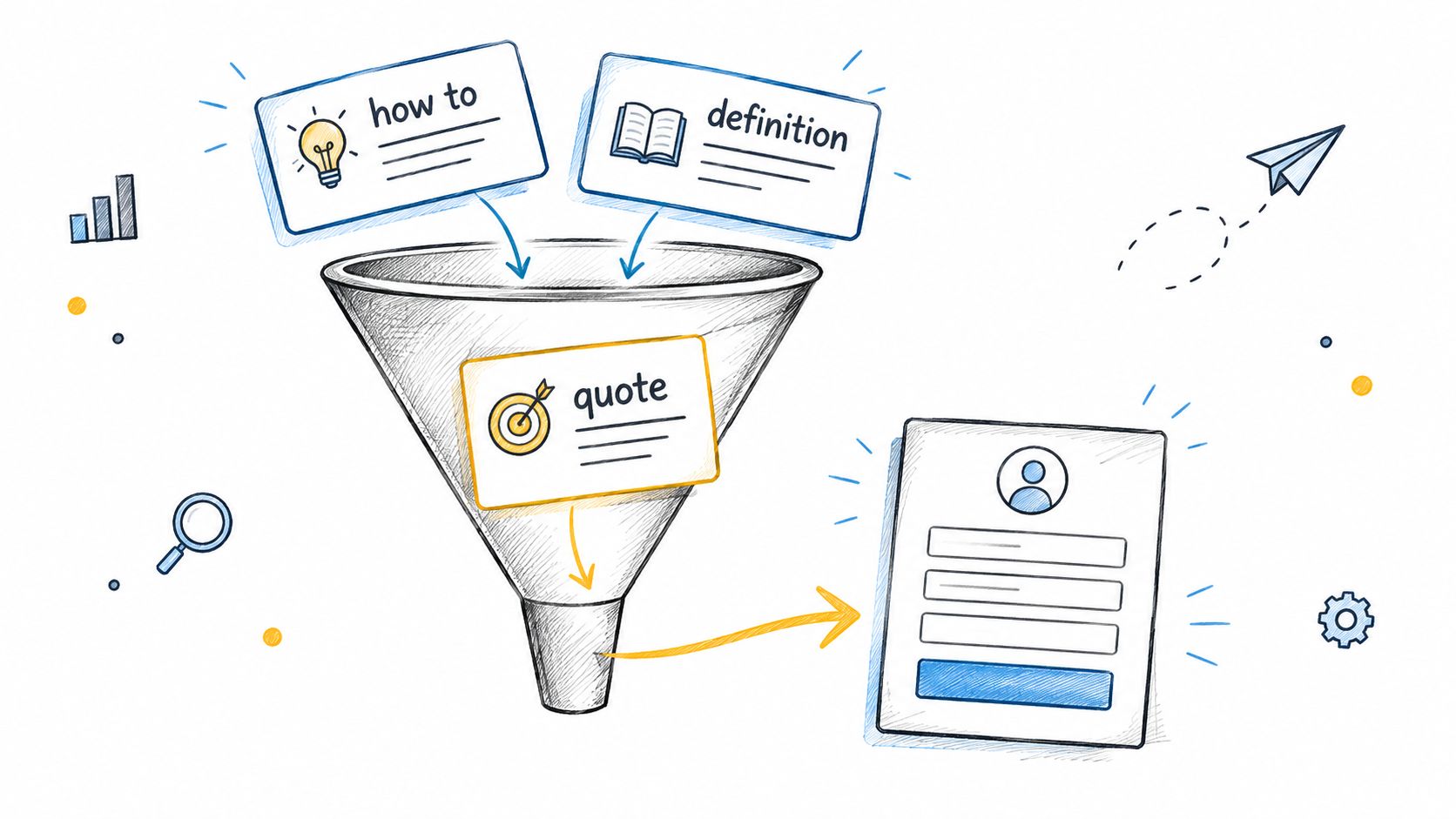
Review definition, what is, tutorial, PDF download, and template as candidates, not mandatory exclusions. A PDF specification may support a complex purchase, and a template query may be relevant if the advertised product directly provides that functionality.
Separate research from commercial investigation
Use phrase negatives for recurring learning-only wording when that wording remains unsuitable across the campaign. Use exact negatives for ambiguous queries where a wider exclusion could block valuable demand.
A hypothetical software advertiser could exclude a specific glossary query from its demo campaign while retaining searches for implementation costs and vendor comparisons. The decision should depend on lead qualification and sales progress, not whether the query sounds educational.
A WordStream Google Ads performance benchmark reported average monthly conversion rates of 13% for accounts with negatives versus 4.6% for accounts without them, based on 15,666 accounts and 251,236 reports in 2025. That association doesn't establish that negative keywords caused the difference.
Use the benchmark as a reason to inspect exclusion coverage, not as a promised lift. Test proposed changes in a bounded campaign scope, keep bidding and landing-page changes stable where practical, and compare cost per qualified lead, downstream outcomes, and lost profitable demand.
7. Universal Job-Seeker and Career Negative Keyword List
Employment intent is a useful shared-list starting point, but universal should mean universally irrelevant to the attached campaigns. It doesn't mean safe for every business or account.
A hypothetical retailer advertising products could exclude recruitment searches from its sales campaigns. A recruitment software provider, job board, or training business would need a much narrower approach because employment-related language may describe its actual offer.
- Explicit job seeking: Review job vacancies, apply for a job, and career opportunities.
- Compensation research: Consider role-specific salary, wages, and pay scale searches.
- Hiring-process navigation: Review application status and interview questions in context.
- Training intent: Add apprenticeship or qualification queries only when those services aren't sold.
Prefer precise phrases over ambiguous words. Jobs can indicate employment, but it can also describe work a contractor performs; recruitment may identify a software buyer rather than an applicant.
Choose shared-list and account scope deliberately
Google documents a limit of 5,000 negatives per campaign-level list and 20 lists per account, while account-level negatives have a separate 1,000-term limit and apply across eligible Search and Shopping inventory in its negative keyword management documentation. These are distinct controls, not interchangeable storage options.
Attach a shared career list only to campaigns where employment intent is invalid. Reserve account-level exclusions for terms that remain unsuitable across all eligible inventory, including planned campaigns.
Check singular and plural forms, regional phrasing, and ambiguous product names using the matching distinction noted earlier. Don't assume adding job also covers jobs.
Review the list quarterly and before launching recruitment, education, or workforce-related offers. A previously safe exclusion can become an obstacle when the business starts selling something new, so keep ownership and rationale visible rather than inheriting unexplained terms indefinitely.
8. Meta Ads Exclusion and Brand Safety Strategy (Non-Keyword Negative Targeting)
Meta doesn't provide Google-style negative keyword lists. For Facebook and Instagram campaigns, manage unwanted delivery through the audience exclusions, placement controls, and brand-safety settings available in the account.
The business question stays familiar: who shouldn't receive this offer, and where shouldn't it appear? The implementation differs because you're not blocking a user's search phrase.
For a hypothetical ecommerce prospecting campaign, excluding recent purchasers may make sense when the offer is strictly for new customers. It may be counterproductive for replenishment products, accessories, or repeat-purchase promotions.
- Existing customers: Use appropriate customer exclusions when the campaign explicitly targets new acquisition.
- Recent converters: Match the exclusion window to the buying cycle rather than copying another advertiser's settings.
- Employees: Consider a suitable employee audience when internal delivery doesn't serve the objective.
- Unsuitable environments: Review available placement and brand-safety controls against the brand's requirements.
Validate exclusions with downstream outcomes
A B2B awareness campaign might exclude existing customer audiences to focus on prospective accounts, while a customer-expansion campaign should keep those people eligible. Document that distinction before reusing audiences across ad sets.
Review placement performance alongside qualified leads and purchases. Don't remove a placement solely because its clicks look cheap or unfamiliar, and test automated versus manual placement approaches where appropriate before committing to exclusions.
This video provides an additional reference for the Meta portion of the workflow.
Use a defined observation window and allow for delayed conversions before judging the change. Record what changed, which outcome should improve, and what would justify restoring delivery.
The Meta Ads MCP connection supports account diagnosis and approval-gated campaign operations. Keep audience and brand-safety decisions tied to the controls available rather than treating a Google negative-keyword workflow as transferable to Meta.
8 Negative Keyword Strategies: Side-by-Side Comparison
| Negative Keyword or Exclusion Strategy | 🔄 Implementation Complexity & Resources | 📊 Expected Outcome | ⭐ Ideal Use Case | 💡 Key Advantage |
|---|---|---|---|---|
| Ecommerce Shopping and Performance Max | Moderate; shared exclusions plus regular search-term reviews | ⚡ Fewer irrelevant clicks; improved ROAS potential | Ecommerce stores using Shopping or Performance Max | Reusable filters help focus automated campaigns on product buyers |
| B2B SaaS Free-Trial Acquisition | Moderate; tailor exclusions to trial, demo, or freemium goals | ⚡ Lower cost per trial and fewer unqualified visits | SaaS Search campaigns targeting trials or demos | Separates buying intent from research, piracy, and free-tool searches |
| Local Service Business | Moderate; review search terms, locations, and call quality | 📊 Fewer out-of-area inquiries and unproductive calls | Local service businesses generating calls or form leads | Focuses limited budgets on nearby prospective customers |
| Competitor Conquest Campaign | Moderate; competitor-specific exclusions and policy review | 📊 More spend on comparison-stage prospects | Campaigns targeting competitor brand searches | Filters support, login, and cancellation queries |
| Brand Protection and Branded Search | Moderate; review brand variations and organic overlap | ⚡ Less spend on irrelevant branded traffic | Branded search and brand-defense campaigns | Helps reduce misdirected clicks and assess paid-search incrementality |
| Informational Intent Suppression | Moderate; phrase-match controls and periodic conversion checks | 📊 Fewer research-only clicks; potentially better lead quality | Lead-gen campaigns using broad or phrase match | Keeps budget focused on buyer-intent searches |
| Universal Job-Seeker and Career List | Low; shared account-level list with occasional review | ⚡ Quickly reduces employment-related waste | Most non-recruitment paid search accounts | Simple, reusable starting point across campaigns |
| Meta Ads Exclusion and Brand Safety | Moderate; audience, placement, and brand-safety controls | 📊 Less audience overlap and unwanted delivery | Meta prospecting and retargeting campaigns | Controls audiences and placements where keyword negatives are unavailable |
Build a Living Exclusion System, Not a Permanent Blocklist
The best negative keyword lists are controlled decisions, not static downloads. Start with a shared collection of clearly unsuitable intent, then add separate lists for campaign objectives, catalog restrictions, service coverage, and customer journeys.
Every negative should answer a commercial question: Why can't this campaign profitably serve this search? If the answer is merely that the wording looks odd, investigate before blocking it. An unusual query with a qualified sale deserves more protection than a familiar query that repeatedly produces unusable leads.
Combine query evidence with lead quality
Review search terms at least weekly for active campaigns, prioritizing spend at risk rather than the longest list of unusual phrases. Match query evidence with landing-page relevance, product eligibility, call dispositions, CRM stages, and purchase outcomes.
Google's guidance on using search terms to identify negatives provides the platform-level starting point. Treat the visible report as evidence, not a complete description of every source of waste, and investigate mismatches using the business signals available to you.
- Evidence: Record the observed query and whether the issue is recurring or materially costly.
- Decision: Specify the negative, match type, intended campaign scope, and legitimate demand to preserve.
- Accountability: Assign an owner, review date, and reason for the exclusion.
- Measurement: Compare qualified outcomes and profitable reach before deciding to retain the change.
- Recovery: Preserve the previous state and a clear rollback path.
Repeated evidence is useful, but repetition shouldn't be mandatory when a query is unambiguously invalid and financially material. Conversely, a single low-cost query with uncertain intent usually doesn't justify an account-wide exclusion.
Make changes reviewable and reversible
Use exact or phrase negatives when accidental blocking would be costly. Expand scope only after confirming that the exclusion is safe across every affected campaign, and review variant coverage without assuming more terms always provide better protection.
On Meta, maintain the equivalent decision record for audience exclusions, placement changes, and brand-safety controls. Don't try to imitate search-query blocking where the platform doesn't support it.
NotFair is one option for connecting live advertising data with analytics and CRM context. Its workflows support prioritized findings, approval-gated edits, explicit diff previews, logged changes, and one-call undo where supported, keeping diagnosis separate from permission to act.
The final test isn't whether clicks became cheaper or the report became tidier. It's whether qualified outcomes improved without removing profitable reach. Keep exclusions that pass that test, narrow those that overreach, and remove those whose original business rationale no longer applies.
NotFair connects live advertising, analytics, and CRM data so you can investigate unsuitable searches alongside lead quality and prepare reviewable campaign changes. Visit NotFair to explore approval-gated workflows with explicit diffs, change history, and one-call undo for supported operations.