

Marketing automation examples are most useful when they help a paid media team make a repeatable decision without removing accountability. The decision this guide supports is not whether to automate everything. It is which recurring job to automate first, what data and permissions it needs, who owns the result, and where human approval must remain in the loop.
For a Google Ads manager, that might mean detecting a conversion drop and preparing a reversible budget change. For a Meta Ads team, it might mean identifying creative fatigue and routing a structured review to a strategist. For an agency, the problem is usually broader: standardize account monitoring across clients without allowing a bot to make an unsuitable change in a high-value campaign.
The examples below treat automation as an operating system for marketing work: reliable inputs, explicit rules, a decision record, an approval path, and a measurement loop. They also distinguish observation from recommendation and recommendation from execution. That distinction is what keeps an efficient workflow from becoming an unreviewed source of budget, tracking, or client-reporting errors.
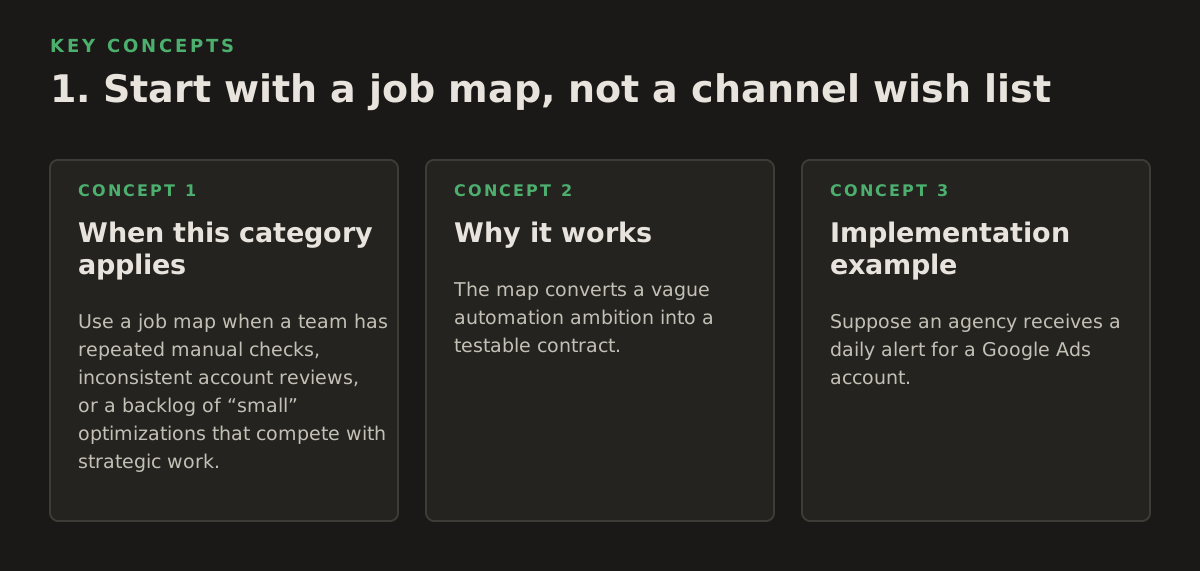
1. Start with a job map, not a channel wish list
Automation works best on a job that is frequent, bounded, and judged by a clear condition. “Automate Google Ads” is too broad to design safely. “Check yesterday’s spend against the approved daily range, explain material deviations, and ask for approval before changing budgets” is a workable job.
Map the work before selecting a tool or building an agent. A useful job map includes:
- Trigger: a schedule, data arrival, threshold breach, or user request.
- Inputs: account, campaign, conversion, audience, creative, search-query, and business data.
- Decision: the exact condition that changes the recommended action.
- Action: report, create a draft, notify an owner, or execute a change.
- Exception: the condition that forces a human review or stops the workflow.
- Evidence: the metrics and reasoning retained for later inspection.
This structure prevents a common failure mode: automating an output while leaving the underlying judgment undefined. A “pause underperformers” rule may accidentally pause a campaign with delayed conversion reporting, a long sales cycle, or an intentional learning objective.
When this category applies
Use a job map when a team has repeated manual checks, inconsistent account reviews, or a backlog of “small” optimizations that compete with strategic work. It is particularly useful for agencies where different specialists interpret the same alert differently.
Why it works
The map converts a vague automation ambition into a testable contract. It also exposes ownership: the person who approves a budget adjustment may not be the person who owns conversion tracking or the client relationship.
Implementation example
Suppose an agency receives a daily alert for a Google Ads account. The workflow retrieves spend, clicks, conversions, conversion value, and change history; compares the last completed day with the account’s approved plan; summarizes likely causes; and creates a proposed action. The proposal may say, “Spend is above the illustrative starting policy by 18%; two campaigns account for most of the variance; no budget change is recommended until tracking status is checked.” An account owner approves, edits, or rejects the proposal.
Do not begin by connecting every platform. Start with one decision and one owner. A narrow workflow gives the team a clean way to judge whether the automation is accurate, useful, and safe enough to expand.
2. Build the data and ownership foundation first
Most marketing automation failures are data failures presented as decision failures. A workflow cannot distinguish a real performance problem from a broken tag, delayed import, attribution change, or incomplete account extract unless those conditions are modeled explicitly.
For paid media operations, establish a minimum data contract:
- Identity: account IDs, campaign IDs, ad set or ad group IDs, naming conventions, and time zone.
- Freshness: when each source last updated and whether the reporting window is complete.
- Definitions: what counts as a conversion, qualified lead, opportunity, revenue, and primary KPI.
- Scope: which campaigns, locations, products, and client entities the workflow may access.
- Authority: who can approve recommendations and who can execute them.
Google’s documentation describes conversion tracking as a way to measure actions valuable to a business, but the exact action and value still belong to the account’s measurement design; review the relevant setup in the Google Ads conversion tracking documentation. For website and app analysis, GA4 event design should likewise be treated as a business taxonomy rather than a generic list of events; Google documents the event model in its GA4 events documentation.
When this category applies
Use this foundation whenever automation will combine ad-platform data with CRM, analytics, or website data. It is mandatory before an agent is allowed to recommend changes based on lead quality or revenue rather than platform-reported conversions.
Failure mode: false certainty from stale data
A workflow sees zero conversions and recommends reducing spend. The actual cause is that the CRM import failed overnight. The system may have followed its rule perfectly, but the rule was applied to an invalid data state.
Implementation example
Add a preflight step that checks source freshness, row counts, conversion availability, and account access before calculating any recommendation. If the CRM has not updated within the agreed reporting window, the workflow should return “data incomplete,” identify the affected source, and stop before producing a budget or bidding recommendation.
Assign three different roles where possible: data owner for definitions and freshness, channel owner for campaign decisions, and workflow owner for automation behavior. In a small business, one person may hold all three roles, but naming them separately still clarifies the responsibility.
3. Choose automation by risk, repeatability, and reversibility
Not every repetitive task deserves the same degree of autonomy. A useful selection framework scores a candidate job on four dimensions:
- How often the job occurs.
- How consistently a qualified operator would make the same decision.
- How costly an incorrect decision would be.
- How quickly the change can be detected and reversed.
Start with observation and preparation. Move to execution only when the action is narrow, the guardrails are enforceable, and the result can be audited.
| Candidate job | Repeatability | Risk if wrong | Recommended first mode | Required safeguard |
|---|---|---|---|---|
| Daily spend and tracking-health check | High | Low to medium | Automated observation | Freshness and anomaly checks |
| Search-query grouping and negative-keyword draft | Medium | Medium | Recommendation | Human review and exclusion list |
| Creative fatigue review queue | Medium | Medium | Recommendation | Minimum data window and brand review |
| Budget adjustment within an approved range | Medium to high | High | Approval-gated execution | Daily cap, delta limit, rollback record |
| New campaign, audience, or conversion setup | Low | High | Human-led draft only | Full implementation checklist |
The table is a starting policy, not a universal benchmark. Each organization should adjust the risk labels for its budget size, sales cycle, contractual obligations, and tolerance for volatility. Reversibility is a design requirement, not a nice feature: store the before-state, proposed after-state, actor, timestamp, and reason for every change.
Implementation example
A team may automate an hourly anomaly check but restrict budget changes to a daily approval queue. If an approved change increases a campaign’s budget, the workflow records the old value and sets a review reminder. If performance or tracking deteriorates, an operator can restore the prior value rather than reconstructing it from memory.
A frequent failure mode is allowing a recommendation engine to gradually expand its authority because early alerts look sensible. Prevent that by documenting permission tiers: read-only, draft creation, approval-required change, and narrowly defined automatic action. A new workflow should begin at the least powerful tier that can prove its value.
4. Use AI for diagnosis and coordination, not invented context
AI is valuable in marketing operations when it reduces the time required to inspect many signals and communicate a decision. It is weaker when asked to infer business context that was never supplied. A model can summarize a performance change; it should not silently invent a promotion calendar, margin target, sales capacity, or client preference.
A practical AI-assisted workflow separates four stages:
- Retrieve: fetch the approved data for a defined account and time window.
- Compare: calculate changes against a chosen baseline, not an arbitrary prior period.
- Explain: propose plausible causes and label uncertainty.
- Recommend: state a specific action, expected trade-off, and validation step.
For Google Ads operations, a connected Google Ads MCP workflow can help an AI client retrieve account information and prepare an approved action while keeping the marketing operator in the decision path. For Meta operations, Meta Ads MCP can be used as the relevant connection point when the job involves Meta campaign data and controlled changes. The connection is not the strategy: account scope, permissions, and approval rules still determine what the agent may do.
Worked workflow: investigate a lead-volume drop
Here is a concrete workflow an agency could implement in 2026:
- Trigger: a scheduled check detects that completed-day qualified leads are below the account’s illustrative starting policy for two consecutive reporting periods.
- Preflight: confirm analytics and CRM freshness, conversion status, account time zone, and whether campaigns changed recently.
- Segment: compare campaign, device, location, search-term, landing-page, and creative dimensions to locate concentration rather than averaging the whole account.
- Diagnose: ask the AI to produce three ranked explanations, each tied to observed evidence and a missing-data note.
- Recommend: if the decline is concentrated in one landing page after a deployment, recommend a tracking and page review rather than a budget cut.
- Approve: route the evidence and proposed action to the channel owner. No budget or targeting change occurs automatically.
- Execute: if approved, apply one narrowly scoped change and save the before-state.
- Validate: check that the intended configuration changed, then schedule a post-change review against the same KPI definition.
One failure mode is single-metric diagnosis. A lower lead count can coincide with higher lead quality, a tracking outage, lower search demand, or a deliberate budget reduction. Require the AI to show the comparison window, data freshness, segment where the change is concentrated, and the action it deliberately did not take.
For technical and content teams, a separate use case is grouping target keywords by search intent before automating content campaigns; a keyword clustering tool can help with keyword clustering and search intent analysis so editorial automation starts from coherent groups rather than raw query volume.

5. Make approval and change control part of the workflow
Approval is not merely a final “yes” button. It is a structured control that defines what the operator is being asked to authorize. The request should show the affected entities, current values, proposed values, reason, evidence, uncertainty, and rollback path.
Use approval gates for changes that can materially affect spend, targeting, tracking, brand exposure, or client commitments. Examples include:
- Changing campaign or ad set budgets.
- Pausing an active campaign or ad group.
- Adding exclusions that could remove legitimate demand.
- Changing location, audience, or placement settings.
- Editing conversion actions, feeds, or attribution-related configuration.
- Launching new creative or copy without brand review.
Google’s API documentation provides an official overview of the resources and operations available for programmatic Google Ads management; use the Google Ads API overview to verify the object and operation model before designing an execution layer. Meta’s Marketing API documentation is the appropriate reference for current API concepts and access requirements when an automation touches Meta campaigns.
Implementation example
An approval card can contain: “Campaign A, current daily budget $500, proposed budget $550, reason: approved promotion begins Monday, evidence: promotion calendar record and pacing plan, expiry: Friday, rollback: restore $500.” The dollar amounts here are an illustrative example, not a recommended universal threshold.
Require the approver to choose one of three outcomes: approve as proposed, edit the proposal, or reject with a reason. That reason becomes useful training data for improving rules. If operators repeatedly reject recommendations because a particular campaign has a long conversion lag, encode that exception rather than asking people to remember it indefinitely.
The failure mode is approval fatigue. If the system produces dozens of low-value alerts, operators will approve them mechanically or ignore them. Bundle related evidence, suppress duplicate alerts, and reserve interruptive notifications for changes that require timely action.
6. Design for failure, rollback, and ambiguous states
A dependable automation system assumes that APIs fail, permissions change, data arrives late, and actions partially complete. “The request returned an error” is not a sufficient failure policy because an error can occur after the platform has accepted part of a change.
Define behavior for at least these states:
- Stale data: stop recommendations that depend on the missing source.
- Missing permissions: report the blocked operation without retrying indefinitely.
- Rate or service limits: queue and retry with bounded backoff.
- Partial execution: verify every affected entity and show the completed subset.
- Conflicting edits: stop if a human changed the object after the proposal was created.
- Unexpected response: preserve the request, response, and resulting state for investigation.
Use idempotent actions where possible. A retry should not create duplicate entities or apply the same change repeatedly. Before executing, check that the object still matches the state used to generate the proposal. After executing, read the object again and compare the result to the intended state.
Implementation example
If a workflow proposes changing three campaign budgets and the platform confirms only two, the result should be “partial success,” not “success.” The system records the two updated campaigns, identifies the third, avoids retrying blindly, and alerts the owner with a link to the change record. A rollback action can then target only the confirmed changes.
A weak implementation hides failures behind a polished AI summary. Require the final message to distinguish observed facts, inferences, and actions completed. This simple labeling makes it harder for an uncertain diagnosis to sound like a verified platform state.
7. Measure operational quality as well as media performance
Automation should be evaluated on two levels. The first is the marketing outcome: spend efficiency, qualified pipeline, revenue, conversion quality, or another approved business measure. The second is the quality of the operating process that produced the recommendation or change.
Track operational measures such as:
- Alert precision: how often an alert leads to a useful investigation.
- Recommendation acceptance, edit, and rejection rates.
- Time from signal to reviewed decision.
- Percentage of actions with a complete before-state and rollback record.
- Failure and partial-execution rate.
- Data-freshness failures by source.
- Human overrides and the reasons attached to them.
Do not judge an automation solely by whether a campaign metric rose after a change. External demand, promotions, auction conditions, creative changes, and delayed conversions can all affect outcomes. Instead, define a validation question before execution: “Did the workflow correctly identify the affected segment?” or “Did the approved budget change occur within the intended scope?”
Implementation example
For a search-query recommendation workflow, the first success criterion may be that every proposed negative keyword includes the query, match-type rationale, affected campaign, and reviewer decision. Only after that record is consistently complete should the team assess downstream traffic quality or cost efficiency.
Use a holdout of manual review during rollout. A strategist independently reviews a sample of cases without seeing the AI recommendation first, then compares decisions. This does not prove causal performance, but it can reveal systematic omissions, overconfident explanations, or inconsistent policy application.
The failure mode is optimizing for activity: more alerts, more automated edits, or faster execution. Those can make a system look busy while increasing risk. Prefer fewer recommendations with clear evidence and useful decisions over a high-volume stream that nobody can govern.
8. Roll out in deliberate stages
Once the job, data contract, authority, and measurement plan exist, sequence the implementation. Each stage should have an exit condition. Do not grant execution access simply because the read-only report is attractive.
Stage 1: document the policy
Choose one workflow, define its KPI, reporting window, exclusions, owner, and escalation path. Write the “do nothing” conditions. For example, the agent must not recommend a budget reduction when conversion data is stale or when a planned promotion is active.
Stage 2: connect read-only data
Implement account scoping, source freshness checks, field definitions, and logging. At this stage, the output is a report or queue, not a platform edit. Verify that time zones, currencies, attribution windows, and entity IDs are represented correctly.
Stage 3: run in shadow mode
Generate recommendations without exposing them as executable actions. Compare them with the decisions made by the existing process. Record false positives, missed issues, and cases where the recommendation was directionally right but operationally unsuitable.
Stage 4: introduce approval-gated drafts
Let an operator approve or edit a narrow class of changes. Require a reason, preserve the before-state, and verify the after-state. Keep high-risk objects, new tracking configurations, and broad targeting changes outside the first execution scope.
Stage 5: add constrained execution
Only after the workflow has stable data and clear review behavior should it execute a tightly bounded change. Use allowlists for accounts and campaigns, maximum change deltas, time windows, expiration dates, and an immediate disable switch.
Stage 6: review and expand
At a scheduled 2026 governance review, inspect acceptance rates, failures, overrides, rollback events, and business outcomes. Expand one dimension at a time: more accounts, another channel, or a new action class. If the workflow cannot explain its decisions or recover from errors, expansion is premature.
A practical starting portfolio might include one monitoring workflow, one diagnostic workflow, and one approval-gated action. That combination tests the full operating loop without making the business dependent on autonomous campaign changes.
NotFair’s hosted MCP approach can support this staged model by connecting AI clients to advertising and analytics systems while keeping agents approval-gated and changes reversible. If your first priority is controlled Google account analysis, start with Google Ads MCP; use the same policy-first approach for cross-channel operations, and consider NotFair when you are ready to connect those workflows to your team’s review process.
Authored with NotFair SEO