

HubSpot marketing automation becomes much more valuable when it is treated as an operating system for lead routing, lifecycle management, paid-media feedback, and controlled action—not just a collection of email workflows. This guide shows paid media managers, agencies, and growth teams how to connect those jobs into a reliable process without handing an AI agent unrestricted control of campaigns. You will finish with an implementation plan that defines ownership, instruments the data, rolls out one workflow, validates it, and measures whether automation is improving qualified pipeline rather than merely creating more activity.
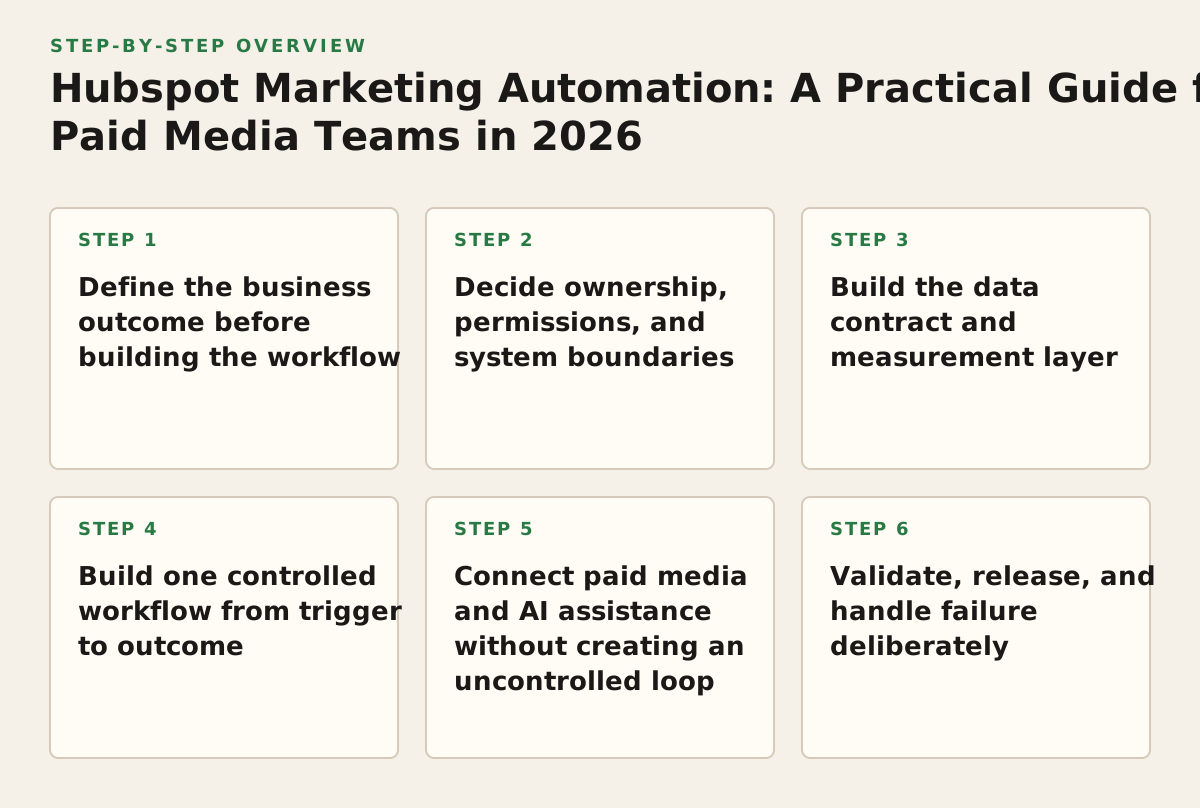
Step 1: Define the business outcome before building the workflow
Start with one operational problem that has a visible financial consequence. “Automate marketing” is not a useful specification. “Route high-intent demo requests to the correct owner, suppress existing customers from acquisition campaigns, and return qualified-stage data to paid media” is specific enough to design, test, and reject.
For a paid acquisition team, the most useful starting outcomes usually sit at the boundary between the CRM and advertising platforms:
- Lead response and routing: assign a lead based on territory, product, company size, or buying signal.
- Lifecycle progression: move contacts from inquiry to marketing-qualified, sales-qualified, opportunity, or customer only when defined evidence exists.
- Audience hygiene: exclude customers, unqualified records, employees, and duplicate contacts from prospecting campaigns.
- Budget feedback: compare campaign cost with downstream stages rather than optimizing only toward form submissions.
- Exception handling: alert a human when data is missing, contradictory, or outside the policy for automated action.
Choose one primary metric and one guardrail metric. For example, the primary metric could be “qualified opportunities created from paid campaigns,” while the guardrail is “percentage of new leads with a valid owner within the service-level policy.” Do not make “number of workflows executed” a success metric. Execution volume can rise while revenue quality falls.
Write the trigger, evidence, action, and stop condition
Document every automation as a four-part contract:
- Trigger: what event starts the process?
- Evidence: which fields or events must be present before action is allowed?
- Action: what does HubSpot, an ad platform, or an AI-assisted tool change?
- Stop condition: when must the workflow pause, reverse, or ask for approval?
Example: a completed demo request triggers enrichment and routing. Evidence includes a valid email, company domain, consent status where applicable, and a campaign identifier. The action assigns an owner and creates a task. The stop condition is a missing region, an existing open opportunity, or a conflicting lifecycle status.
Illustrative starting policy: require all four evidence fields before routing and send incomplete records to a review queue. Adjust that policy when your missing-field rate is consistently low and manual review shows that the fields are not predictive, or tighten it when misrouted leads create sales complaints.
Step 2: Decide ownership, permissions, and system boundaries
Most automation failures are ownership failures disguised as technical failures. Before creating a workflow, decide which system is authoritative for each object and who can approve changes. HubSpot may own contact lifecycle and sales assignment, while Google Ads or Meta may own campaign delivery settings. Analytics systems can report behavior without becoming the source of truth for revenue stages.
Create a simple ownership matrix. The important decision is not whether a platform can technically write a field; it is whether that write should be allowed.
| Object or decision | System of record | Automation allowed | Human approval required | Failure owner |
|---|---|---|---|---|
| Contact lifecycle stage | CRM | Yes, when evidence rules pass | Only for backward stage changes | Revenue operations |
| Lead owner | CRM routing rules | Yes, within territory policy | For unknown territory or named accounts | Sales operations |
| Negative audience membership | CRM eligibility rules | Yes, after consent and identity checks | For sensitive or ambiguous lists | Demand generation |
| Campaign budget or bid change | Advertising platform | Recommendation first | Yes, for live account changes | Paid media owner |
| Conversion definition | Analytics and ad platform contract | No automatic replacement | Yes, always | Measurement lead |
Separate read access from write access wherever possible. An agent that can inspect campaign performance does not automatically need permission to change budgets, bids, targeting, or creative. The same principle applies inside CRM workflows: a workflow that can label a record should not necessarily be able to overwrite sales-owned fields.
When connecting external tools, document the identity used for each connection, the scopes granted, the data returned, and the action permitted. Google’s developer documentation describes the Google Ads API as a programmatic way to manage and report on accounts, campaigns, and related resources; use that access for an explicit operational purpose rather than treating API connectivity as permission to automate every setting (Google Ads API documentation).
Use approval gates for consequential actions
Approval should be attached to the consequence, not to the tool’s brand. A recommendation to flag a tracking anomaly may need no approval. A recommendation to pause a campaign, alter a high-spend budget, or change conversion settings should normally enter a review queue.
- Low-risk: create a task, add an internal note, classify an anomaly, or request missing data.
- Medium-risk: change a label, modify an audience eligibility field, or adjust a non-financial routing rule.
- High-risk: change spend, targeting, bidding, conversion actions, suppression logic, or customer-facing communications.
For AI-assisted operations, require the proposed change to include the affected object, current value, proposed value, evidence window, expected effect, and rollback instruction. If the agent cannot explain those six items, it should return a diagnostic rather than an action.
Step 3: Build the data contract and measurement layer
Automation can only be as reliable as the fields that connect a contact to a campaign and a campaign to revenue. Agree on naming and value rules before you build branches. Otherwise, a workflow may appear to work while silently placing records into “unknown,” assigning the wrong source, or sending duplicate events.
A practical minimum data contract includes:
- Identity: contact ID, email status, company or account identifier, and deduplication rule.
- Acquisition: source, medium, campaign name or ID, ad group or ad set identifier where available, and landing-page context.
- Lifecycle: current stage, prior stage, stage timestamp, owner, region, and sales status.
- Consent and eligibility: communication permission, advertising eligibility, customer status, and suppression reason.
- Outcome: qualified date, opportunity ID, amount where appropriate, closed status, and disqualification reason.
Do not use a single “lead source” field to carry every marketing fact. Separate immutable acquisition data from mutable lifecycle data. A contact can originate from paid search and later become an opportunity through an outbound touch; changing the source field to reflect the latest interaction destroys useful attribution context.
Map events across the funnel
Define the sequence of events in plain language before mapping platform fields:
- Ad click or impression produces a visit.
- Visit produces a form completion, call, chat, or other conversion.
- CRM creates or updates the person and account record.
- Qualification evidence moves the record to a downstream stage.
- Sales creates an opportunity or disqualifies the lead.
- Revenue outcome is attributed according to the agreed reporting model.
Google Analytics documentation distinguishes events as interactions that can be measured on a website or app; use that model to define meaningful events rather than treating every page view as a conversion (Google Analytics event documentation). Separately, decide which events are optimization signals for the ad platforms and which are reporting-only. A form start may be useful for diagnosis but a poor bidding goal if it is weakly correlated with qualified pipeline.
Illustrative starting policy: require a minimum of two independent quality signals before promoting a conversion event to an optimization goal—for example, valid contact information plus a completed qualification field. Adjust upward when sales rejects a large share of those records; adjust downward only when the stricter policy leaves too few signals for stable decision-making.
Audit attribution limits instead of promising perfect linkage
CRM-to-ad reporting is not a single source of truth. Browser restrictions, consent choices, duplicate contacts, offline conversion timing, and differing attribution windows can all produce disagreement. Treat discrepancies as a reconciliation problem with documented tolerances, not as evidence that one system is automatically correct.
Google Search Console’s Search Analytics API, for example, returns search performance data by dimensions such as query, page, and country, but it should not be treated as a replacement for CRM opportunity data (Google Search Console API documentation). Keep organic search diagnostics, web analytics behavior, CRM lifecycle, and paid platform delivery as related but distinct datasets.
Step 4: Build one controlled workflow from trigger to outcome
Choose a workflow with enough business value to matter and enough reversibility to debug. A strong first project is often a paid-lead quality and routing workflow, because it connects acquisition data to a human-owned sales process without immediately changing live media spend.
Worked example: paid demo requests to qualified pipeline
Goal: route paid demo requests quickly, prevent duplicate sales tasks, and give the paid media team a trustworthy downstream signal.
Trigger: a new form submission creates a contact or updates an existing contact.
Step 1—normalize: standardize email, company domain, country, phone format, campaign identifiers, and submission timestamp. Preserve the raw values in separate fields for debugging.
Step 2—deduplicate: search for an existing contact and open opportunity. If an open opportunity exists, create an internal notification rather than starting a new sales sequence.
Step 3—check eligibility: evaluate consent, customer status, employee domain, region, and required qualification fields. A failed check gets a reason code, not a generic “error” label.
Step 4—route: assign the owner using the approved territory and segment rules. If the country or segment is missing, route to a shared review queue with a due date.
Step 5—notify: create the sales task and include the source, campaign, qualification evidence, and duplicate-check result. Avoid putting sensitive data into a broad notification channel.
Step 6—return the outcome: when the opportunity reaches the agreed stage, record the stage timestamp and opportunity identifier. Send only the approved outcome signal to the advertising and reporting layer.
Step 7—close the loop: if sales disqualifies the lead, capture a structured reason. Feed that reason into campaign and landing-page analysis rather than automatically excluding every similar lead.
This workflow has clear rollback points. You can stop routing, disable notifications, or pause the downstream audience sync without deleting the source record. That is preferable to a monolithic workflow that transforms, routes, communicates, and changes campaign settings in one opaque chain.
Design branches for missing and conflicting data
Every important branch should answer three questions: what happened, who owns it, and what happens next. Use explicit statuses such as “needs enrichment,” “awaiting human review,” “duplicate—open opportunity,” or “blocked—consent missing.” Avoid a single failure status that forces an operator to inspect raw logs.
- Missing campaign ID: preserve the lead, mark attribution incomplete, and alert the measurement owner.
- Unknown territory: do not guess; send to the review queue.
- Existing customer: route to the customer or expansion process, not new-business acquisition.
- Conflicting lifecycle stage: block backward movement and request review.
- Duplicate event: record the duplicate reason and suppress repeated task creation.
Step 5: Connect paid media and AI assistance without creating an uncontrolled loop
Once the CRM workflow is stable, connect the diagnostic layer to advertising data. The useful pattern is not “AI runs the account.” It is “AI assembles evidence, explains a bounded recommendation, and waits for an authorized decision when the action is consequential.”
For Google Ads, a connected diagnostic process might compare spend, clicks, conversions, search terms, campaign settings, and CRM-qualified outcomes. A Google Ads MCP connection can make that investigation available to an approved AI client, but the operating policy should still specify which account objects are readable, which changes are reversible, and who approves them. Explore the Google Ads MCP when defining that connection.
For Meta, the equivalent process may compare delivery, spend, frequency, creative, audience, lead quality, and CRM stage progression. The Meta Marketing API documentation describes the API surface for working with marketing objects and insights; use the official documentation to confirm the object and permission requirements for the particular operation you intend to support (Meta Marketing API documentation). A Meta Ads MCP can sit inside that architecture as a channel-specific connection rather than replacing your CRM governance.
Use a diagnostic-to-action contract
Require every AI recommendation to return a structured record:
- Observation: the measured change and comparison period.
- Scope: account, campaign, ad set, ad group, keyword, audience, or creative.
- Hypothesis: the likely cause, with competing explanations.
- Recommendation: one bounded change, not a bundle of unrelated edits.
- Expected signal: what should improve or stabilize after the change.
- Rollback: the previous value and the condition that triggers reversal.
Illustrative starting policy: allow automatic execution only for reversible metadata changes or notifications; require approval for any change that can alter spend or audience reach. Adjust the boundary when your audit log shows a reliable class of low-risk actions and when the business owner can explain the downside of a bad action.
Do not create a feedback loop in which an AI agent changes a campaign, the change alters lead volume, the workflow interprets that volume as proof, and the agent makes another change without a stable observation window. Separate observation, recommendation, approval, execution, and evaluation into distinct records.
Step 6: Validate, release, and handle failure deliberately
Validation should happen in layers. A workflow that passes a happy-path test can still fail on duplicate records, delayed events, revoked permissions, malformed identifiers, or a CRM field being changed by another process.
Use a test matrix before enabling production actions
| Test case | Expected result | Evidence to retain | Release decision |
|---|---|---|---|
| New eligible paid lead | Correct owner, task, source, and timestamp | Record ID and workflow log | Pass if all required fields persist |
| Existing open opportunity | No duplicate task or new-business sequence | Matched opportunity ID | Pass only if suppression is explicit |
| Unknown territory | Review queue and reason code | Queue item and notification | Pass if no guessed assignment occurs |
| Missing consent or eligibility data | Blocked action and audit entry | Failure reason and timestamp | Pass if the record remains recoverable |
| Ad platform permission failure | No partial campaign change | API response and alert | Pass if execution is atomic or safely retried |
| Rollback request | Previous state restored or escalation created | Before-and-after values | Pass if an operator can verify state |
Run tests with representative edge cases, not only clean sample records. Include records with multiple emails, international phone formats, changed owners, deleted campaigns, late CRM updates, and repeated webhook deliveries. If the workflow depends on time, test events arriving out of order.
Release in stages and monitor the failure queue
Illustrative starting policy: release to a limited segment or low-risk workflow first, review the resulting records manually, and expand only after the defined error and rollback checks pass. The segment size and review period are starting policies, not universal benchmarks. Increase exposure when the failure queue is small and understandable; reduce exposure when errors are silent, clustered by source, or costly to reverse.
Maintain an operational dashboard with:
- trigger volume and completion rate;
- records waiting for human review;
- duplicate suppression count;
- missing-field and permission-error rate;
- time from trigger to owner assignment;
- actions executed, rejected, reversed, and expired;
- downstream stage progression by source and campaign.
Set alerts on unusual changes, but make the alert actionable. “Workflow volume changed” is weak. “Paid demo submissions rose while valid campaign identifiers fell below the starting policy” tells the measurement owner what to inspect.
Plan for retries, idempotency, and rollback
Retries can create duplicate tasks, repeated notifications, or multiple audience updates. Give each event a stable idempotency key, such as the source event ID plus the action type. Before creating an object, check whether the same key has already been completed. Record both successful and failed attempts.
For campaign changes, capture the before state, approval identity, timestamp, reason, and resulting platform response. A rollback is not “undo the last thing”; it is a specific request to restore a known prior state. If the platform state has changed again, stop and ask for review rather than overwriting the newer value.
Failure policy: preserve the source record, stop the risky branch, write a human-readable reason, notify the owner, and make recovery possible without reprocessing the entire workflow.
Step 7: Measure quality, economics, and operator trust
Evaluate the automation at three levels: process reliability, marketing quality, and business outcome. A workflow can be technically reliable but commercially harmful if it routes low-quality leads faster or optimizes ads toward cheap conversions.
Process metrics show whether the system behaves as designed:
- successful completion rate by workflow branch;
- median time to assignment or review;
- duplicate-task rate;
- percentage of records with complete attribution;
- permission, timeout, and schema-error counts.
Marketing metrics show whether inputs are becoming better decisions:
- qualified rate by campaign and landing page;
- opportunity rate by lead source;
- disqualification reasons by audience and creative;
- cost per qualified opportunity;
- time from conversion to qualified stage.
Governance metrics show whether people trust the process:
- recommendations approved, rejected, and edited;
- actions reversed after approval;
- exceptions resolved within the operating policy;
- fields or rules frequently overridden by operators.
Illustrative starting policy: review automation weekly while a workflow is new, then move to a less frequent review only when error patterns are stable and no material rollback has occurred. Increase review frequency after a schema change, tracking change, CRM migration, new ad account, or sudden shift in lead quality. The correct cadence follows operational risk, not a generic calendar.
Use cohort comparisons instead of instant attribution
Do not declare success because lead volume rises immediately after launch. Compare cohorts using the same lifecycle definitions and note the time needed for sales qualification. Segment by campaign, channel, region, form, and customer type. If paid search produces fewer leads but a higher opportunity rate, the automation should expose that trade-off rather than hide it behind blended averages.
Investigate disagreements between systems with a reconciliation report containing source record count, deduplicated count, eligible count, routed count, qualified count, and attributed count. The gaps should have named reasons. “Unattributed” is a starting category for investigation, not a final explanation.
What to do first: document one paid-lead workflow and its stop conditions
Before connecting another platform or asking an AI agent to make a recommendation, choose one paid acquisition workflow and write its trigger, required evidence, owner, action, stop condition, rollback, and success metrics on a single page. Then build the ownership matrix and test matrix for that workflow before enabling any live write action.
That sequence keeps HubSpot marketing automation tied to qualified pipeline and makes future channel connections easier to govern. If you want the channel connections hosted for AI clients while retaining approval-gated, reversible operations, review what NotFair offers through NotFair.
Authored with NotFair SEO