

You've published a strong Instagram post. The comments are relevant, saves are coming in, and your team can see that the creative has potential. Then reach stalls, and someone suggests pressing Boost post. That button is easy to find. Choosing the right objective, audience, format, disclosure, and measurement plan is where budget gets won or wasted.
Sponsoring a post on Instagram isn't one universal action anymore. It can mean an in-app boost for an existing business post, a Partnership Ad built around creator content, or a shoppable Reel designed to move product discovery toward purchase. The practical question isn't just how to sponsor a post on Instagram. It's which workflow matches the job your post needs to do.
Table of Contents
- Why Sponsoring a Post on Instagram Still Matters
- What You Need Before You Can Sponsor a Post
- How Sponsoring Works Inside the Instagram App
- Choosing the Right Sponsorship Format for Your Goal
- Managing Budget Performance and Making Changes Safely
- Staying Compliant and Getting More From Every Sponsored Post
Why Sponsoring a Post on Instagram Still Matters
A good organic post can still underperform because it reaches only a portion of the people who might care. Sponsoring gives that post paid distribution, but it doesn't repair a weak hook, an unclear offer, or an audience that has no reason to act. I treat the boost button as a distribution decision, not a rescue plan.
Instagram's sponsored-content ecosystem started with creator-led brand deals. A Marketing Dive report on Instagram's sponsored-post growth cited sponsored posts growing 44% in the first half of 2018 compared with the same period the year before. It also reported more than 559,000 creators worldwide producing sponsored content and almost one billion interactions with followers. Fashion represented 33% of sponsored-content production, while beauty and food-and-beverage each represented 13%, evidence that visual consumer categories adopted the format early.
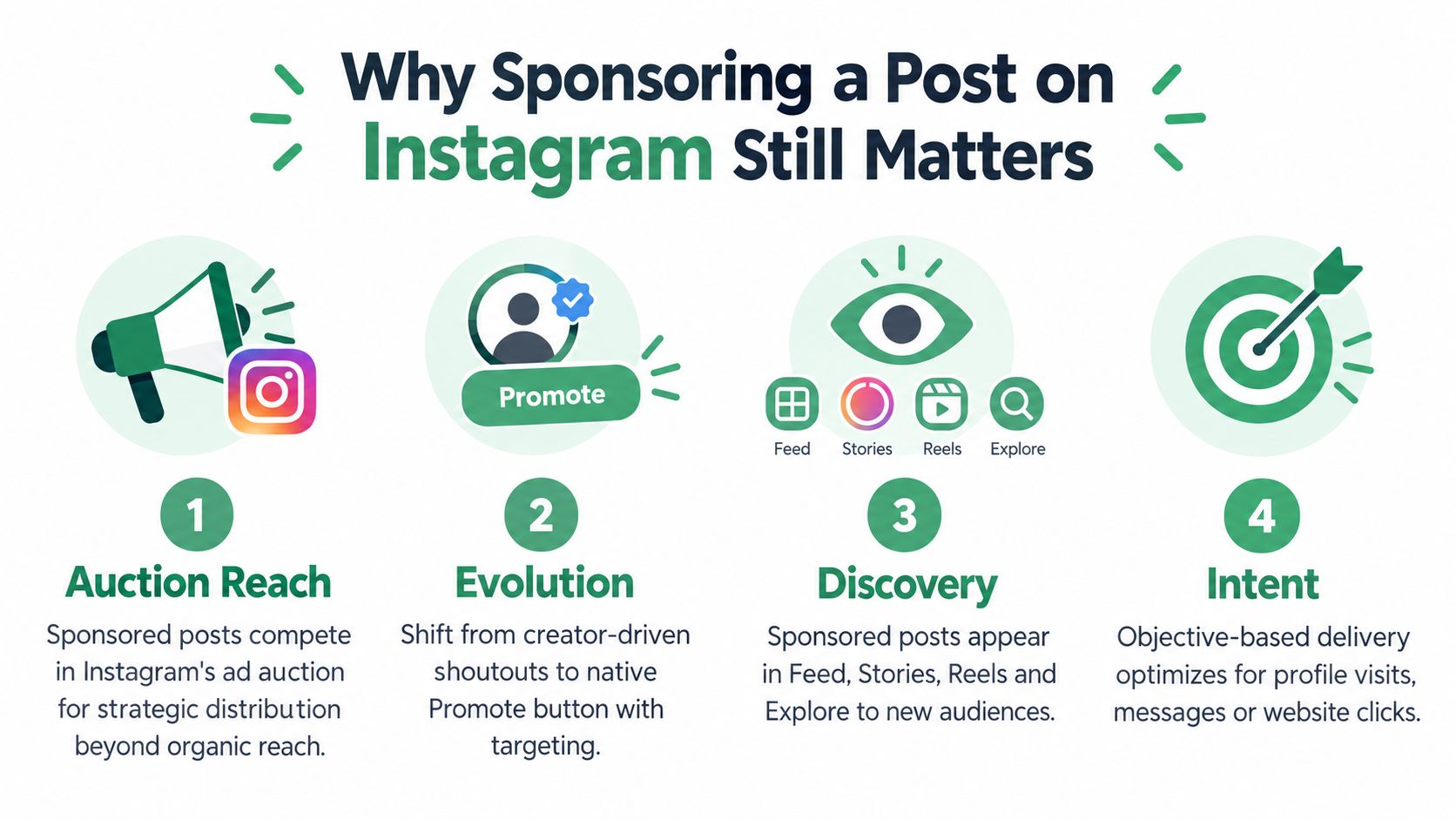
The platform has since become a much larger paid-media environment. Industry estimates cited by Sprout Social's Instagram statistics roundup say Instagram's advertising tools can reach about 1.9 billion people worldwide. The same source reports U.S. Instagram ad revenue of $32.03 billion in 2025, with a projection of $42.52 billion in 2026, while another 2026 summary cited there estimates global Instagram ad revenue at roughly $71 billion in 2025.
That scale changes the decision. A sponsored post can extend reach, find new viewers, generate profile visits, produce messages, or send people to a website. It can't make an irrelevant offer compelling. Before spending, use the same discipline you'd apply to practical campaign planning for teams: define the action, identify the audience, and decide what evidence will justify continuing.
What You Need Before You Can Sponsor a Post
Start with account eligibility, not creative tweaks. Instagram's in-app promotion workflow generally requires a business or creator account, and the account may need a connected Facebook Page before the Promote option appears. A personal account or a disconnected Page can leave you searching for a button that isn't available.
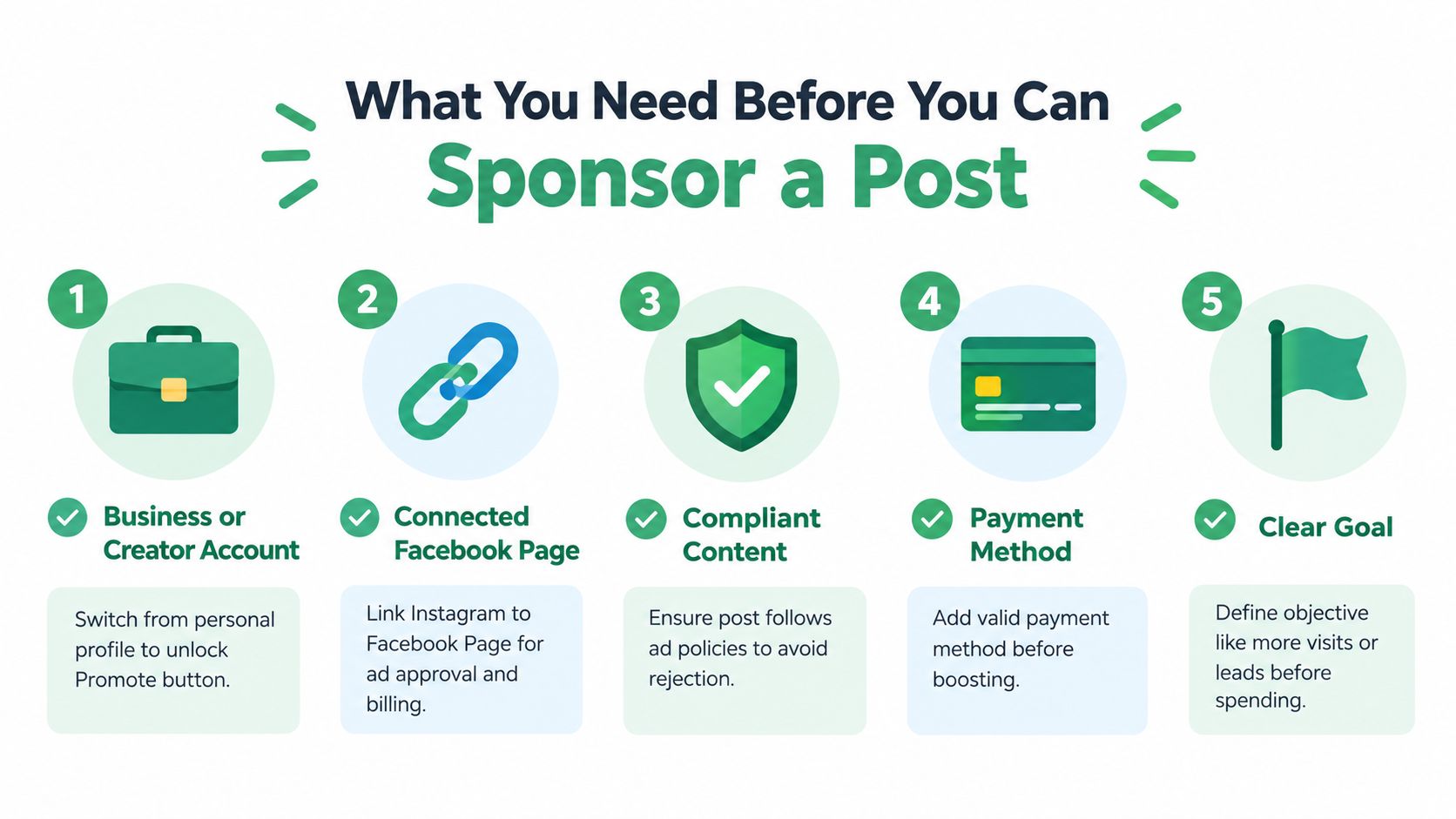
A valid payment method is another basic gate. Add billing details before you select a post, because discovering a payment problem at submission wastes time and can interrupt launch timing. You'll also want administrative access to the connected business assets, particularly if another team member owns the Facebook Page or payment setup.
Content eligibility matters just as much. Instagram reviews promotions before delivery, so a post that performs well organically can still be rejected as an ad. Check the caption, image or video, landing page, claims, music rights, and any restricted product references before paying to distribute it.
Use a simple readiness check
- Account type: Confirm that the Instagram profile is set up as a business or creator account.
- Facebook connection: Verify that the correct Facebook Page is linked, not an old or inactive business asset.
- Payment: Check that a usable payment method is available to the account.
- Post quality: Choose content with a clear message, readable creative, and an action that makes sense after the click.
- Goal: Decide whether you want profile visits, website visits, or messages before opening the promotion flow.
Don't automatically sponsor the post with the most likes. A polished image may earn reactions but fail to explain what someone should do next. A less popular post with a clear product demonstration or useful offer may be a better paid candidate. For a broader creator-focused reference, the Instagram sponsorship playbook from taap.bio can help separate sponsorship preparation from the mechanics of buying distribution.
How Sponsoring Works Inside the Instagram App
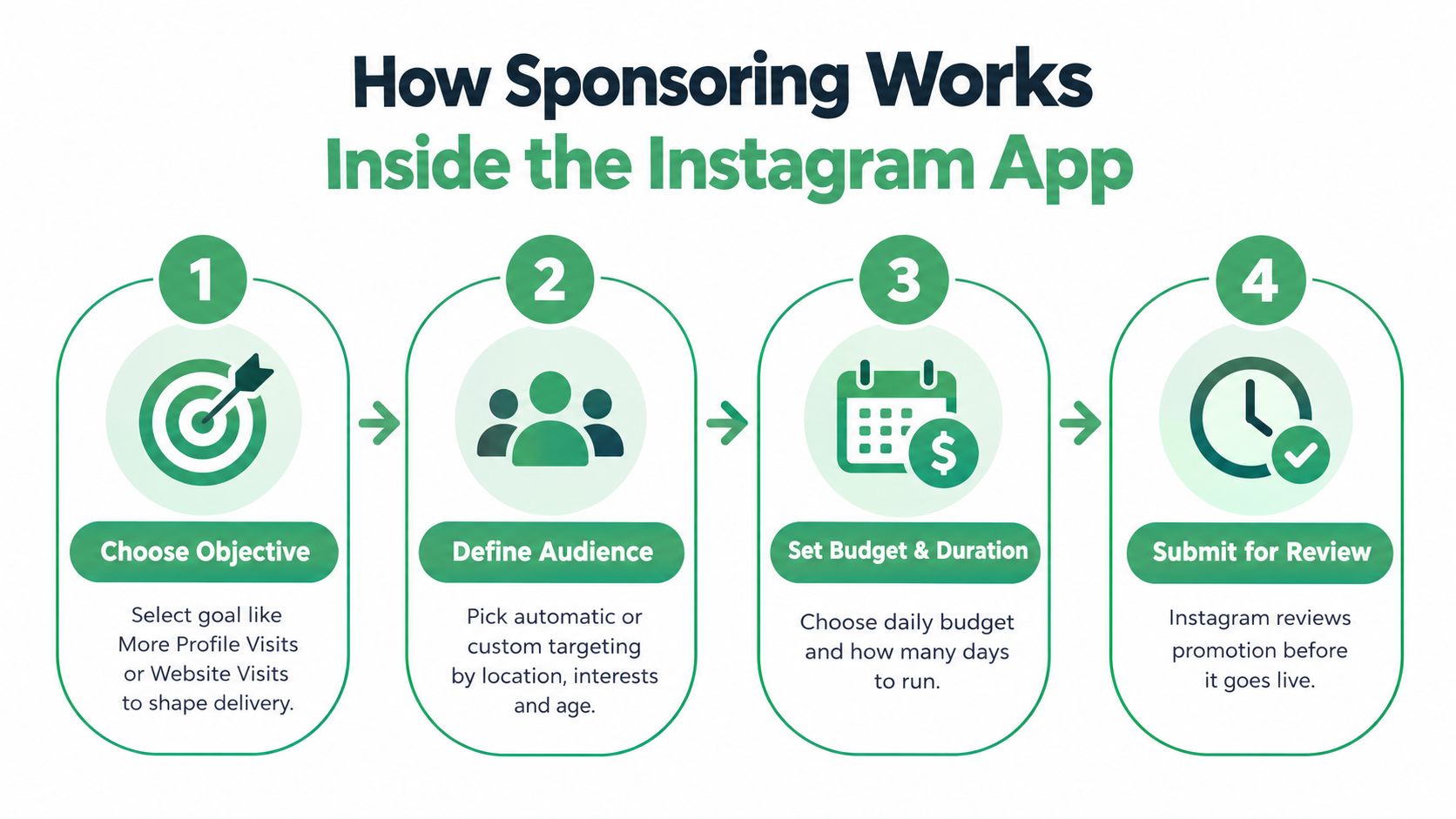
Open the existing post from the eligible business account and select Promote or Boost post. Instagram then asks what you want the promotion to accomplish, such as more profile visits, website visits, or messages. This choice affects delivery, so don't select profile visits for a campaign whose real success condition is a completed website action.
A local restaurant launching a new menu might choose profile visits if the Instagram profile contains opening hours, location details, and reservation instructions. An ecommerce brand promoting a product page should usually choose website visits, then verify that the landing page loads properly and matches the promise in the post. If customer questions are the conversion point, messages can be more appropriate than sending people to a generic homepage.
Let targeting follow the objective
Instagram may offer automatic audience targeting, which can be useful when you have limited audience data and want the system to find likely responders. It's less useful when geography, customer type, or product eligibility is narrow. A local service provider shouldn't pay to reach people outside its service area, and a specialized business shouldn't assume broad interest targeting will understand its buying context.
Custom audiences let you define relevant parameters such as location, interests, and age. Keep the audience connected to the offer. Adding every possible interest can make targeting look complex while weakening the relationship between the message and the person seeing it.
Budget and duration come after audience selection. Set a daily amount you're comfortable treating as a test, then choose a run length that gives the creative enough time to collect meaningful delivery signals. Don't set a large budget just because the post looks promising. The first objective is to learn whether the combination of creative, audience, and action works.
Instagram reviews the promotion before it goes live. Rejections or delays can result from the creative, text, destination, account setup, or policy restrictions. Submit cleanly by checking the destination URL, removing unsupported claims, confirming that the creative is legible in the selected placements, and allowing time for review.
For teams that need to inspect public Instagram content before deciding what to promote, a social media post extraction API can support structured content review. For platform-level documentation and operational context, see Meta Ads platform documentation.
Choosing the Right Sponsorship Format for Your Goal
The easiest mistake is treating every sponsored post as a boost. These three formats solve different problems.
| Format | Best For | Measurement Strength | Approval Note |
|---|---|---|---|
| In-app boost | Extending an existing business post, profile discovery, messages, or website visits | Straightforward delivery and action metrics inside the promotion flow | Requires an eligible account, connected business setup, payment details, and review |
| Partnership Ad | Paid creator collaborations where the creator's identity and content are central | Stronger control over paid distribution, audience, and campaign measurement | Current guidance covered by Meta Partnership Ads coverage for DTC brands says sponsored creator content runs through Partnership Ads, and boosting a creator's branded-content post is no longer allowed for paid partnerships |
| Shoppable Reel | Product discovery and commerce-led campaigns | Connects video engagement with tagged product interactions and downstream shopping behavior | Product catalog, creator or brand permissions, and commerce eligibility need checking before launch |
An in-app boost wins when the post already belongs to your business account and the desired action is simple. It's the fastest route for a local business that wants more profile visits or a brand that needs a controlled website-traffic test. It's also the format most likely to be misused. A boost won't compensate for a weak landing page or a post that has no clear next step.
Partnership Ads win when the creator's voice is the asset. The creator relationship, permissions, disclosure, and account access need to be agreed before launch. Don't ask a creator to publish branded content and assume you can later turn that post into an ordinary boost. The current workflow distinguishes creator partnership advertising from a standard business-post promotion.
Shoppable Reels win when the product is easy to understand visually and the buying path should begin inside the content experience. A 2026 trend report cited by the Partnership Ads coverage says Instagram expanded shoppable Reels with an Add product experience that can tag up to 30 products in one Reel. That doesn't make every Reel a commerce asset. Product tags create more value when the video demonstrates, compares, styles, or uses the items clearly.
Choose the format based on the action you need, not the button you happen to see.
Managing Budget Performance and Making Changes Safely
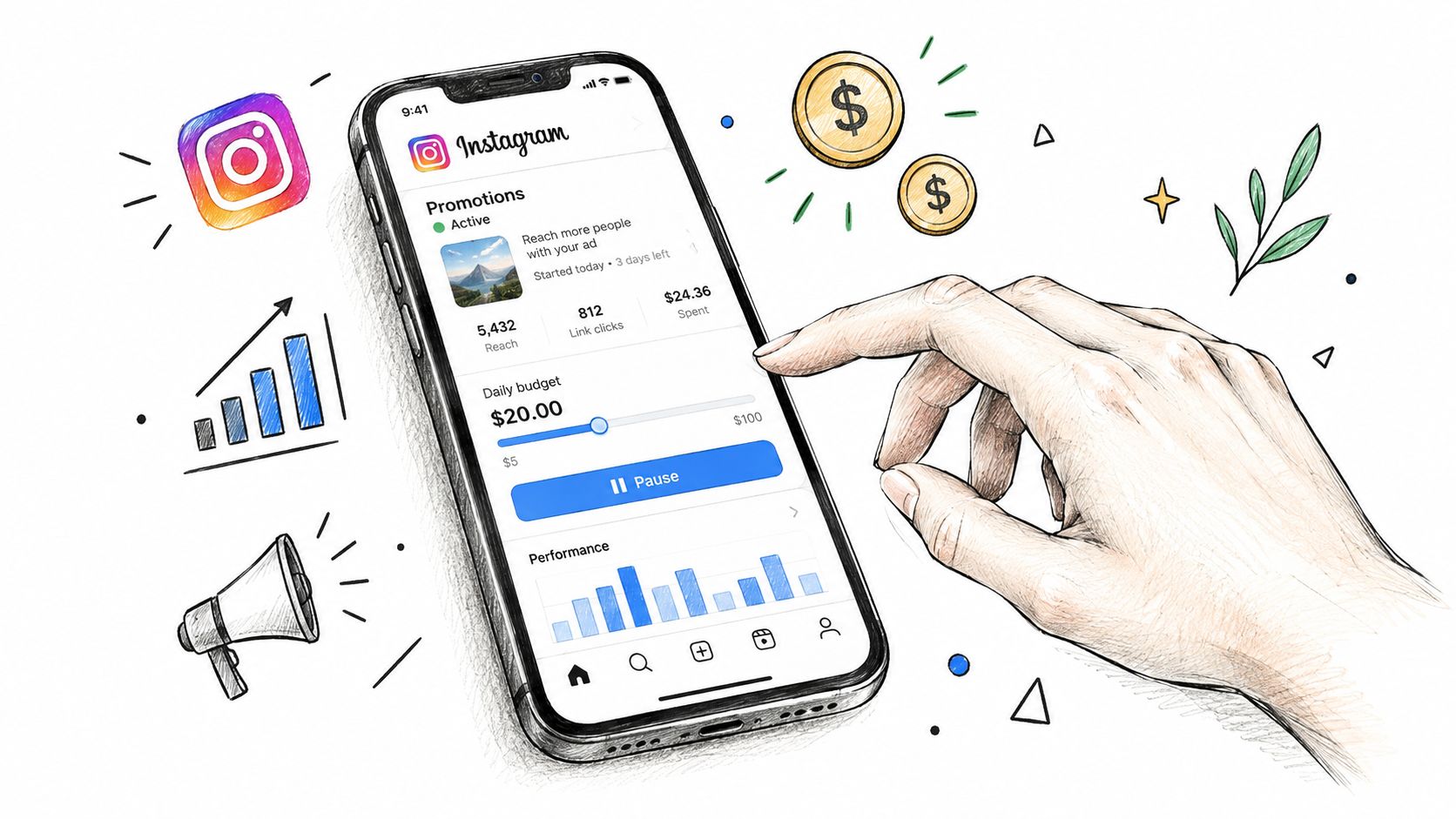
Start with a spending ceiling, not a scaling target. Independent guidance commonly tests boosted campaigns at around $5 to $10 per day for about 4 days, according to GrowthScribe's Instagram sponsored-post benchmarks. Those figures are starting references, not guarantees. Your actual cost depends on the audience, creative, objective, auction conditions, and placement mix.
The same guidance places average Instagram advertising costs at roughly $0.40 to $1.50 CPC and $6.50 to $9.00 CPM. Use those ranges as diagnostic signals, not pass-fail rules. A campaign optimized for messages shouldn't be judged solely against a website-click benchmark, and a high CPM may be acceptable if the audience is valuable and the resulting action is qualified.
Read the account before changing it
Check delivery first. Confirm that the promotion was approved, impressions are accumulating, the intended audience is being reached, and the selected action is generating the right type of response. A website-click campaign with clicks but no useful sessions may have a landing-page problem rather than an Instagram targeting problem.
Avoid changing several variables at once. If you alter the audience, creative, objective, and budget together, you won't know what caused the result. Make one deliberate adjustment, record what changed, and compare the next period with the original setup.
Pause when the post attracts cheap but irrelevant activity, when the destination fails, or when the offer no longer reflects current availability. Scale only after the campaign shows efficient actions that matter to the business. Increasing spend on a post because it has visible engagement can amplify waste just as efficiently as it amplifies interest.
Teams working across Meta accounts can use NotFair's Meta Ads wasted-spend use case as a reference for diagnosing budget leakage. The operating principle is simple: preserve a record of the original settings, preview changes before applying them, and keep a reversal path available.
Staying Compliant and Getting More From Every Sponsored Post
The in-app Paid partnership label isn't automatically enough for legal disclosure. Recent guidance says FTC-style disclosure still expects clear wording such as Ad or Sponsored at the start of the caption, with disclosure visible on-screen in Reels and Stories. A free product, affiliate commission, or family relationship can create a material connection that needs disclosure, even when no cash payment changed hands. Review the FTC-style Instagram disclosure guidance for 2026 before publishing creator or affiliate content.
Disclosure should be obvious without requiring someone to expand a caption, search through comments, or infer the relationship from a platform badge. For video, place the disclosure where viewers can see it while the commercial message is playing. Brands and creators should agree on the wording and placement before approval, not after the post has already attracted attention.
Creative iteration should be equally deliberate. Refresh the opening when viewers don't understand the value quickly, refine the audience when responses are irrelevant, and compare paid activity with organic engagement, website analytics, and CRM outcomes. A post can generate inexpensive clicks while producing no qualified conversations, so connect Instagram results to the business action that follows.
Keep a repeatable operating checklist
- Intent: Name the action you're buying before selecting the format.
- Eligibility: Confirm account, Page, payment, creative, and destination readiness.
- Format: Use a boost, Partnership Ad, or shoppable Reel based on the conversion path.
- Disclosure: Make the commercial relationship clear in the caption and video itself.
- Measurement: Track the action that matters, not only reach or reactions.
- Change control: Log edits and keep them reversible. NotFair's Meta Ads MCP safety approach describes approval-gated changes, explicit diffs, logging, and one-call undo for campaign operations.
Working rule: Sponsor with intent, measure quickly, and make every major change reversible.
NotFair connects AI agents to Meta Ads so teams can read campaign performance, diagnose waste, and prepare approval-gated budget or campaign changes with explicit diffs and logged history. If you want a safer operating layer for Instagram and Facebook advertising, visit NotFair and review the Meta Ads workflow before your next promotion.