

Your SEO consultant needs access, a developer wants to inspect an indexing problem, and your marketing team wants organic search data inside an AI assistant. Someone suggests sharing the login. Someone else asks for Owner permissions so they won't get blocked later.
That's how a straightforward setup becomes a governance problem. Google Search Console access should answer more than whether someone can open a report. You need to know which property they can reach, what authority they hold, and whether their reporting connection returns enough data to support the decision they're making.
Table of Contents
- What Google Search Console Access Really Means
- Verifying Property Ownership the Right Way
- Choosing the Right Permission Level for Each User
- Adding Users and Cleaning Up When People Leave
- API Access, BigQuery Export, and the Data Limits Nobody Mentions
- Connecting GSC to AI Agents Through MCP Servers
- Security Habits and Common Mistakes to Avoid
What Google Search Console Access Really Means
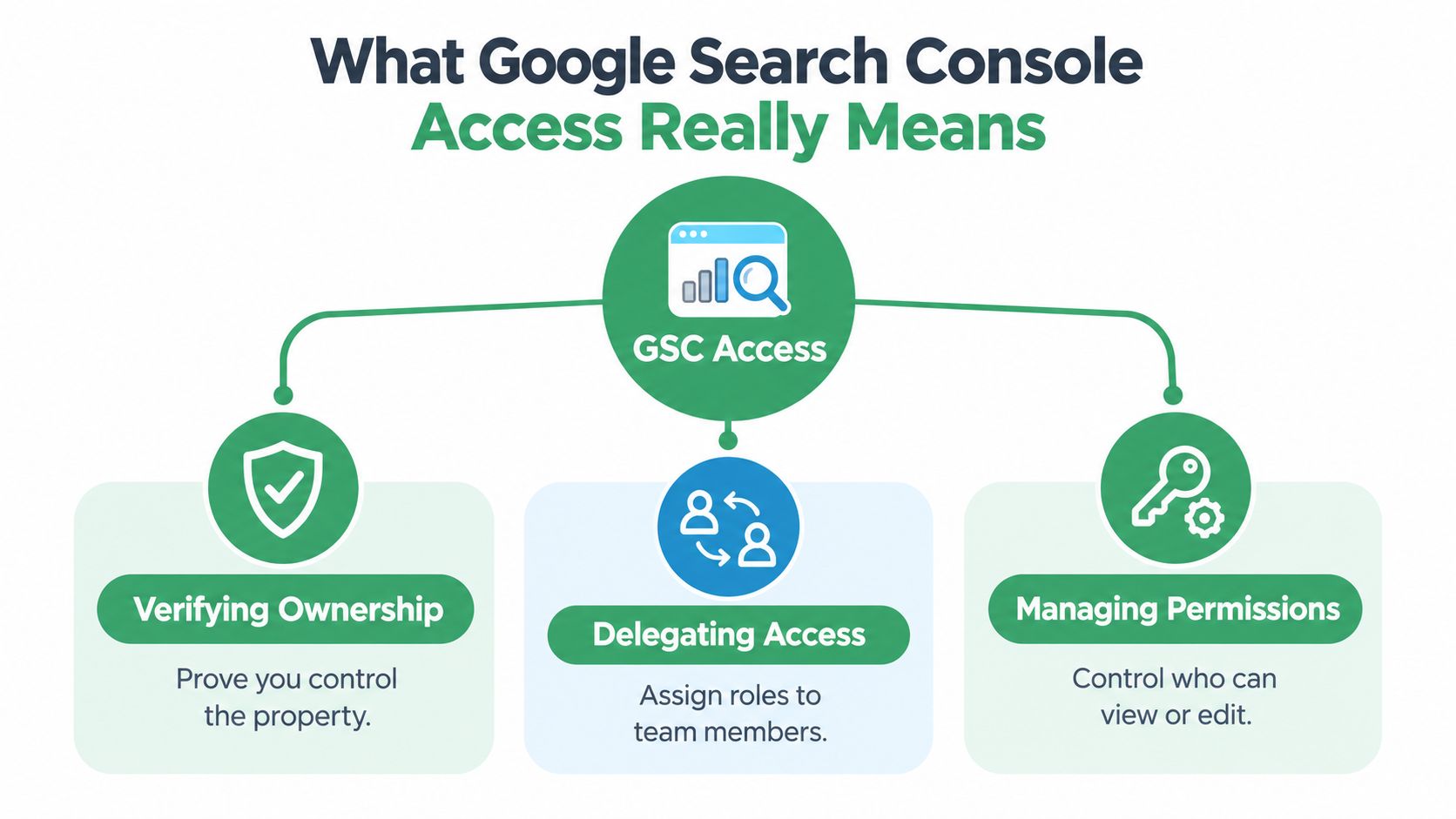
Treat access as separate layers: ownership, delegation, and data extraction. They're related, but solving one doesn't automatically solve the others.
Ownership establishes who controls the property. Delegation determines what another person can do inside it. Extraction determines which data an integration can retrieve and under what constraints.
The access map is useful because these responsibilities often belong to different people.
Separate authority from availability
Google distinguishes verified owners, who prove control using a verification token, from delegated owners, whose authority comes from an existing owner. Its permissions model defines Owner, Full user, and Restricted user access, and every property must retain a verified owner for users to retain access, according to Google's ownership and permissions documentation.
That distinction matters during a handover. Giving a replacement employee delegated access isn't the same as establishing durable organizational ownership. Likewise, removing someone from a user list isn't sufficient cleanup if their ownership verification remains usable.
Use an access register that separates these responsibilities:
- Ownership record: Identify the organizational custodian and where verification is maintained.
- User record: Record each person's role, business purpose, and review trigger.
- Connection record: Identify the account authorizing each reporting tool, script, or agent connector.
Define the boundary before connecting tools
A dashboard connection isn't proof that the dashboard sees everything. A successful API request isn't proof that the response contains every matching query. Those are data-contract questions, not login questions.
Practical rule: Approve the person, property, and purpose separately. Don't treat a successful sign-in as an access review.
For an agency, that means keeping client ownership separate from delivery access. For an internal team, it means ensuring that an employee's departure won't leave the organization dependent on an account nobody controls.
The useful outcome isn't maximum access. It's an arrangement another administrator can understand and safely maintain.
Verifying Property Ownership the Right Way
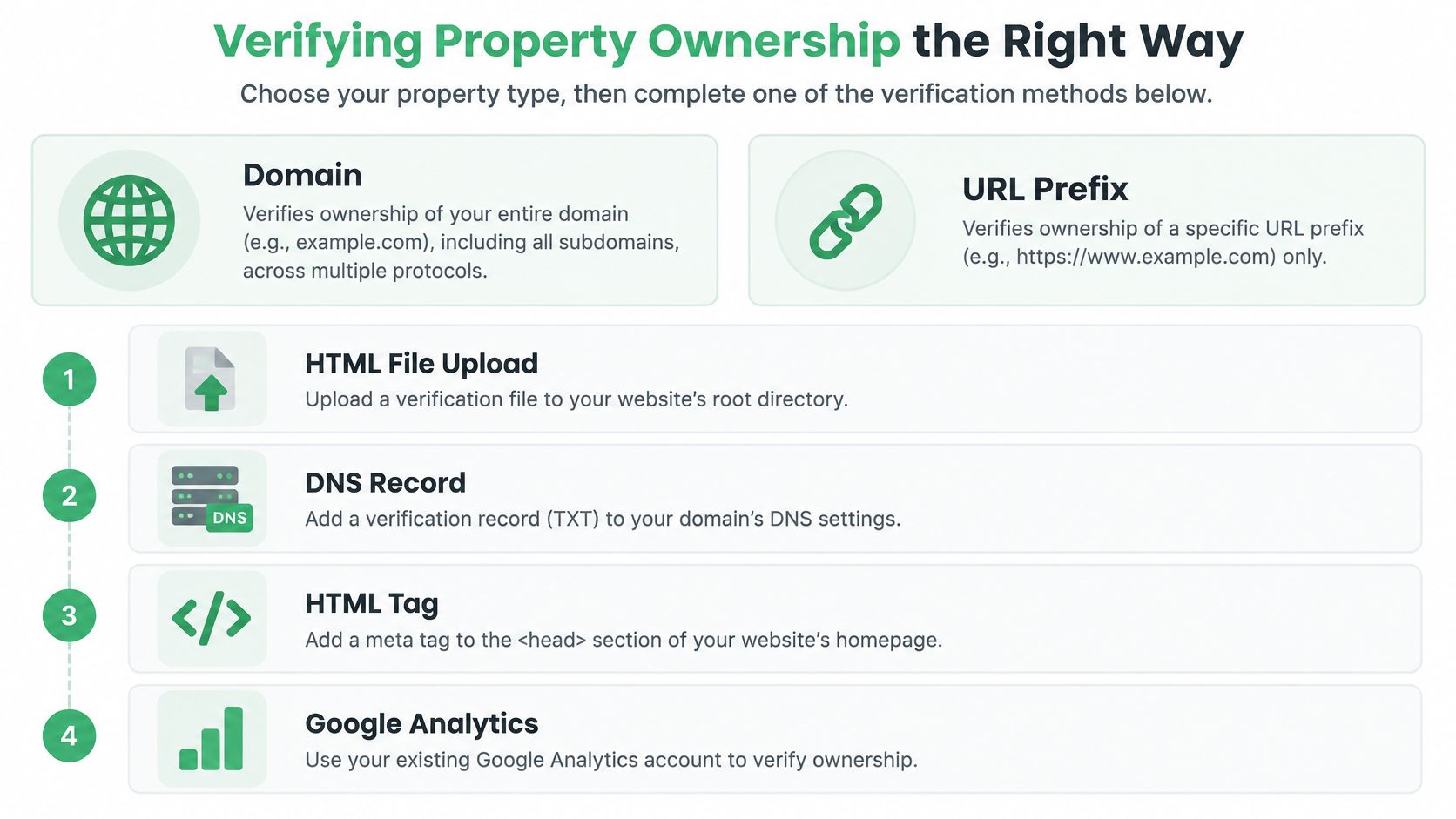
Choose the property's scope before choosing a verification method. Otherwise, you can complete verification successfully and still configure the wrong reporting boundary.
A Domain property is the natural choice when you need a consolidated view across protocols and subdomains. Google introduced domain properties to combine HTTP, HTTPS, www, and non-www variants under domain-level verification, as described in this history of Search Console's property model.
A URL-prefix property is more appropriate when you deliberately want a narrower boundary. Don't confuse that narrower scope with a complete domain view.
Match verification to operational control
Use the property setup flow to check which verification methods are available for your selection. The practical options to evaluate are:
- DNS TXT record: Prefer this when the organization controls DNS and wants durable domain-level ownership.
- HTML file upload: Consider this when a web administrator can publish and preserve the verification file.
- HTML meta tag: Evaluate this when the website's templates are easier to manage than its hosting files.
- Google Analytics or Tag Manager: Consider an existing implementation only after checking the setup requirements and account authority.
This checklist helps distinguish the property choice from the verification mechanism.
For a staging environment that can't execute JavaScript, don't build the verification plan around script execution. Evaluate DNS or a server-delivered file or tag, subject to the property's available methods and whether Google can reach the required resource. Verification shouldn't become a reason to expose a private environment.
Keep the organization in control
My recommendation is organization-controlled DNS for long-term domain ownership. Keep access to the authoritative DNS provider under company administration, and document who can maintain the verification record.
That provider may be separate from the domain registrar. Record the actual location rather than assuming the registrar manages DNS.
Before signing off, ask who could restore verification after a hosting migration, template replacement, or agency departure. If the answer is a former contractor or a developer's personal account, the setup needs a different custodian.
Choosing the Right Permission Level for Each User
Owner is an administrative responsibility, not a convenience setting. Grant it to people accountable for the property's continuity and access policy, not everyone who might need to troubleshoot something.
Using the permission distinctions established above, choose roles according to the work someone performs. An active SEO may need Full access; a stakeholder reviewing results usually doesn't need the same authority.
GSC Permission Levels at a Glance
| Permission Level | View Data | Manage Users | Add or Remove Owners | Best For |
|---|---|---|---|---|
| Owner | All available data | Yes | Yes, subject to ownership rules | Core organizational administrators |
| Full user | All available data | No | No | Practitioners who need available operational actions |
| Restricted user | Most data, generally read-only | No | No | Analysts and reporting stakeholders |
| API service account | Depends on granted access and tool support | Not a separate permission tier | Not inherently | Supported automated workloads |
A service account is an identity choice, not an additional Search Console role. Don't approve one because a connector's installation instructions mention it. First establish whether the integration supports it, which property it needs, and who will maintain its credentials.
Choose access from the task backward
For an agency analyst preparing a search-performance report, start with Restricted access and test the required workflow. For a developer performing an operational task, identify the action first, then choose the lowest role that supports it.
Avoid giving every developer Full access by default. Their job title doesn't establish a need for every available action.
Agent integrations need another distinction: the user's property permission and the connector's exposed tools are separate controls. A connection should be limited at both layers. Review account-scoping concepts when deciding which client properties a connector should expose.
Give a tool access to the account it needs, not every account its operator happens to manage.
Shared logins make this harder to administer. Prefer named identities so the team can identify who holds access and remove that person's authority without disrupting everyone else.
Adding Users and Cleaning Up When People Leave
Start by selecting the correct property. Similar names can conceal materially different scopes, especially when an organization maintains both domain-level and URL-prefix properties.
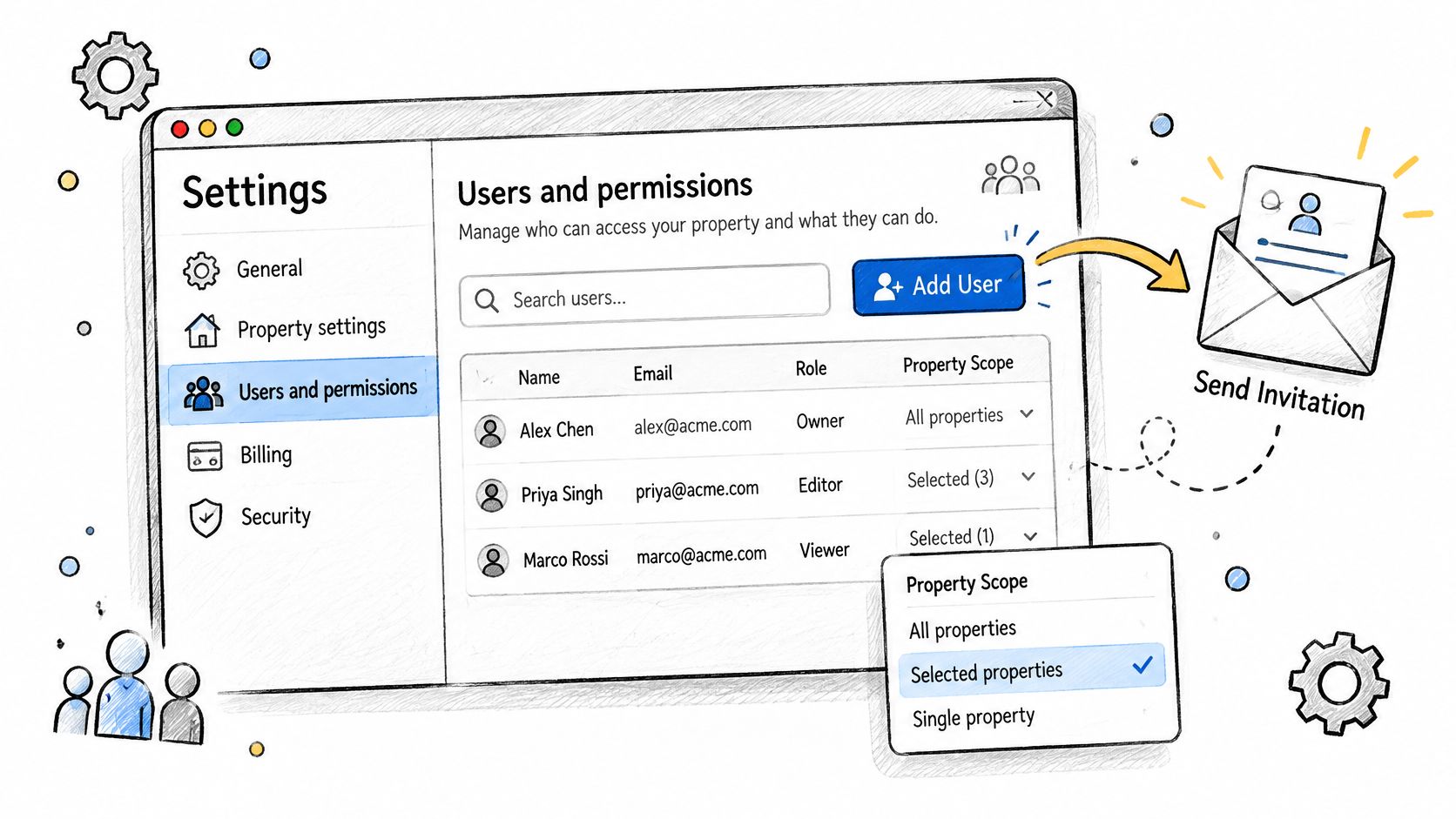
Then use the property's Settings → Users and permissions screen. An owner should perform the access change rather than handing over their own credentials.
Add the person and test the task
Follow this sequence:
- Confirm the property: Check the selected scope against the access request.
- Open user management: Go to Settings → Users and permissions → Add user.
- Enter the identity: Use the intended Google account email, not a shared team mailbox.
- Choose the permission: Select the approved level and add the user.
- Test access: Ask the recipient to sign in, select the property, and perform the intended task.
Treat confirmation as a workflow test, not just a notification check. The person should verify that they can reach the expected property and report without borrowing another user's session.
Use the permissions screen as the reference point for the handover.
Remove authority, not just a name
For a departing user, return to Settings → Users and permissions, open the user's action menu, and remove access. Also review integrations they authorized so reporting doesn't depend on an identity you're retiring.
Verified-owner removal requires the additional token review described earlier. Inspect ownership verification details, identify the relevant HTML file, DNS record, or meta tag, and have its custodian remove the former owner's token without disturbing the organization's retained verification.
Run a quarterly audit with an explicit owner:
- People: Match access against current responsibilities and client engagements.
- Ownership: Confirm that verification remains under organizational control.
- Connections: Check who authorizes scheduled extracts and agent sessions.
- Exceptions: Record why higher-level access remains necessary and when to review it.
Don't promise that every audit will be quick. An undocumented ownership history can require coordination across DNS, hosting, and marketing teams.
API Access, BigQuery Export, and the Data Limits Nobody Mentions
Live retrieval isn't real-time reporting, and programmatic access isn't complete access. Choose a channel based on the question you need to answer, not the assumption that an API exposes everything.
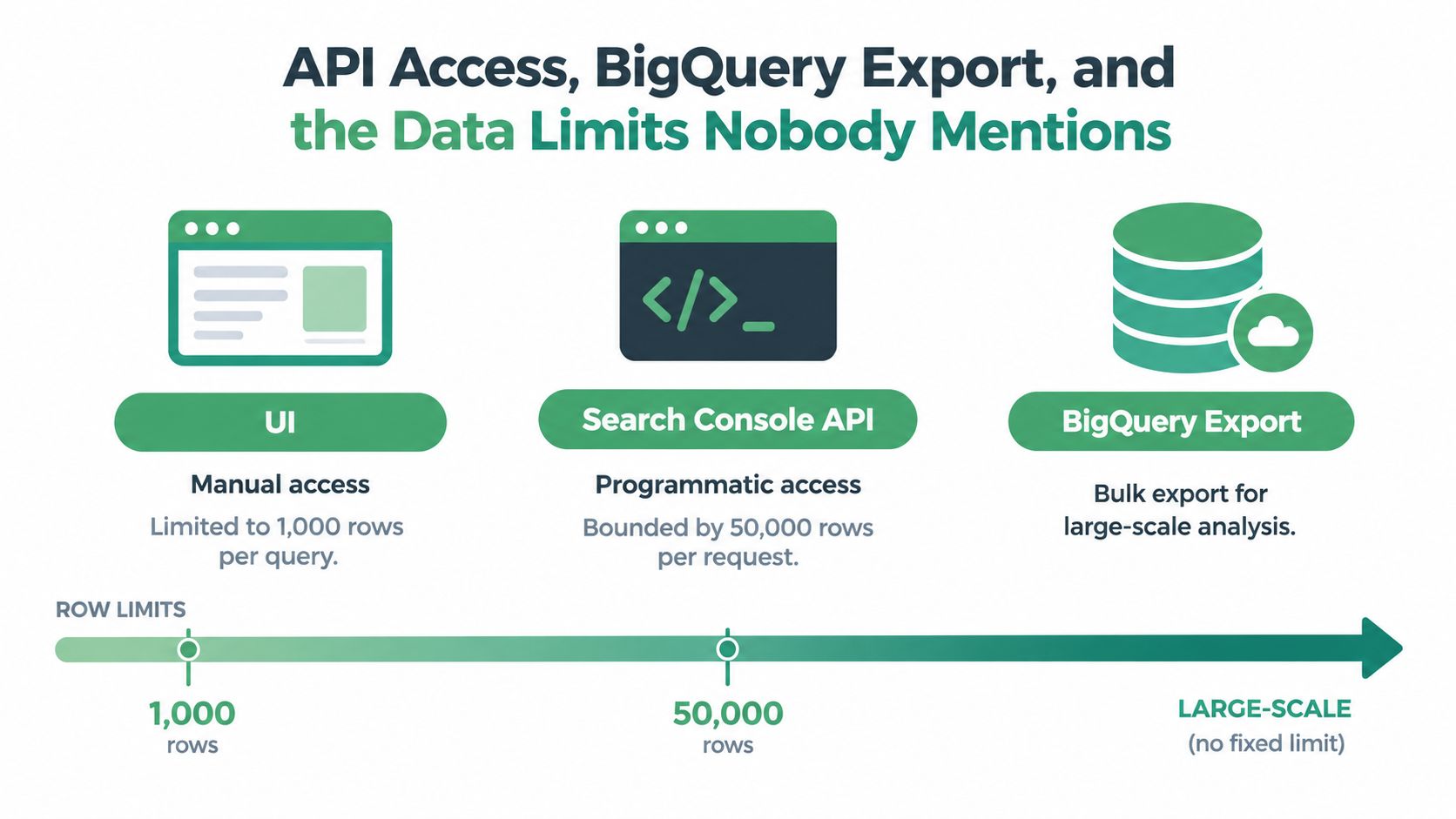
The diagram provides a broad comparison, but use the documented limits below for implementation. In particular, don't interpret its API label as a per-request allowance.
Choose the channel by workload
| Channel | Useful for | Freshness consideration | Completeness consideration |
|---|---|---|---|
| Search Console UI | Manual investigation and spot checks | Review the report's available reporting period | Don't assume a visible table is an exhaustive dataset |
| Search Console API | Repeatable, targeted diagnostic queries | Retrieves currently available reporting data | Top-row and extraction constraints apply |
| BigQuery bulk export | Warehouse-based performance analysis | Depends on export availability and pipeline processing | Removes the API row ceiling, not every data limitation |
Google documents a maximum of 50,000 rows per day, per search type, per property, explains pagination using 25,000-row increments, and lists 1,200 requests per minute per site and per user in its Search Analytics extraction guidance. The same guidance warns that results generally contain top rows rather than a guaranteed complete event stream.
Build around narrow date windows, explicit filters, and separate search-type jobs. Persist request parameters, detect repeated pages, cache stable historical extracts, and back off on quota errors. Don't brute-force every possible dimension combination and call the result thorough.
Use exports for a different job
Bulk export removes the row ceiling but requires Google Cloud and BigQuery capability, and it covers performance data rather than the entire Search Console toolset. Google also announced that deprecated search-appearance fields would become NULL by October 1, 2025, making schema review important for historical pipelines, as covered in Google's bulk-export documentation.
Use the API for focused diagnosis and BigQuery for warehouse-based history. Use static extracts when reproducibility or a fixed reporting cutoff matters, but retain the extraction parameters.
The accompanying walkthrough provides another view of the access workflow.
Check a connector's actual surface against the Search Console integration documentation. When query detail is unavailable, investigate affected pages and aggregate performance instead of interpreting missing rows as nonexistent demand.
Connecting GSC to AI Agents Through MCP Servers
The useful agent-access question is specific: Which identity authorizes this request, which property can it read, and what tools can it invoke? A conversational interface doesn't remove those boundaries.
A hosted Model Context Protocol, or MCP, connector can sit between an AI client and the reporting platform. For diagnosis, I'd make live, read-only retrieval the baseline, then add capabilities only when a defined workflow requires them.
Prefer a controlled connection over copied credentials
OAuth-based hosted access is worth evaluating against local scripts and downloaded exports. It can reduce the need to distribute long-lived credential files across developer machines, but it also introduces a service provider whose storage, revocation, logging, and account-isolation practices need review.
Use a comparison of Google Search Console MCP servers to frame those questions. Evaluate the available tools and authorization model, not just whether a server connects successfully.
A practical acceptance test should include:
- Property isolation: Can a session reach only the intended client's data?
- Read boundaries: Are diagnostic tools separated from operational tools?
- Traceability: Can an operator inspect request parameters and returned reporting periods?
- Revocation: Can an administrator terminate the connection cleanly?
For broader context on AI-assisted search workflows, Boocoo explains AI powered SEO. Keep workflow ideas separate from permission decisions: an appealing use case still needs an access review.
Correlate evidence without overstating it
An agent session could compare organic landing-page performance with paid search spend and CRM outcomes. Ask it to identify overlapping themes, show the underlying date ranges, and distinguish observed patterns from hypotheses.
Don't assume that organic queries can be joined directly to individual CRM records. Align landing pages, campaign definitions, and reporting periods, and state where attribution remains uncertain.
An agent should explain what it retrieved and what it couldn't observe before recommending action.
Keep any connected advertising writes behind explicit approval, proposed diffs, logged history, and a documented undo mechanism. Those safeguards belong to campaign operations; reading Search Console data should not authorize changes elsewhere.
Static exports still serve audits well. Live reads are preferable when the analyst needs to test a new hypothesis without rebuilding an export.
Security Habits and Common Mistakes to Avoid
Broader access doesn't fix weak diagnosis. An administrator can still misread a truncated query dataset, and an agent with unrestricted property access can still compare mismatched reporting periods.
Treat permission review and data-quality review as separate controls. The former limits authority; the latter establishes what conclusions the evidence supports.
Run a practical control check
- Limit authority: Keep the approved role tied to a documented task.
- Retain named identities: Replace shared agency logins with individually attributable access.
- Review ownership changes: Complete the verification cleanup process, not just user removal.
- Monitor extraction: Alert on quota failures, incomplete jobs, and unexpected response changes.
- Watch schemas: Check exported fields and downstream logic when dimensions are deprecated.
- Test agent boundaries: Confirm property isolation and tool restrictions after connector changes.
Use a short exception register rather than relying on memory. Record who accepted each exception, what business need justifies it, and what event should trigger reconsideration.
Fix the recurring mistakes directly
| Mistake | Corrective action |
|---|---|
| Shared agency credentials | Move each practitioner to a named identity |
| Former employee retains ownership authority | Complete the owner and token review |
| API access described as “read everything” | Publish the extraction contract and known gaps |
| Agent recommendations lack provenance | Require property, filters, and reporting period alongside findings |
The standard is straightforward: another operator should be able to explain who has access, why they have it, and what the resulting data can support.
For a hosted option alongside direct API development and warehouse exports, NotFair connects AI agents to Search Console, advertising, analytics, and CRM data through MCP servers. Visit to review the Search Console connector and account-scoping workflow, then validate read access on an intended property before enabling broader campaign operations.