

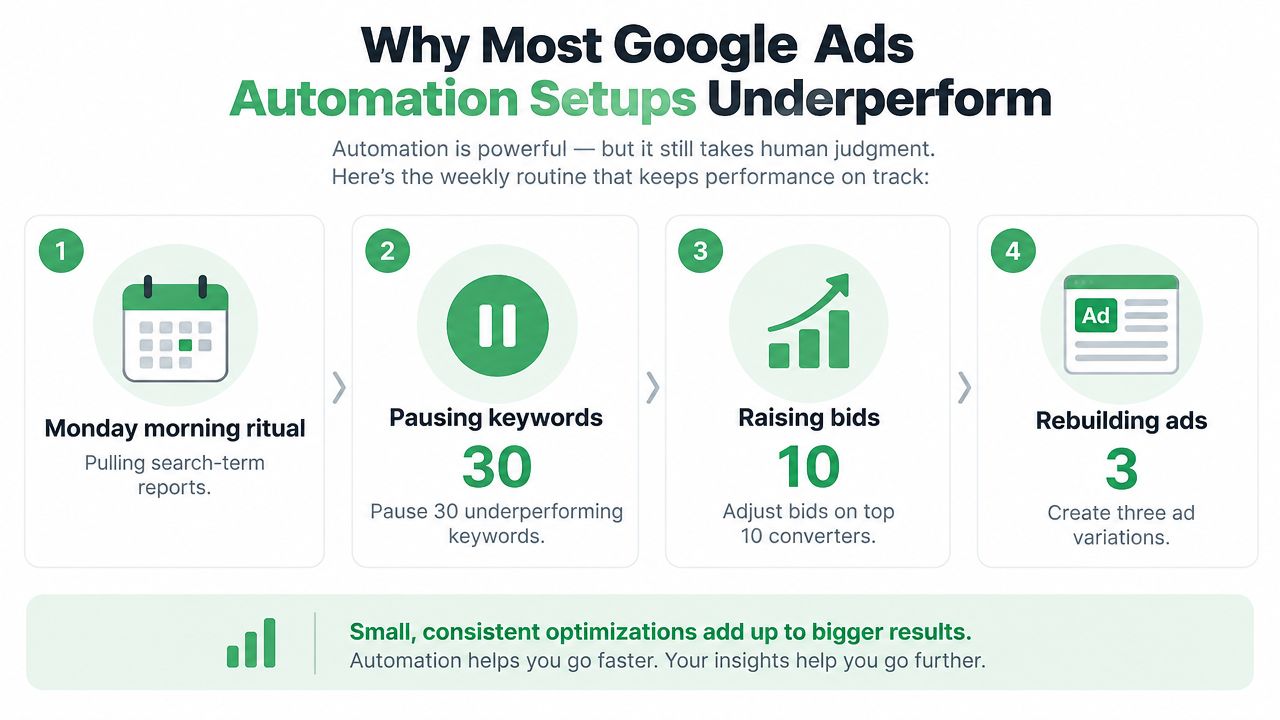
Monday morning starts the same way in too many Google Ads accounts. Someone pulls search-term reports, pauses underperforming keywords, raises bids on recent converters, and rebuilds ad variations. By the time the spreadsheet gets reviewed, the auction has moved, the budget has shifted, and the decisions are already aging.
That loop is exactly what Google Ads automation should reduce. Yet many teams end up with a fragile halfway system, automated bidding running without enough signal, rules triggering each other, and scripts changing budgets without a clear explanation or undo path. Automation has become the dominant operating mode for many advertisers, with widely cited Google materials indicating that more than 80% of Google advertisers use automated bidding (Pace Ads research). The question isn't whether to automate. It's whether your operating model can control what automation does.
Table of Contents
- Why Most Google Ads Automation Setups Underperform
- The Four Building Blocks of Google Ads Automation
- Setting Up Automated Bidding Without Breaking Performance
- Rules, Scripts, and Approval-Gated Edits
- Layering AI Agents and MCP Connectors on Top
- Monitoring Automation Like a Real Operator
- Your 30-Day Google Ads Automation Plan
Why Most Google Ads Automation Setups Underperform
The problem usually appears during a routine optimization meeting. A paid media manager sees a campaign above its target CPA and asks why the bidding system hasn't corrected it. Another campaign has spent more than expected overnight because a budget rule responded to a temporary impression-share change. A script has paused keywords, but nobody can say which version of the script ran or whether the action can be reversed safely.
The account isn't necessarily poorly managed. It has been assembled from isolated features, each solving one task without a shared control layer. Native rules handle simple conditions, bidding strategies react to conversion signals, and scripts make bulk edits. None of those components automatically provides a common approval process, a readable change record, or a one-call rollback.
The four failure patterns
Insufficient data is the first trap. Teams activate tCPA or tROAS because the strategy is available, not because the campaign has enough reliable conversion history. Practitioners commonly use about 30 conversions per month as a threshold before trusting automated bidding, and frequent target changes can disrupt the learning process (Active Marketing).
Conflicting rules create a second problem. One rule increases budgets when impression share falls, while another reduces budgets when CPA rises. Both can be logically correct in isolation. Together, they can produce oscillation that looks like optimization in the interface but behaves like an argument between two operators.
Black-box scripts are harder to diagnose. A script may alter bids across campaigns, but the account history alone may not capture the business reason, the input data, or the exact intended state. When several accounts share copied scripts, a small edit can affect every customer at once.
No undo path turns ordinary mistakes into incidents. If a write lands without a diff, review record, and rollback action, the team is forced to reconstruct the previous state from reports. That is too slow when spend is moving in real time.
Operating principle: Automation should produce a proposed change, a reason, an approval decision, and a reversible record. A setting that changes an account without those artifacts is only partially automated.
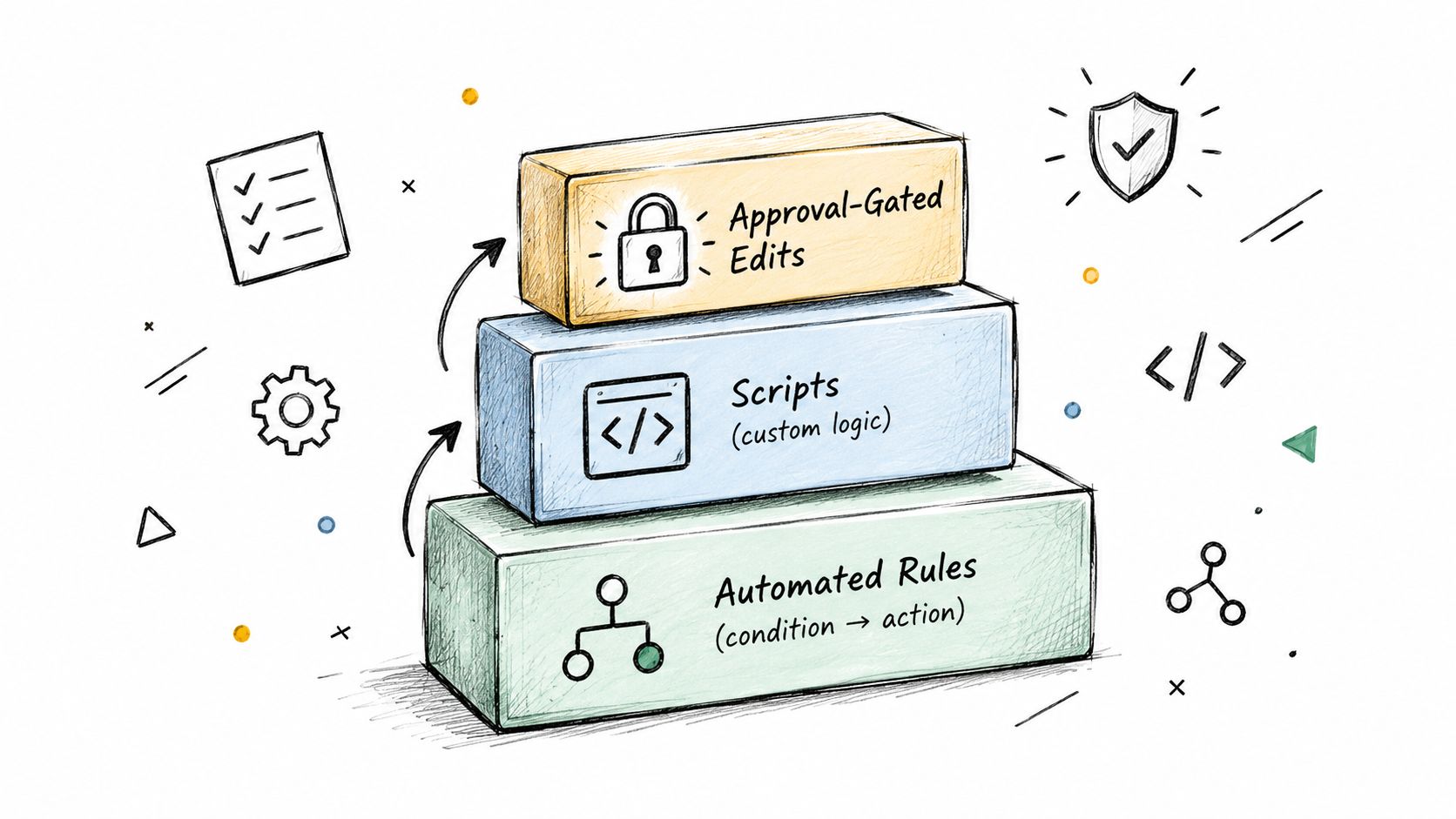
The deeper issue is structural. Treat automation as an operating system with four layers, automated bidding, deterministic rules, programmable scripts, and approval-gated orchestration. Each layer needs boundaries, and every write needs an owner.
The Four Building Blocks of Google Ads Automation
A mature account rarely chooses between one automation method and another. It assigns different jobs to the layer that can perform them with the right balance of speed, context, and control.
Automated bidding belongs closest to the auction. tCPA, tROAS, Maximize Conversions, and related strategies use account signals to make decisions that would be impossible to reproduce with manual CPC adjustments. They work best when the conversion action reflects a real business outcome and the campaign has enough consistent history for the system to learn.
Native automated rules are the simplest guardrail. They suit condition-and-action tasks with narrow scope, such as notifying a manager when spend crosses an internal limit or pausing an ad that has failed a defined review condition. Rules are quick to configure, but they only understand the fields and conditions you provide. They shouldn't carry nuanced judgments about lead quality, margin, or customer lifetime value.
Where scripts earn their place
Google Ads Scripts occupy the programmable middle layer. A script can inspect several campaigns, compare states, synchronize negative keyword lists, check destination URLs, or generate a scheduled audit. It's a good fit for repeatable logic that native rules can't express, especially when the account contains many campaigns or labels.
The trade-off is maintenance. Scripts need testing, permissions, execution monitoring, and an owner who understands what happens when the API returns incomplete or unexpected data. A script that works in one account may be unsafe in another because naming conventions, conversion actions, or budget structures differ.
External orchestration sits above the account. An AI agent connected through an MCP server can read search terms, campaign settings, landing-page content, and CRM context, then draft a recommendation. The useful distinction isn't that the agent replaces rules or scripts. It can synthesize signals and explain a proposed action, while a human approval step controls the write.
| Pillar | Best For | Setup Effort | Governance Need |
|---|---|---|---|
| Automated bidding | Auction-time bid optimization against a defined goal | Moderate | High data quality and change discipline |
| Native rules | Simple alerts and bounded condition-action tasks | Low | Clear thresholds and conflict checks |
| Ads Scripts | Cross-campaign audits, bulk edits, and scheduled transformations | Moderate to high | Version control, logs, testing, rollback |
| External orchestration | Multi-signal diagnosis and approval-gated account operations | Moderate | Identity, permissions, diffs, approvals, and audit history |
A practical example might use tCPA on a mature non-brand campaign, a scheduled rule to flag unusual budget conditions, a script to identify conflicting negatives, and an agent to draft responsive search ad variations from approved landing-page copy. The layers complement each other because each one has a different job.
Setting Up Automated Bidding Without Breaking Performance
Automated bidding should be rolled out like a controlled operating change, not switched on during a busy optimization session. Start by verifying that the campaign can give the strategy a trustworthy signal.
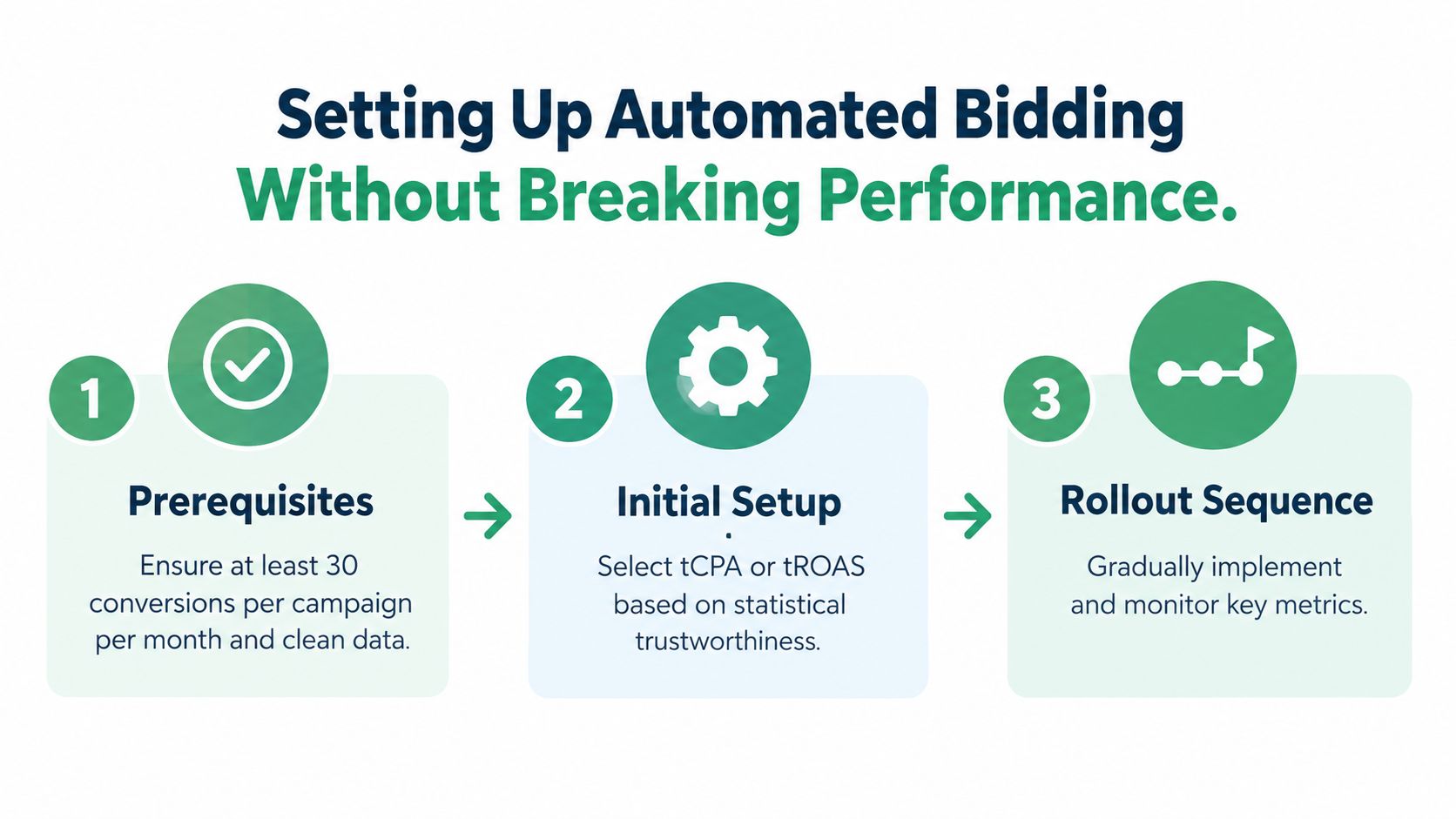
Establish the prerequisites
Use this sequence before enabling a target-based strategy:
- Validate conversion actions. Name the primary action clearly, remove duplicate counting, confirm values where values matter, and check that the conversion represents a meaningful business event rather than a low-intent interaction.
- Check conversion volume. A common practitioner threshold is about 30 conversions per campaign per month before relying on tCPA or similar automated bidding (Active Marketing). Treat it as a decision threshold, not a promise of performance.
- Create a baseline. Keep a stable manual-bidding period long enough to understand normal CPA, conversion volume, spend distribution, and conversion lag. Don't compare a new strategy against a period with a major offer, landing-page, or tracking change.
- Separate unlike outcomes. Don't combine campaigns with materially different conversion values under one target unless the economics support that grouping.
If the campaign is budget-constrained, a target strategy may have too little room to find additional opportunities. Review device, location, audience, schedule, and network settings before interpreting a bidding result. Also account for conversion lag, because recent clicks may not yet have produced recorded conversions.
Roll out one controlled change
Enable tCPA on one non-brand campaign first. Set the opening target near the campaign's recent manual CPA, rather than choosing an aspirational target that the available demand hasn't supported. Record the strategy, target, launch date, baseline, owner, and expected learning window in the change log.
Don't change the target every time daily CPA moves. Give the system enough conversion cycles to produce a meaningful comparison, then review cost per conversion, conversion volume, qualified lead rate, and spend pacing together. If you adjust the target, make a measured change rather than a dramatic reset. The source guidance warns that aggressive strategy changes and frequent target edits can interfere with learning (Active Marketing).
After the first review, ask:
- Did conversion tracking remain stable?
- Did volume change because of bidding, budget, or demand?
- Did qualified outcomes move with platform conversions?
- Did the strategy spend within the approved range?
- Is the target still aligned with margin or pipeline value?
A similar discipline applies when moving to tROAS or Maximize Conversions. Introduce the strategy only after the conversion architecture is trustworthy, document the expected outcome, and avoid changing multiple control variables at the same time. For a broader comparison of native features and connected workflows, see this comparison of Google Ads native automation.
The video below can help teams orient themselves before testing an automated bidding workflow.
Rules, Scripts, and Approval-Gated Edits
Rules are useful when the condition is objective and the action is safe. A rule can notify an owner when spend exceeds a planned boundary, identify ads that need review, or pause an entity after a clearly defined threshold. It becomes risky when the condition uses a short data window, ignores conversion lag, or makes a permanent structural change without review.
Start with native rules as alarms and narrow guardrails. Give each rule a name that states its purpose, scope, data window, action, and owner. Then inspect the full set for collisions. If one rule changes budgets and another reacts to budget changes, define which system has authority or remove one of them.
Use scripts for repeatable account logic
Scripts add the flexibility that native rules lack. Three patterns are especially practical:
- Runaway-spend detector: Compare current spend and pacing with the approved plan, flag campaigns that breach the defined condition, and send a review item instead of changing budgets without prior review.
- Structured change logger: Capture the account, entity, field, previous value, proposed value, reason, timestamp, and execution identity in a durable log such as BigQuery.
- Device-bid batch processor: Group campaigns by label or portfolio, calculate the approved adjustment, and prepare one batch rather than making scattered manual edits.
The script itself shouldn't be the approval system. It should create a proposed mutation that another layer can inspect. This separation lets operators test logic without granting every scheduled process unrestricted write access.
Make every write reviewable
The most important artifact is an explicit diff. Before a change reaches Google Ads, show the exact entity, field, old value, new value, evidence window, rule or script that generated it, and expected effect. Represent the mutation as a structured patch so a reviewer can understand the operation without opening the source code.
A safe workflow looks like this:
- The rule, script, or agent reads live account state.
- The system evaluates its evidence threshold.
- It produces a proposed patch and human-readable rationale.
- An authorized reviewer approves, rejects, or edits the patch.
- The executor applies only the approved mutation.
- The system records the response and exposes a rollback call.
A write without a readable diff is difficult to govern. A write without a rollback path is difficult to defend.
The undo operation should use the stored previous state, not an approximate inverse. If a budget changed from one value to another, rollback should restore the recorded prior value. If a keyword was paused, rollback should restore its prior status only when the approval record confirms that state. This matters in multi-account environments where several systems may edit the same entity.
Google's ecosystem is moving toward tighter controls around sensitive account actions and more detailed reporting, which reinforces the need for explicit ownership and approval workflows (WebProNews). The practical standard is simple: no automated write should land without an artifact a human can read, approve, and revert.
Layering AI Agents and MCP Connectors on Top
Native Google Ads automation is strongest when the task is deterministic. An if-then rule can fire on a known condition, and a script can repeat the same transformation across labelled campaigns. Neither is a good substitute for a person who must reconcile platform conversions with CRM revenue, landing-page intent, brand constraints, and current business priorities.
AI agents earn their place when several signals need to be synthesized. An agent can review search terms, Performance Max asset information, account changes, and CRM context, then write a diagnosis in plain language. It can also draft ad variations grounded in approved landing-page language, but the draft still needs a human review for claims, positioning, and compliance.
MCP connectors provide the operational bridge. The clean boundary is:
- AI proposes. It gathers context, explains the diagnosis, and prepares a change.
- A human approves. The reviewer checks scope, evidence, copy, budget impact, and business fit.
- A script or API tool executes. The approved mutation is applied exactly as reviewed.
- The MCP layer records. It stores the diff, response, identity, and rollback information.
Teams evaluating this model may find the broader discussion of AI for performance marketing teams useful, especially when deciding which judgment-heavy tasks should remain with people. For a practical connector setup, see this Google Ads Claude connector guide.
| Job Type | Native Rule | Script | AI Agent + MCP |
|---|---|---|---|
| Fixed threshold alert | Strong fit | Useful for complex scope | Usually unnecessary |
| Scheduled URL or tracking audit | Limited | Strong fit | Useful for explanation |
| Cross-campaign negative review | Limited | Strong fit for detection | Strong fit for classification and approval |
| Weekly account diagnosis | Weak | Limited | Strong fit |
| Landing-page-grounded copy draft | Not suitable | Not suitable | Strong fit with review |
| Budget or bid write | Bounded but risky | Possible | Strong fit when approval-gated |
The right design isn't “AI everywhere.” It's a layered system where deterministic controls remain deterministic and AI handles context without receiving uncontrolled authority.
Monitoring Automation Like a Real Operator
Once automation is live, the operator's job changes. You aren't only watching CPA, conversion volume, and spend. You're watching whether the systems making those changes are behaving inside their approved boundaries.
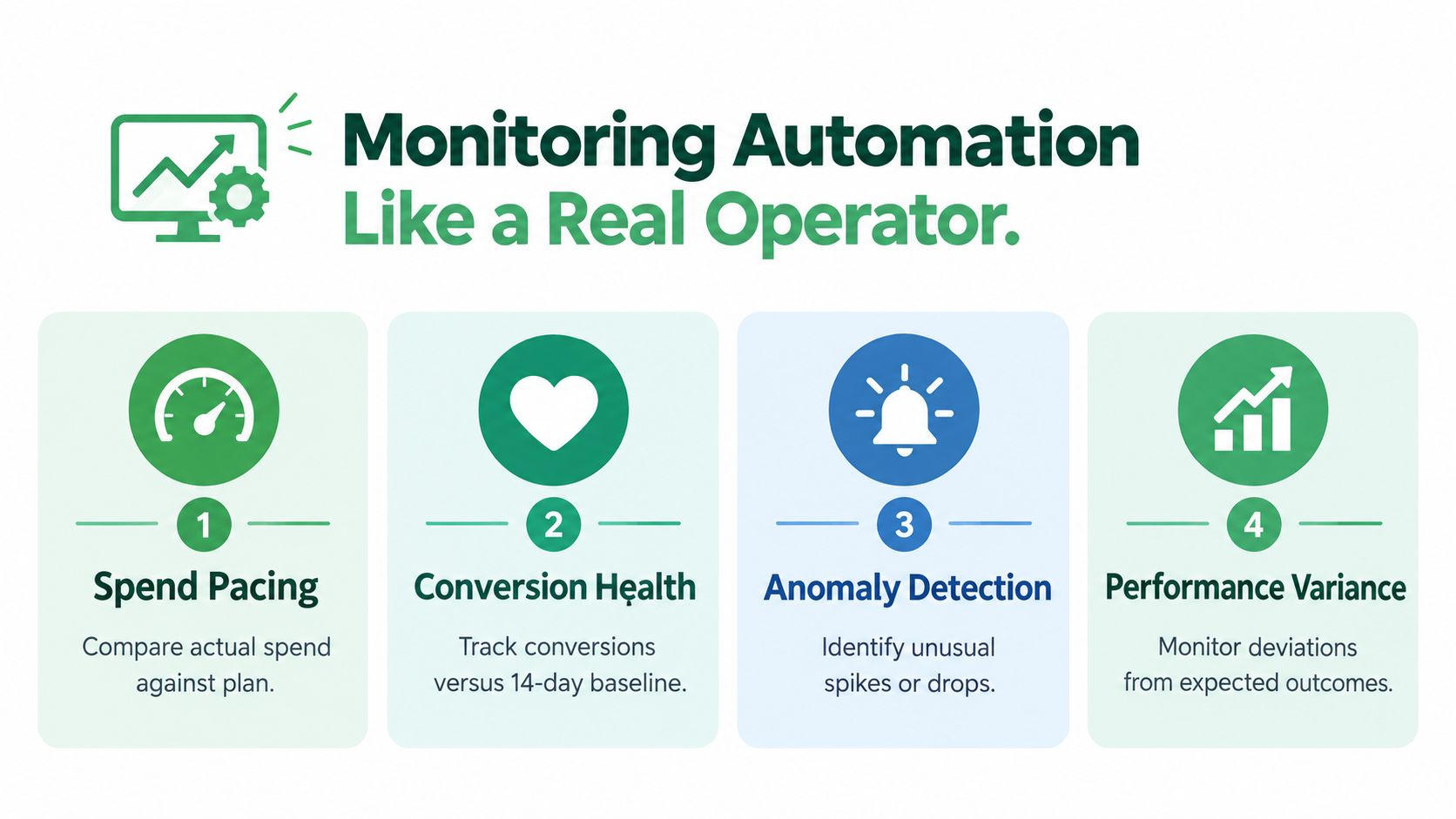
Use four metric bands. The exact thresholds should come from the account's economics and risk tolerance, but the alert definitions must be explicit.
The four monitoring bands
Spend pacing compares actual spend with the approved plan and identifies budget movements that require review. A pacing alert should include the campaign, period, expected range, current state, triggering automation, and proposed response.
Conversion health compares recorded conversions and qualified outcomes with a stable recent baseline. The platform may report a conversion while the CRM later rejects the lead, so the monitoring view should include downstream quality where available.
Anomaly detection watches unusual movement in CTR, impression share, search-term mix, spend, and conversion lag. A useful alert describes the deviation and the possible causes instead of merely announcing that a metric changed.
Audit integrity measures the automation itself. Track how many writes each rule, script, or agent proposed, how many were approved, how many were rejected, and how many were rolled back. A high rollback rate signals a governance or logic problem even when campaign performance looks acceptable.
Run a weekly control review
A practical cadence separates operational checks from deeper diagnosis:
- Monday, pacing review: Check spend against plan, recent budget edits, and campaigns approaching their approved limits.
- Wednesday, conversion review: Compare conversion and qualified-lead health with the established baseline, allowing for lag.
- Friday, governance review: Inspect every automated write, including the rule or agent responsible, approval identity, diff, outcome, and rollback status.
Ask questions that expose system behavior:
- Which rule fired most often?
- Which script generated the most rejected or reverted patches?
- Did any automation write outside its approved entities?
- Where did bidding depart from the manual control baseline?
- Which platform conversions failed to produce a qualified business outcome?
- Did a human approve a change without checking the evidence window?
For teams that need a consolidated view, a Google Ads dashboard comparison can help frame the difference between campaign reporting and operational monitoring. The dashboard tells you what happened. The automation log should tell you who or what caused it, why the change was accepted, and how to undo it.
The control loop has two objects: the campaigns and the automation operating them. Monitor both.
Your 30-Day Google Ads Automation Plan
A controlled rollout starts with observation, not writes.
Week one, audit. Inventory bid strategies, conversion actions, rules, scripts, labels, permissions, and recent changes. Enable automated bidding only for campaigns that meet the account's evidence standard, including the commonly used threshold of about 30 monthly conversions for target-based bidding (Active Marketing).
Week two, recommend. Draft three rules covering budget boundaries, search-term negative candidates, and low-response ad review. Run them in preview mode, inspect false positives, and document who owns each approval.
Week three, stage. Add one budget-pacing script and one broken-URL check. Require both to produce diffs, route writes through approval, and store a rollback record before anything reaches the account.
Week four, connect. Give a hosted MCP connector read access first. Let the agent summarize account state and propose changes, then restrict write access to explicitly whitelisted campaigns, fields, and operations.
At each Friday review, ask:
- Is CPA within the approved tolerance of the baseline?
- Are paused ads and keywords logged with reasons?
- Did the proposed diff match the intended scope?
- Did any change require rollback?
- Is conversion quality aligned with the platform signal?
Frequently asked questions
Does tCPA require a minimum budget? There isn't a universal budget minimum that makes tCPA safe. The practical gate is sufficient, trustworthy conversion volume and enough budget for the campaign to participate in the auction without constant constraint.
Should Brand campaigns be automated? Use a narrower policy for Brand campaigns because the strategic purpose, query mix, and risk profile differ from non-brand acquisition. Automate monitoring and reporting first, then approve any bid, budget, or keyword change explicitly.
How do I roll back a bad script change? Use the stored change record to restore the exact prior values, then disable or quarantine the faulty rule or script before investigating. If no prior state was captured, pause further writes and reconstruct the affected entities from account history before making another change.
NotFair offers hosted MCP connectors that let AI agents read live Google Ads data, prepare approval-gated edits, display explicit diffs, log changes, and support one-call undo. If your team wants Google Ads automation with a controlled write path rather than another collection of disconnected rules, visit NotFair and review the workflow for your accounts.