

The google ads api is useful when a Google Ads manager, agency, or growth team needs more than a dashboard export: repeatable reporting, account diagnostics, budget workflows, or controlled campaign changes. The decision is not simply whether to “use the API.” It is which jobs belong in API code, which should stay in the Google Ads interface, and how to add automation without allowing a bad query, stale recommendation, or overly broad mutation to damage an account.
This guide provides a working selection process for 2026. It covers access, data modeling, query design, action safety, approval workflows, and the role of AI and MCP servers. The examples use an illustrative paid-search account; thresholds and schedules are starting policies, not universal benchmarks.
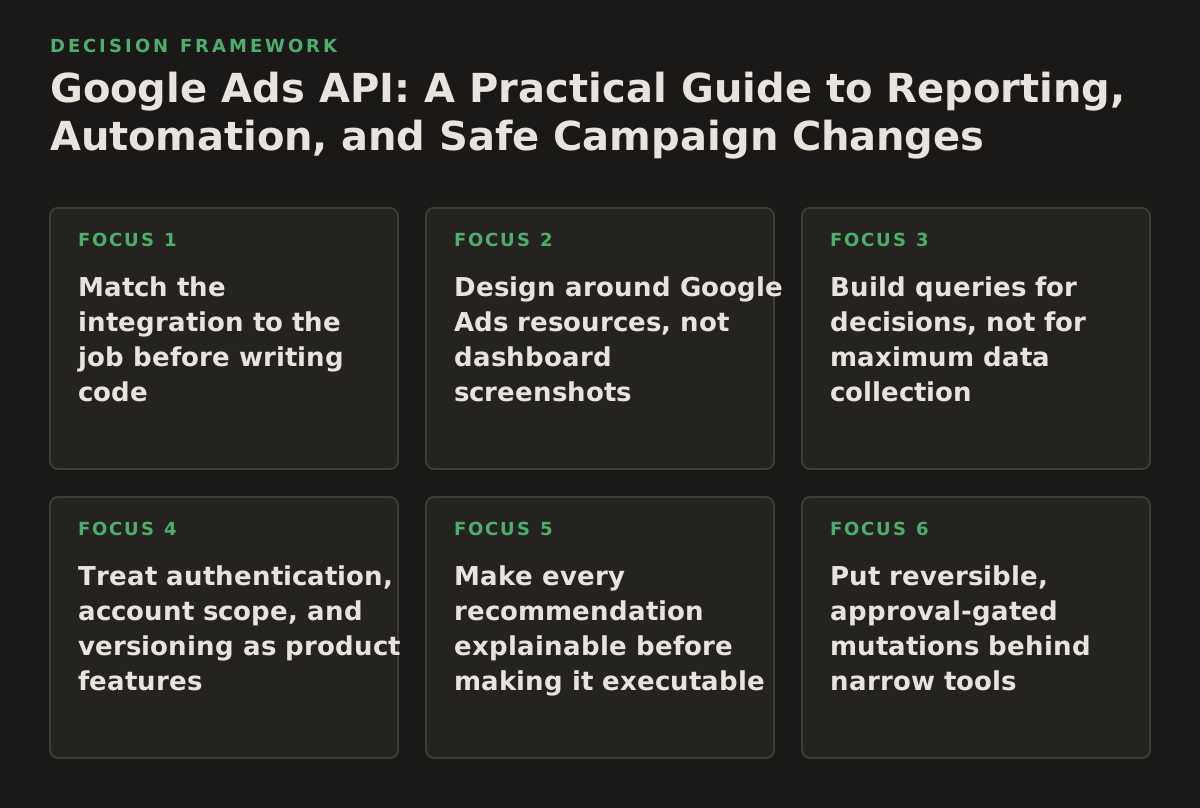
1. Match the integration to the job before writing code
When this principle applies: Use it whenever a team is deciding between the Google Ads interface, a scheduled export, Google Ads Scripts, the API, or an AI-connected workflow. Most wasted integration work starts with a vague request such as “automate Google Ads,” rather than a defined operational job.
Why it works: Each interface has a different cost and control profile. The web interface is usually the best place for exploratory setup and one-off account work. A spreadsheet or native report may be sufficient for a recurring human review. Scripts can handle tightly scoped in-account routines. The API becomes more appropriate when you need a service that works across accounts, joins advertising data with other systems, stores history, or exposes reusable actions to an application.
Start by classifying the work into one of four categories:
- Observe: retrieve campaigns, ad groups, search terms, conversions, costs, and delivery status.
- Explain: compare periods, identify anomalies, connect changes to outcomes, and produce a diagnosis.
- Recommend: propose a bid, budget, targeting, or creative action with evidence and an expected consequence.
- Execute: apply a narrowly defined change, record it, and make reversal possible.
The API is especially valuable when the same observation or action must be applied consistently across many customer accounts. Google’s overview describes the Google Ads API as a programmatic interface for interacting with Google Ads accounts, including querying and changing resources; consult the official Google Ads API getting-started documentation for the current access and setup path.
A practical selection rule
| Job | Start with | Use the API when | Control required |
|---|---|---|---|
| Inspect one campaign | Google Ads interface | The review must recur or cover many accounts | Human judgment |
| Daily account report | Scheduled report or export | You need custom joins, history, or a central data store | Read-only service account workflow |
| Search-term diagnosis | Interface and report | You need classification, alerts, or cross-account prioritization | Read-only first; approval for changes |
| Budget or bid adjustment | Manual change or tightly scoped script | The policy must be centralized, logged, and reversible | Approval gate and rollback |
| AI account assistant | Internal reporting tool | An AI client must query data and propose permitted actions | Tool allowlist, preview, approval, audit trail |
Failure mode: Treating every API request as an automation opportunity. A team may spend weeks building a service that reproduces a report already available in the interface, while neglecting the hard parts: identity, account scope, data freshness, and mutation safeguards.
Implementation example: An agency asks for “automated budget management.” Break that into a daily read-only spend and conversion report, an alert when a campaign deviates from its approved range, a recommendation containing the evidence, and an optional approved change. Only the last step needs mutation access. That separation reduces the blast radius without blocking useful automation.
2. Design around Google Ads resources, not dashboard screenshots
When this principle applies: Apply it when building reports, data pipelines, AI tools, or integrations that will need to survive changes in how a campaign is displayed in the interface.
Why it works: Google Ads data is organized as resources and relationships. Campaigns, ad groups, ads, keywords, search terms, budgets, and customer-level objects are not interchangeable rows. A report should make its grain explicit: one row per campaign per day is a different dataset from one row per search term per ad group per day.
The official API structure documentation explains the relationship between customers, resources, services, and queries. Read the Google Ads API structure guide before choosing fields. It is easier to design a stable data model when you know which resource owns a field and which service can retrieve or mutate it.
Define the grain before selecting fields
- Campaign-day grain: suitable for spend pacing, budget reviews, and high-level trend alerts.
- Ad-group-day grain: useful for structure and delivery diagnostics, but larger and more expensive to process.
- Search-term-day grain: useful for query quality and negatives, with significant duplication if joined carelessly.
- Asset or ad grain: appropriate for creative status and approval checks, not for calculating campaign-level efficiency without aggregation.
Keep identifiers alongside human-readable names. Names change; resource identifiers provide a more stable join key. Store the customer identifier, date range, query version, retrieval timestamp, and any segmentation used. If a metric is later challenged, those fields let an analyst reproduce the result rather than debate which dashboard view was used.
Failure mode: Joining tables by campaign name or aggregating a segmented report as though each row were unique. This can double-count metrics when the same entity appears across device, network, date, or conversion-action segments.
Implementation example: A reporting service stores a daily campaign fact with customer ID, campaign resource name, date, cost, clicks, impressions, conversions, and conversion value. It stores search-term findings separately, keyed by customer, ad group, search term, and date. The service summarizes the second table into campaign recommendations but never joins raw search-term rows directly to campaign totals without aggregation.
3. Build queries for decisions, not for maximum data collection
When this principle applies: Use this approach when API calls are slow, reports are noisy, quotas are being consumed unnecessarily, or an AI assistant returns technically accurate but operationally useless answers.
Why it works: A query should answer a question with a defined population, time window, grain, and action. “Show me everything” produces a large dataset that still does not tell a manager what deserves attention. A decision query is narrower: “Which non-brand campaigns spent above their approved daily range over the last seven complete days while producing no primary conversions?”
Google provides reporting guidance and Query Builder resources in its official Google Ads API reporting documentation. Use the current field and resource references rather than copying a query from an old blog post, because API versions and selectable fields change.
Write a query brief first
- Decision: What action could this result cause?
- Population: Which customer, campaign type, status, network, or label is included?
- Window: Which complete dates are safe to compare?
- Grain: What does one returned row represent?
- Evidence: Which metrics and attributes justify the recommendation?
- Exclusions: Which campaigns, conversion actions, or experiments should not be mixed in?
Prefer separate focused queries over one enormous query when the outputs support different decisions. A pacing query may need campaign budget and recent cost. A search-quality query may need search terms, ad groups, and conversion outcomes. A change-monitoring query may need change history and user or timestamp details. Combining all of them can create confusing joins and make failures harder to isolate.
Failure mode: Comparing incomplete current-day data with complete historical days. A campaign may look under pace in the morning simply because the day is still in progress. Another common error is using account-level conversions as if every campaign shares the same conversion definition.
Implementation example: A daily pacing job runs after the previous day closes. It retrieves approved campaign budgets and recent spend at campaign-day grain, excludes paused and experimental campaigns, and labels the output “diagnostic.” A separate job evaluates conversion efficiency over a longer illustrative window. The AI layer receives both the values and their definitions, rather than inferring them from column names.
4. Treat authentication, account scope, and versioning as product features
When this principle applies: This is mandatory for agencies, SaaS products, internal platforms serving multiple brands, and any integration that will move from a developer laptop to a recurring service.
Why it works: API access is not just a credential pasted into an application. The integration must identify the manager or customer account, obtain authorized access, select the correct account context, and preserve enough metadata to explain who or what performed a request. A technically valid request can still target the wrong customer.
Google’s authentication documentation covers OAuth and the credentials involved in accessing Google Ads API services. Use the official OAuth overview as the starting point, and verify current developer-token requirements and access levels in the same documentation set before production deployment.
Separate identity from authorization
- Identity: Which application or service is making the request?
- User consent: Which Google account authorized access?
- Manager context: Which manager account, if any, is being used to reach a customer account?
- Target customer: Which account will be read or changed?
- Permission: Is the operation read-only, recommendation-only, or mutation-capable?
Store account relationships and authorization metadata in a controlled configuration store, not in prompts or ad hoc spreadsheets. For agencies, map each client to an explicit customer ID and label the account’s environment, such as production, test, or excluded. Add a preflight check that displays the target account name and identifier before a mutation is even constructed.
Plan upgrades as part of maintenance. Pin a supported API version where appropriate, monitor deprecation notices, and test field availability before changing production traffic. A query that fails closed is inconvenient; a migration that silently changes a metric definition is dangerous.
Failure mode: A manager-account integration accidentally sends a customer ID from one client while using authorization or configuration from another. The request may succeed, which makes the incident harder to detect.
Implementation example: Before a budget edit, the service resolves the client record to a customer resource, fetches the account display name for confirmation, checks that the campaign belongs to that customer, and creates a dry-run change record. The mutation is blocked if any identifier is missing or inconsistent.
5. Make every recommendation explainable before making it executable
When this principle applies: Use this principle for automated alerts, agency workflows, AI assistants, and any recommendation that could affect spend, targeting, ads, keywords, or conversion measurement.
Why it works: A recommendation is not an action. It is a claim supported by evidence and constrained by policy. Separating diagnosis from execution gives a manager a chance to reject a bad premise, catch a tracking issue, or recognize a business exception.
A useful recommendation object contains:
- Observation: the exact account, campaign, dates, and metrics involved.
- Interpretation: the most likely explanation, stated with uncertainty where needed.
- Proposed change: the resource, field, old value, and new value.
- Expected consequence: what should change and what might worsen.
- Confidence and missing evidence: what the system does not know.
- Approval state: proposed, approved, rejected, applied, or rolled back.
For example, “lower budget” is weak. “Campaign X spent above its illustrative policy range for three complete days, while primary conversion volume remained below the account’s review threshold; propose reducing the daily budget from the current value to the approved cap, subject to manager approval” is inspectable. The recommendation still might be wrong, but its premise can be challenged.
Distinguish symptoms from causes
A drop in conversions could come from reduced demand, tracking failure, landing-page problems, auction pressure, disapproved ads, or a deliberate business change. The API can provide evidence about campaign status, delivery, costs, clicks, and conversions; it cannot automatically establish the business cause. Diagnostic workflows should therefore check adjacent systems where possible, including analytics and search-console data, before proposing a spend change.
Failure mode: Letting an AI model convert correlation into causation. “CPA increased” does not prove that bids caused the increase, and “zero conversions” does not prove that a campaign should be paused.
Implementation example: An AI assistant reports that a campaign’s conversion count fell. It checks whether conversion tracking changed, whether spend and clicks also changed, whether ads or assets are limited, and whether the comparison uses the same conversion definition. It then offers two possible explanations and requests approval for a diagnostic follow-up rather than immediately changing bids.
6. Put reversible, approval-gated mutations behind narrow tools
When this principle applies: Apply it whenever the integration can alter budgets, bids, keywords, ads, targeting, status, or other account settings. It is especially important when an AI client can call tools on behalf of a user.
Why it works: Read access and write access have different risk profiles. A read query can be wrong and waste time. A write operation can spend money, interrupt delivery, or create a change that is difficult to reconstruct. The safest design makes the risky path slower, narrower, and observable.
Do not expose a generic “run arbitrary mutation” tool to an AI model. Expose business actions with constrained arguments, such as:
- Set a campaign budget within an approved range.
- Pause a specified campaign after confirming its current status.
- Apply a reviewed negative keyword to a named ad group.
- Restore the previous value from a recorded change.
- Generate a preview without applying anything.
For each action, enforce resource-level authorization, current-state checks, policy limits, and idempotency. A request to “increase spend” should fail if the campaign has changed since the recommendation was created, if the new value exceeds policy, or if the account is outside the approved client scope.
A safe execution sequence
- Retrieve the current resource and confirm its identity.
- Compare the current value with the value used in the recommendation.
- Render a human-readable preview with old and new values.
- Require explicit approval from an authorized user.
- Apply only the approved operation.
- Record request metadata, result, timestamp, and rollback information.
- Verify the resulting resource state.
Failure mode: A bulk operation applies a valid change to an unintended population because the filter was broader than the operator thought. Valid syntax is not evidence of correct scope.
Implementation example: A manager approves a budget change for one campaign. The tool accepts one campaign resource name and one proposed value, rejects values outside an illustrative policy band, checks the campaign’s current budget, applies the change, and stores the previous budget for rollback. A separate bulk tool can exist later, but only after it has explicit selection rules and a stronger approval requirement.
For an AI-connected workflow, a hosted Google Ads MCP can provide a structured bridge between an MCP-compatible client and Google Ads operations. The important design question remains the same: which tools are read-only, which produce recommendations, and which require approval before execution.
7. Use cross-channel context without hiding platform-specific truth
When this principle applies: Use cross-channel context when diagnosing business outcomes, allocating attention, or explaining why Google Ads performance changed. Do not use it as an excuse to flatten unlike metrics into one score.
Why it works: Paid search rarely operates alone. A brand campaign may respond to demand generated by Meta Ads, email, organic search, or offline activity. Search Console can add query and visibility context; analytics can add site behavior; CRM data can add lead quality. These systems help explain performance, but their attribution rules and timestamps may differ.
Google’s Analytics Data API documentation describes programmatic access to Analytics reporting data; consult the Analytics Data API overview when building a companion data workflow. For Meta campaign data, use the current Meta Marketing API documentation rather than assuming Google Ads fields or attribution windows map directly.
Build a semantic layer that records definitions beside values:
- Platform and account source.
- Reporting timezone and date boundary.
- Conversion name and counting method.
- Attribution or reporting setting used.
- Currency and cost treatment.
- Data freshness and expected delay.
Failure mode: Presenting Google Ads conversions, Analytics key events, and CRM-qualified leads as one interchangeable “conversion” metric. A dashboard can look unified while the underlying populations are not comparable.
Implementation example: A demand-generation team sees Google Ads leads holding steady while qualified opportunities fall. The diagnostic workflow keeps platform conversions separate, joins them by campaign and date only where the mapping is defined, and flags the CRM stage as a downstream quality signal. It recommends reviewing lead routing and search intent before cutting search budgets.
Cross-channel systems can also be separated by tool permissions. A Meta Ads MCP may help a marketer inspect paid-social context, while Google Ads tools remain responsible for Google-specific resource reads and changes. This keeps the AI’s evidence traceable instead of blending every channel into an opaque answer.
8. Measure automation by decision quality and control, not request volume
When this principle applies: Apply it when evaluating an API project, AI agent, agency operations platform, or internal automation roadmap.
Why it works: More requests, more alerts, and more automated changes can create the appearance of progress while increasing review burden. A good system reduces repetitive investigation, catches meaningful issues, and makes approved changes safer. It should also know when not to act.
Use a scorecard that separates operational reliability from marketing judgment:
- Coverage: Which accounts and campaign types are actually included?
- Freshness: How old can the data be before a recommendation is invalid?
- Precision of alerts: How often does an alert lead to a worthwhile investigation?
- Recommendation acceptance: How often do qualified operators approve the proposed action?
- Execution safety: Are changes scoped, logged, verified, and reversible?
- Business relevance: Does the workflow improve the agreed outcome, not merely an API metric?
Do not set a universal target for these measures without understanding the account. An e-commerce account with frequent promotions needs different checks from a B2B account with delayed offline conversion imports. Label policies as illustrative starting points, then revise them using documented review outcomes.
Failure mode: Optimizing for alert count or automated action count. This encourages noisy rules, approval fatigue, and eventual abandonment of the system.
Implementation example: An agency tracks how many weekly alerts were reviewed, dismissed as expected behavior, escalated to a client, or converted into an approved change. It also records rollback events and false premises. After several review cycles, it removes rules that produce activity without a useful decision, even if those rules generate technically correct data.
Implementation plan: build the smallest safe loop first
For a team starting or rebuilding a Google Ads API integration in 2026, use this sequence rather than beginning with an AI agent or a bulk-edit feature.
- Choose one decision. Select a bounded job such as daily campaign pacing, conversion-tracking diagnosis, or search-term review. Write down the intended operator and the action that may follow.
- Map the account scope. Identify manager and customer accounts, approved users, environments, currencies, time zones, and campaigns that must be excluded. Add an account-name and identifier preflight check.
- Establish read-only access. Complete OAuth and developer access requirements using the current official documentation. Build one small query and store its query version, retrieval time, date range, and resource grain.
- Validate the data model. Reconcile a sample of API results with the interface and document differences in date boundaries, conversion definitions, segmentation, and status. Do not proceed while row grain is ambiguous.
- Create a diagnostic output. Return evidence, interpretation, uncertainty, and recommended next checks. Make the output useful even when no campaign change is approved.
- Add policy checks. Define allowed resources, excluded campaign types, illustrative thresholds, maximum change sizes, and conditions that force human review. Store these rules outside the model’s free-form instructions.
- Implement preview and approval. Show the exact old value, new value, target resource, reason, and expected consequence. Require explicit approval and reject stale recommendations.
- Add execution and rollback. Apply one narrow mutation, verify the resulting state, log the operation, and retain enough previous-state information to reverse it.
- Monitor quality. Review alert usefulness, rejected recommendations, failed requests, stale data, scope errors, and rollbacks. Expand to new resources only when the first loop is dependable.
This order matters. It keeps reporting, diagnosis, recommendation, and execution distinct, so a failure in one layer does not automatically become a spending incident. It also gives agencies and in-house teams a clear answer to the central question: use the Google Ads API where repeatability and integration create leverage, but keep high-consequence decisions constrained by evidence, policy, and an accountable approver.
If you want to connect an approval-gated AI client to advertising data without building every connector from scratch, NotFair offers hosted MCP infrastructure for these workflows through NotFair.
Authored with NotFair SEO